
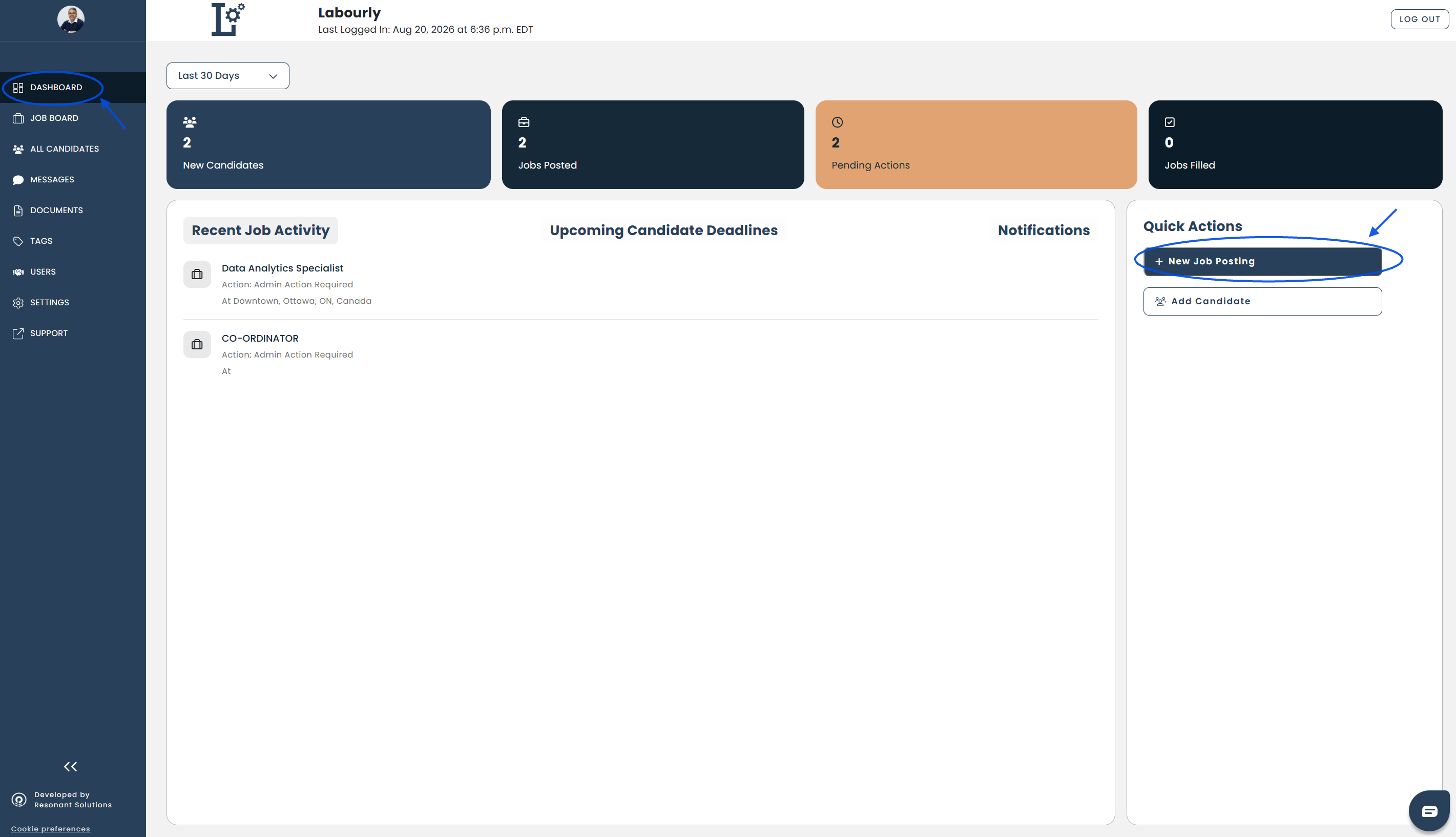
When you first log in to Labourly, you will land on your Dashboard. The Dashboard provides an overview of activity and gives you quick access to common actions.
To get started, follow these three steps:
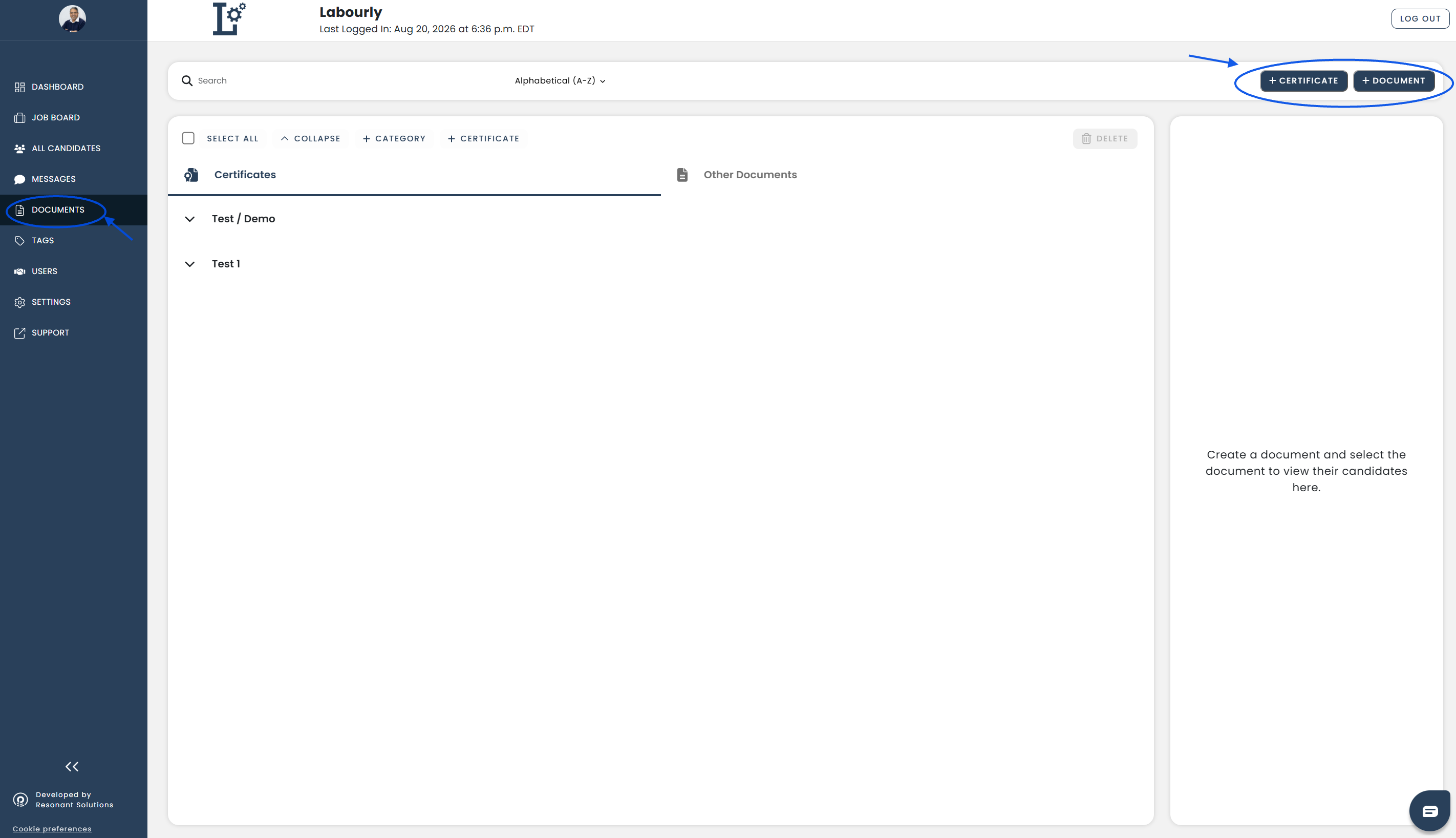
1. Set Up Certifications and Documents
Set up the certifications and documents your organization needs to collect and manage for candidates.
Go to Documents from the left-hand menu to manage:
- Certifications – Licensing and training qualifications specific to industry regulations
- Other Documents – Education, language, legal, and company-based information
Creating certifications and documents allows candidates to upload and maintain their professional files within
For more information, see:
2. Add or Invite Candidates
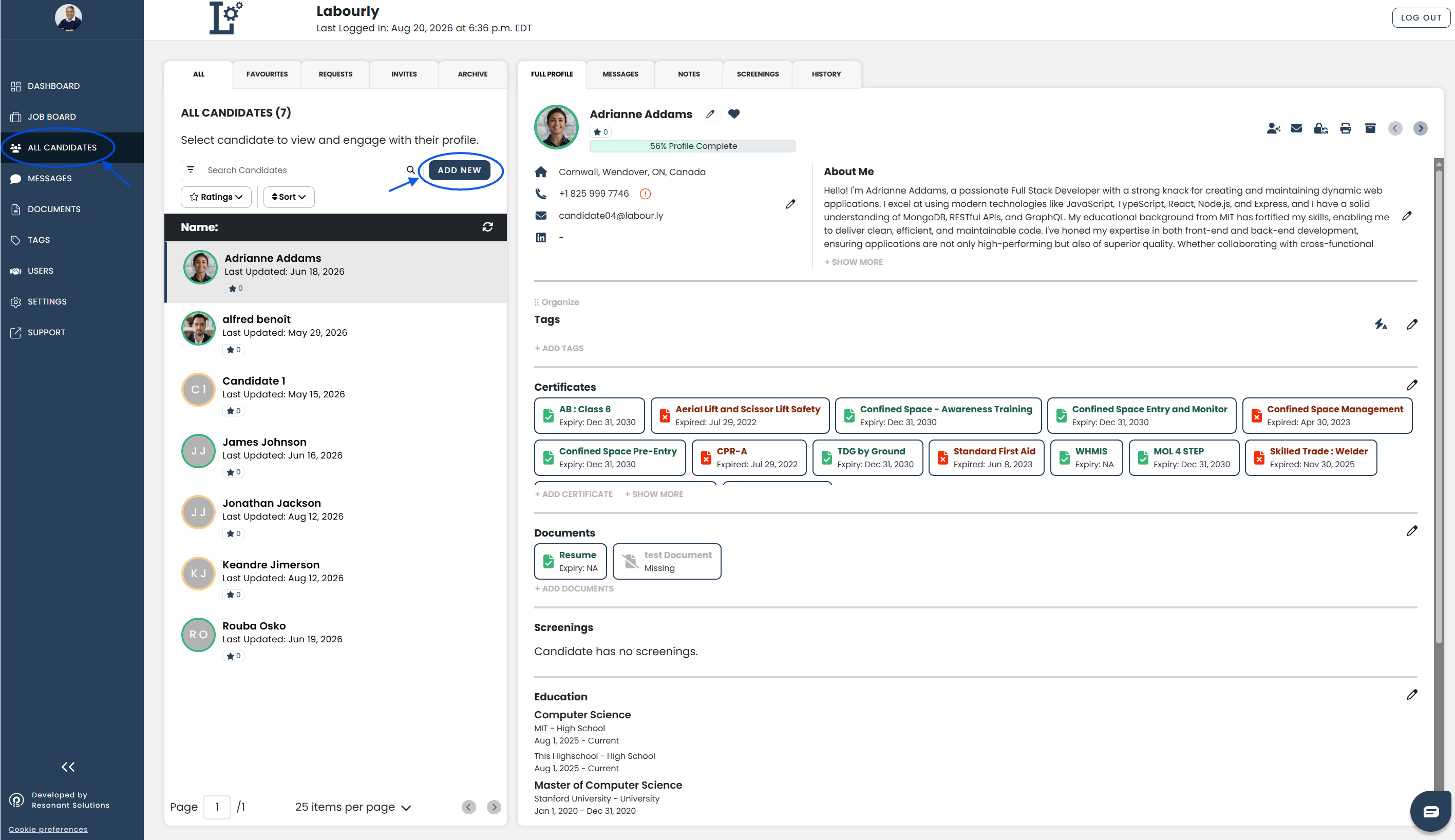
Once your certifications and documents are set up, start adding candidates to Labourly to manage their profiles, information, and requirements.
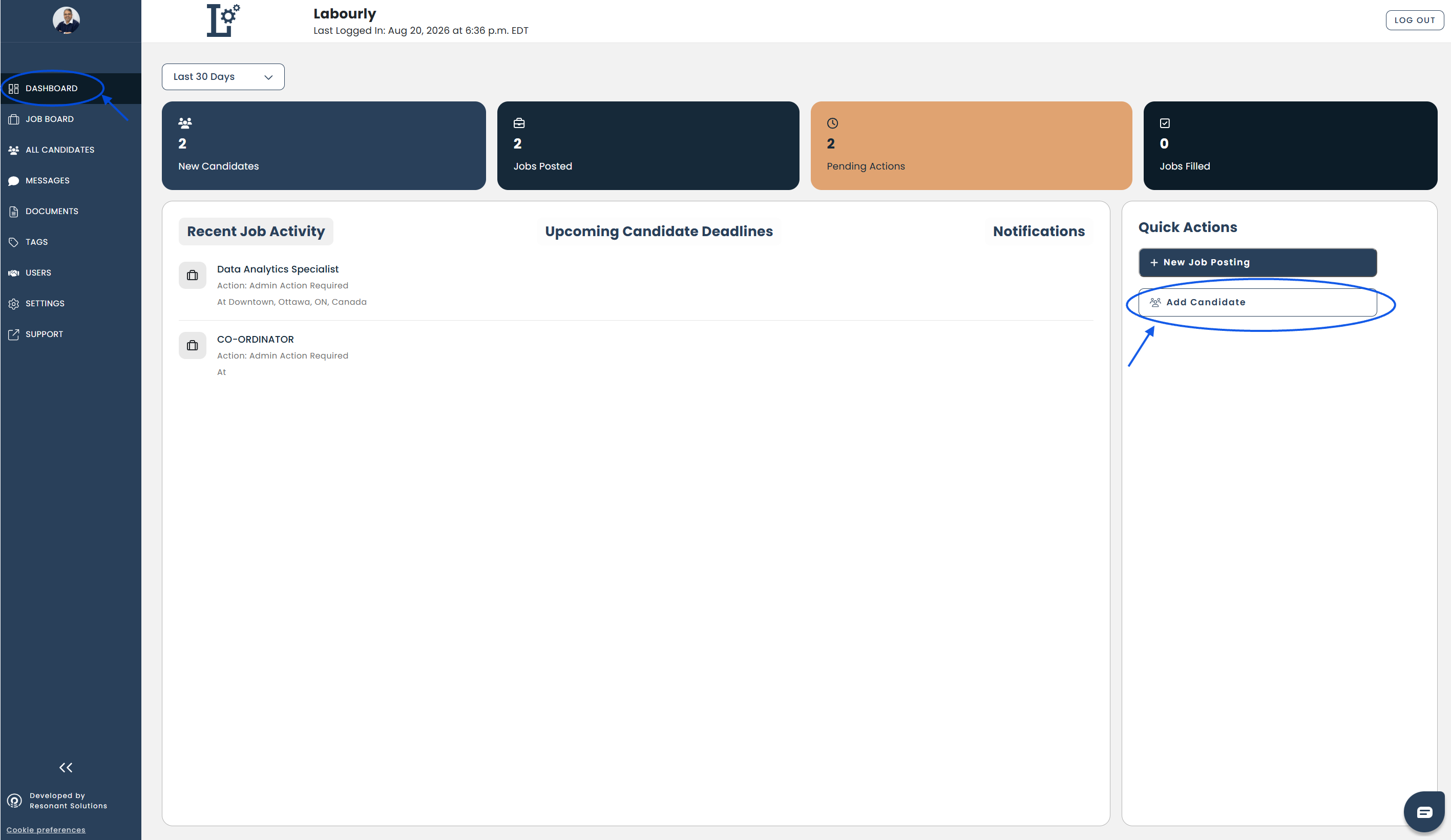
Go to All Candidates from the left-hand menu, or click Add Candidate under Quick Actions on the Dashboard to add a candidate directly. Candidates can be added directly or invited to create and access their profile.
For more information, see:
- Managing Candidates
- Difference between adding and inviting a candidate
- How to add a candidate
- How to invite a candidate
3. Create a Job Posting
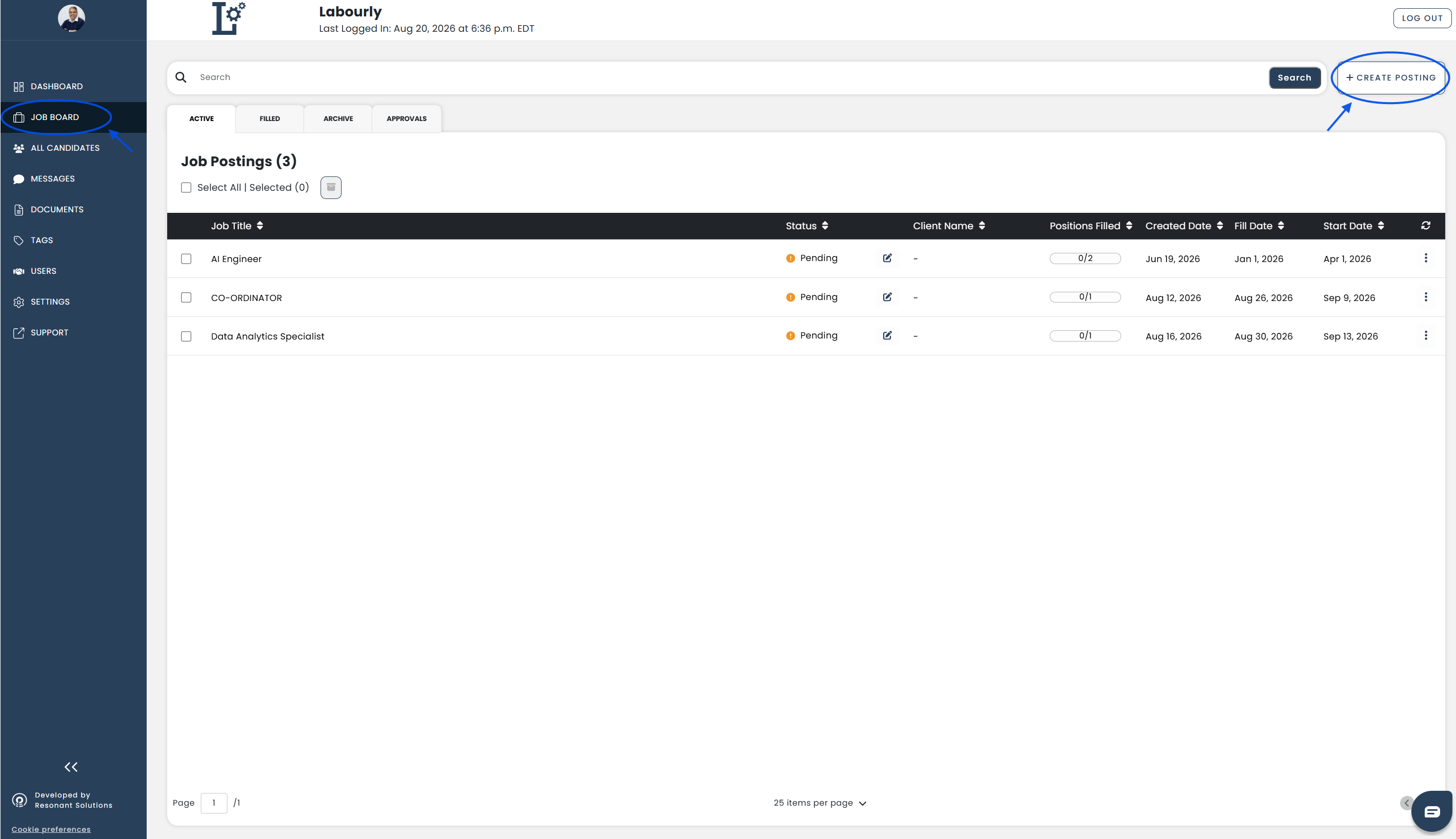
Create and manage job postings in Labourly to identify qualified candidates and track postings through different stages of the hiring process.
Go to Job Board from the left-hand menu, or use + New Job Posting under Quick Actions on the Dashboard.
For more information, see:
Once these steps are complete, you can explore additional Labourly features, including Tags, Messages, Clients, and Settings.
See also: