
Job postings can be created from the Job Board to manage hiring and identify qualified candidates.
You can create a new job posting or duplicate an existing job posting and update the information as needed.
Labourly uses the requirements defined in the job posting to identify and shortlist matching candidates.
a. Access the Job Board:
- Go to Job Board from the left-hand menu
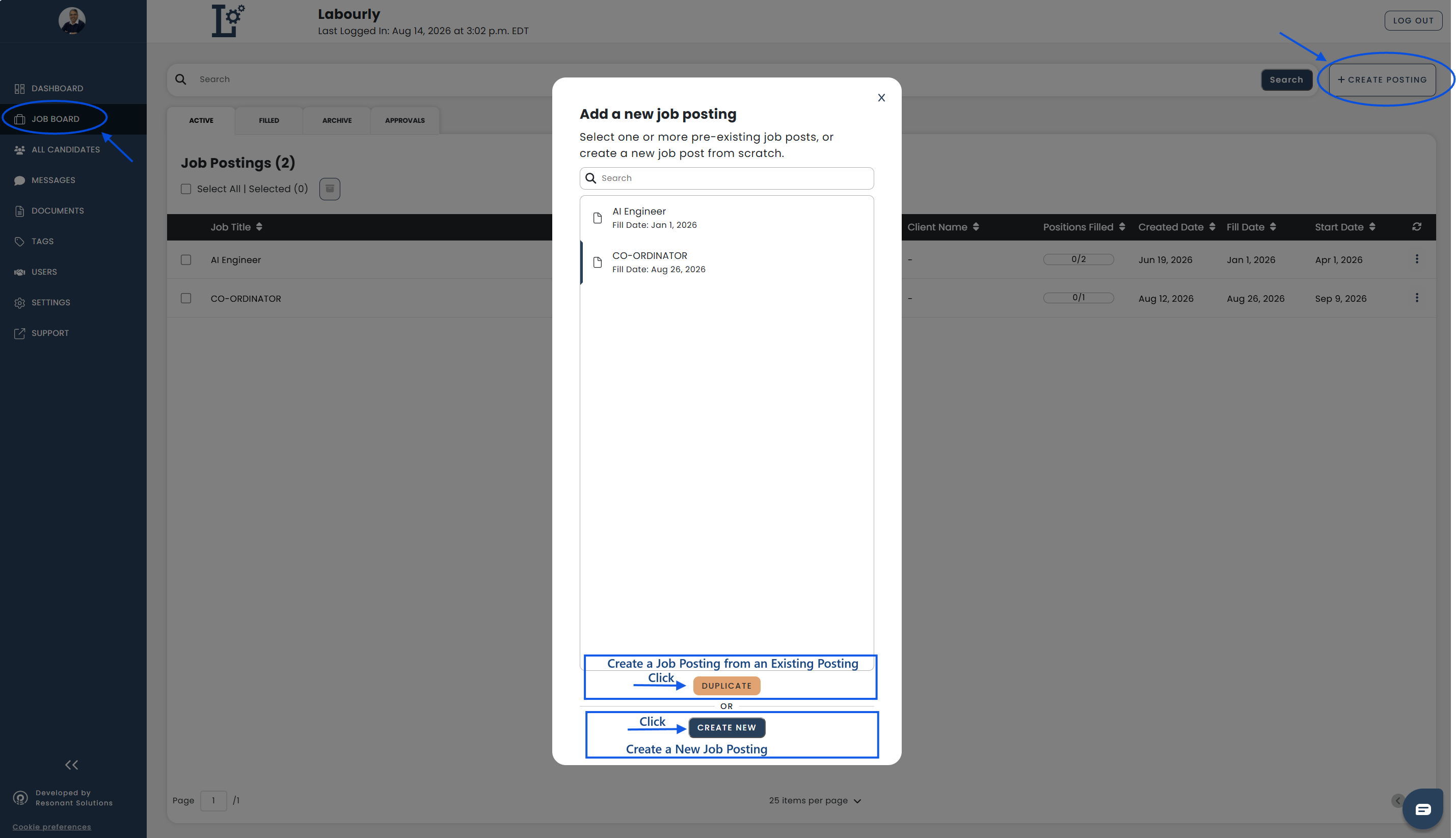
- Click + CREATE POSTING
The Add a New Job Posting window will open.
From this window, you can create a new job posting or create one based on an existing posting.
Create a New Job Posting
View steps
- Click CREATE NEW
The Create Job Posting editor will open.
You can enter the job information manually or upload a job description.
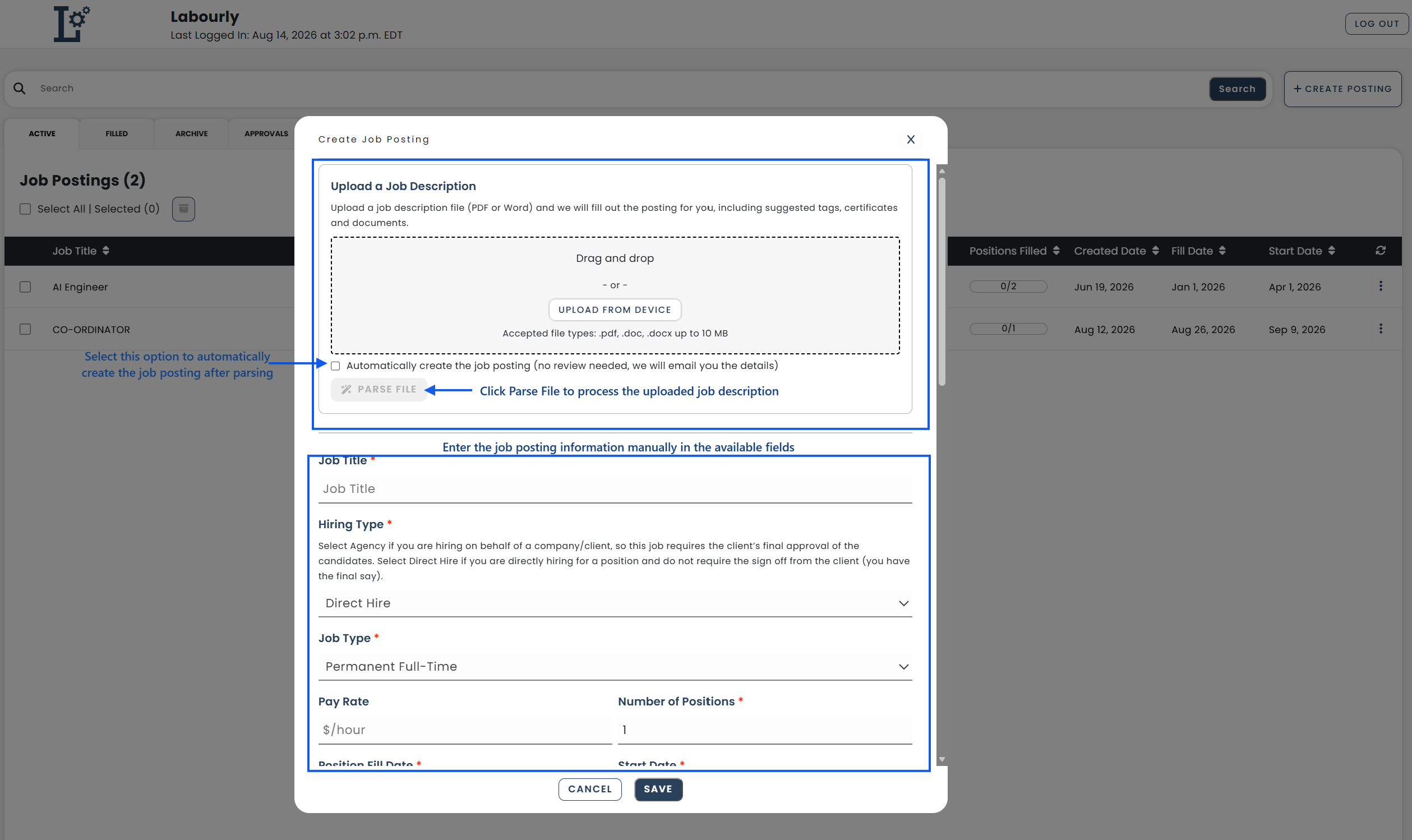
To enter the information manually:
- Complete the job posting information as needed
To upload a job description:
- Drag and drop a job description file or click UPLOAD FROM DEVICE
NOTE: Accepted file types: .pdf, .doc, .docx, up to 10 MB.
- Click PARSE FILE
Labourly will parse the uploaded job description and fill in as a draft all the fields it can identify. It will also suggest tags, certifications, and documents.
You can update the information as needed.
To automatically create the job posting from an uploaded job description:
- Upload the job description
- Select Automatically create the job posting
- Click PARSE FILE
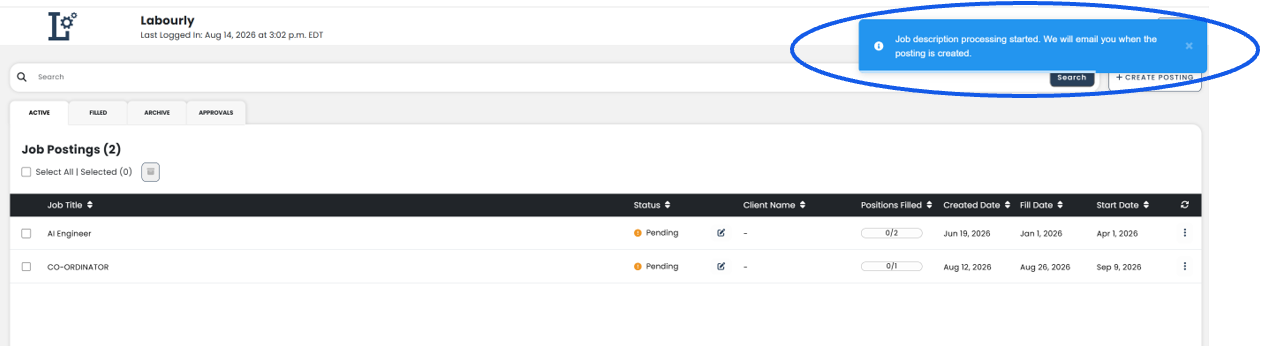
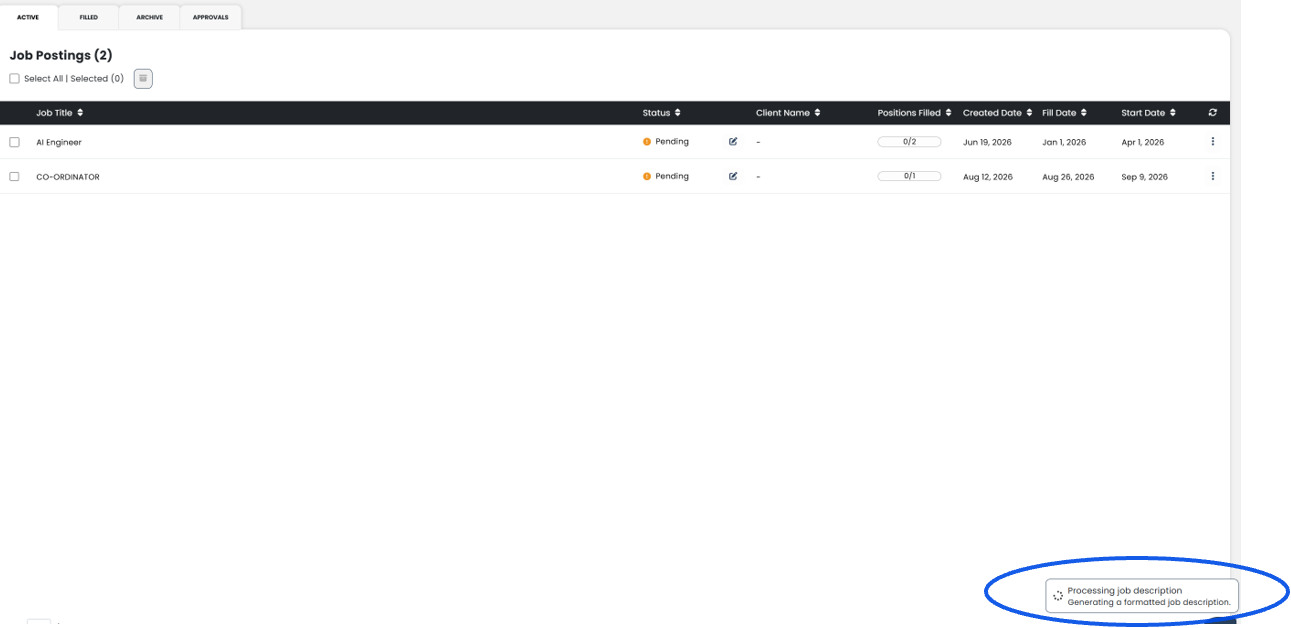
Labourly will process the job description and automatically create the posting. You can continue using Labourly while the job description is being processed and will receive a notification when processing is complete.
The job posting can still be edited after it is created.
Create a Job Posting from an Existing Posting
View steps
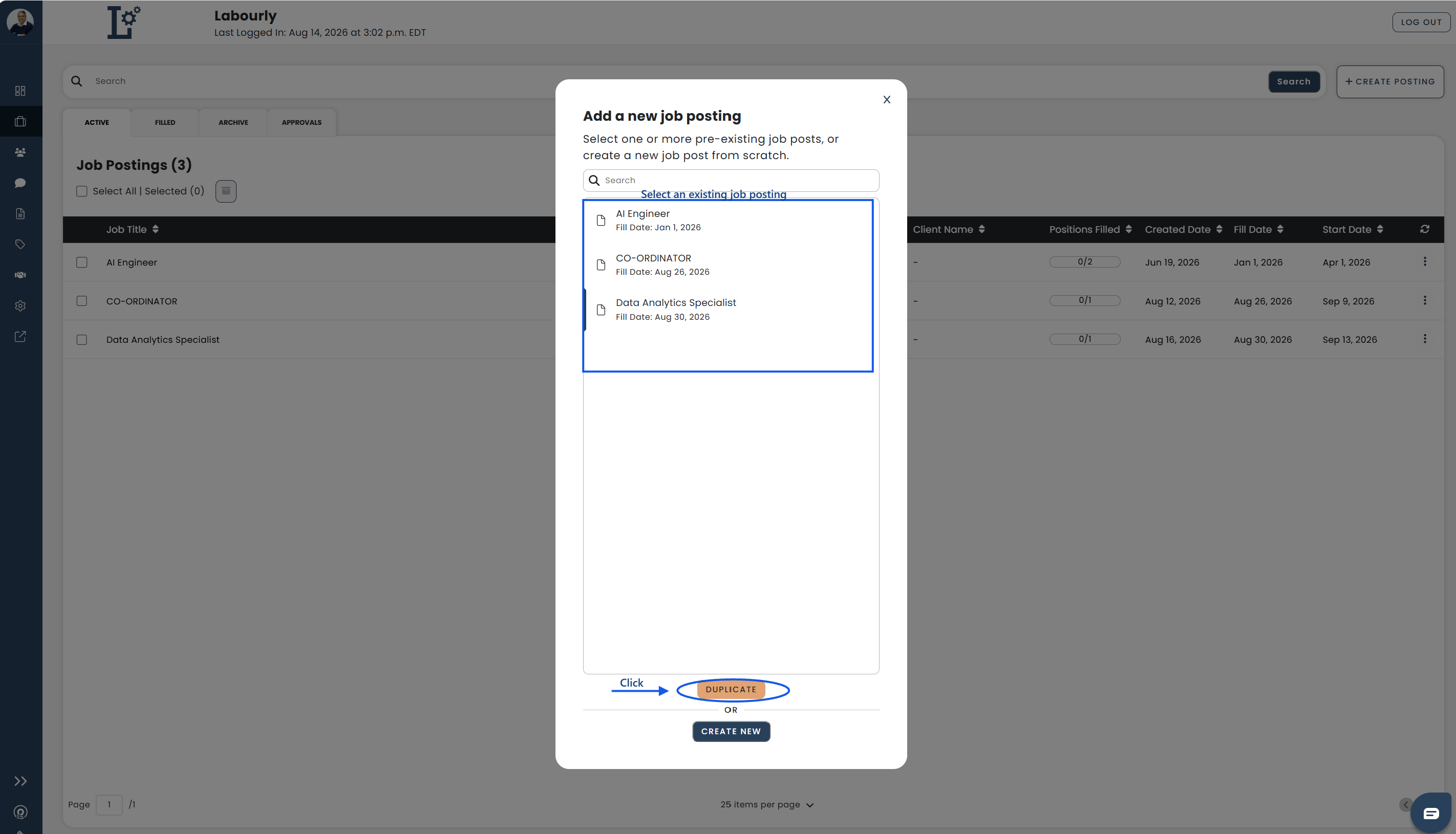
- Select an existing job posting from the list
- Click DUPLICATE
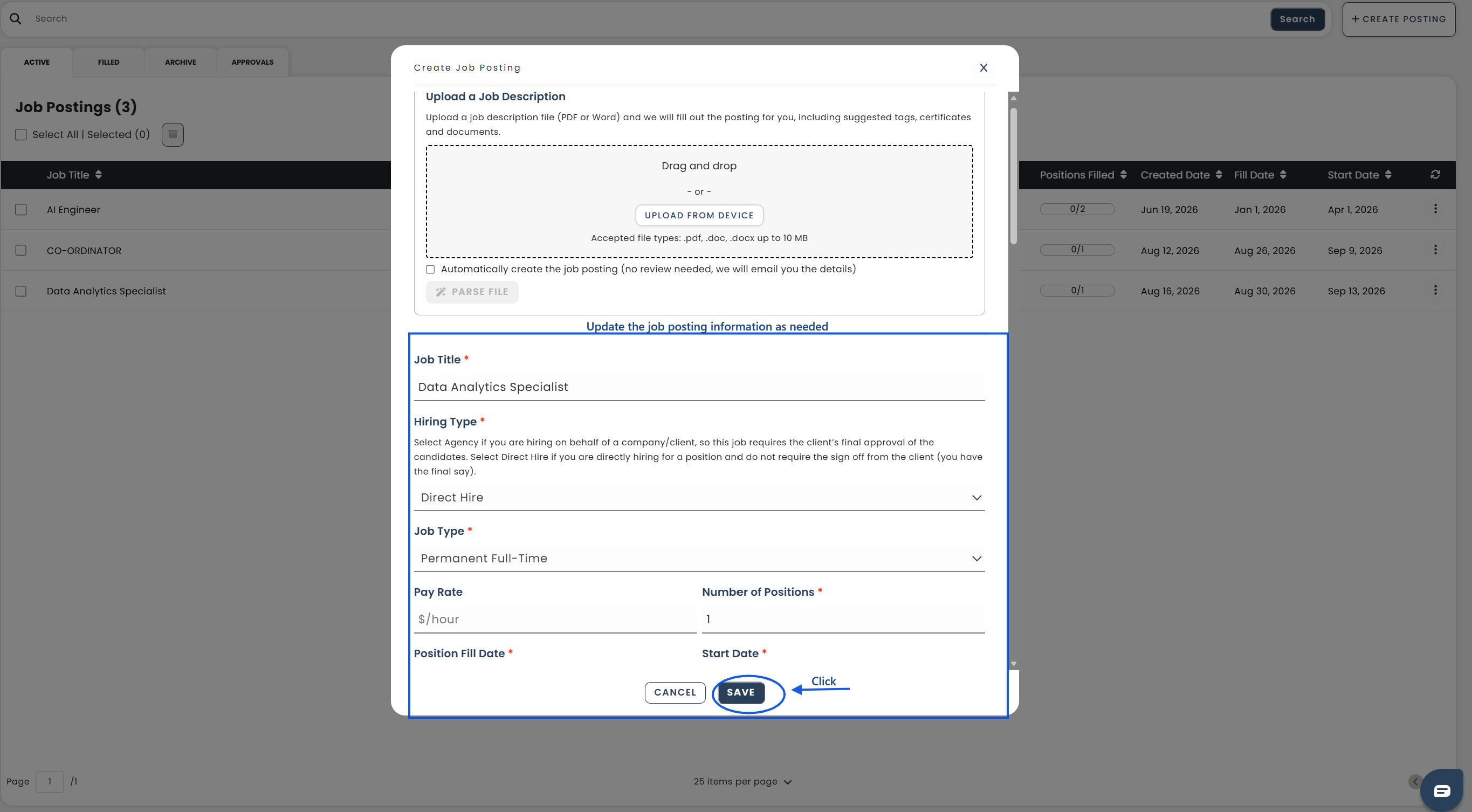
The Create Job Posting editor will open.
Update the job posting information as needed.
b. Job Information:
Complete or update the job information, including:
- Job title
- Hiring type
- Job type
- Pay rate
- Number of positions
- Position fill date
- Start date
- Job description
- Location information
Additional fields may be available depending on your organization’s configuration.
c. Job Requirements:
Add or update the requirements for the position, including:
- Tags
- Certifications
- Documents
You can also:
- Generate tags from the job description
- Add internal notes for admins and clients
- Select referral job boards
These requirements help Labourly identify and shortlist qualified candidates.
d. Save the Job Posting:
- Review the job posting information
- Click SAVE
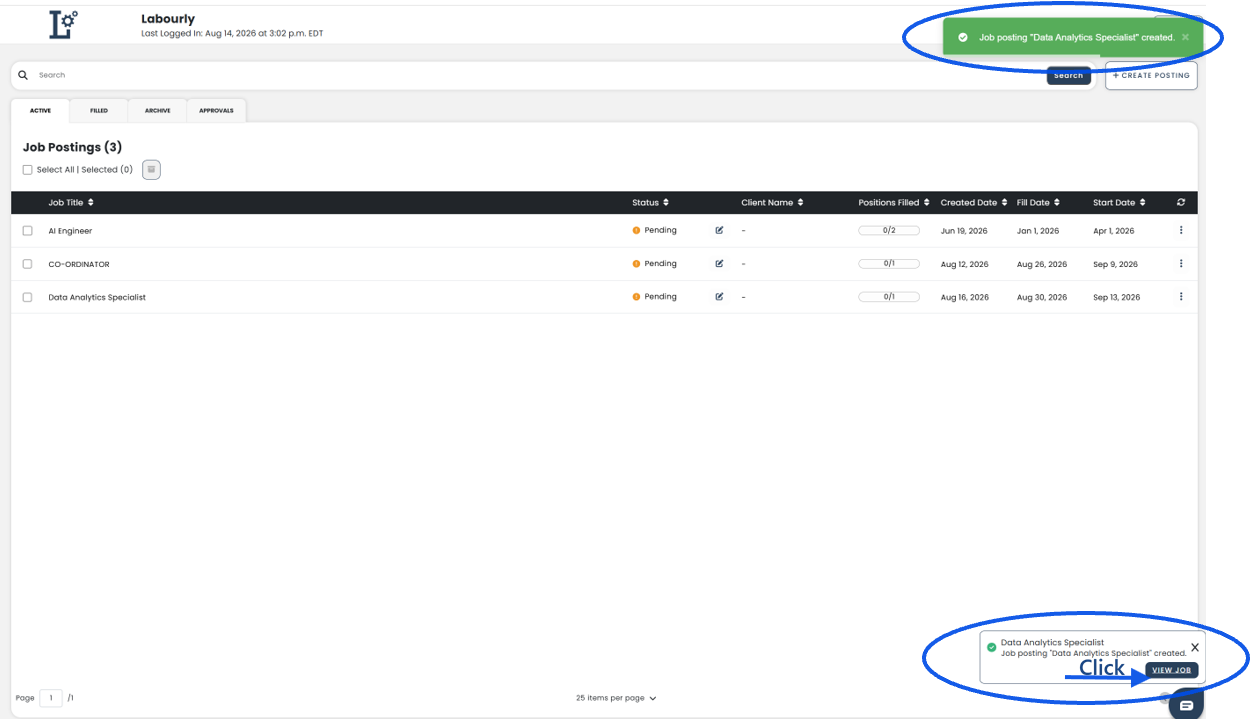
The job posting will be added to the Job Board.
e. Verify:
- Return to the Active tab
- Confirm that the new job posting appears in the job posting list
See also: