
The Settings section allows you to manage your personal information, company information, preferences, and financial settings.
Access Settings:
Go to Settings from the left-hand menu
The Settings page will open and display the available settings sections.
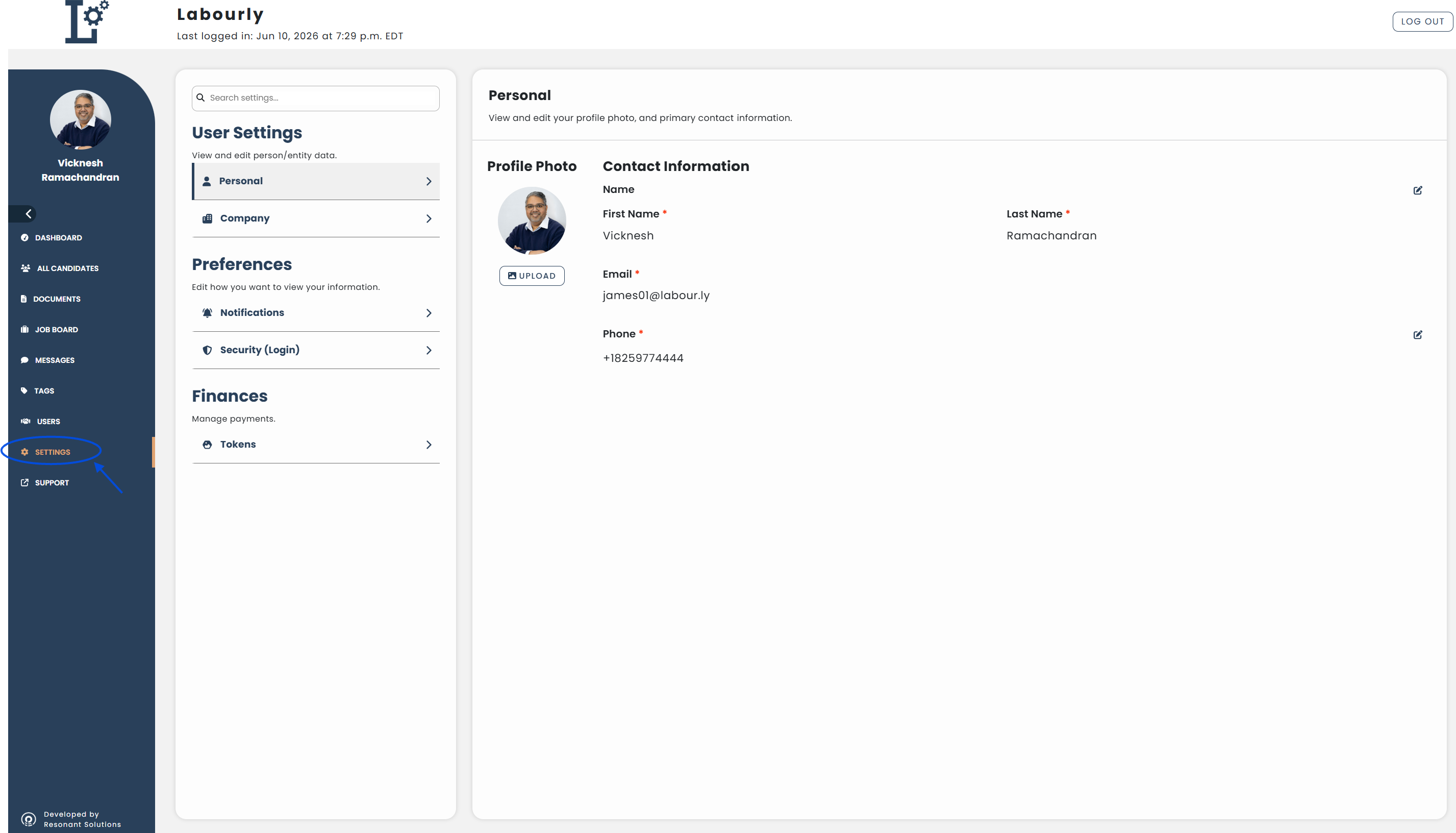
Settings Sections:
User Settings
- Personal: Manage your personal profile information and contact details
- Company: Manage your company logo, location, and association settings
Preferences
- Notifications: Configure notification preferences
- Security (Login): Change your password
Finances
- Tokens : View and manage tokens used for supported Labourly features
You can now use Settings to manage your account information and preferences.
See also:
- How to change your profile photo
- How to change your name
- How to add or change your phone number
- How to change your company photo
- How to manage company locations
- How to change your password