
You can view the candidates associated with a certification and track their certification status.
a. Access Certifications:
- Go to Documents from the left-hand menu
- Select Certificates
- Open the certification you want to view
The certification details will open.
b. View Candidates Associated with the Certification :
- Navigate to the section displaying candidate assignments
- Review the candidates associated with the certification
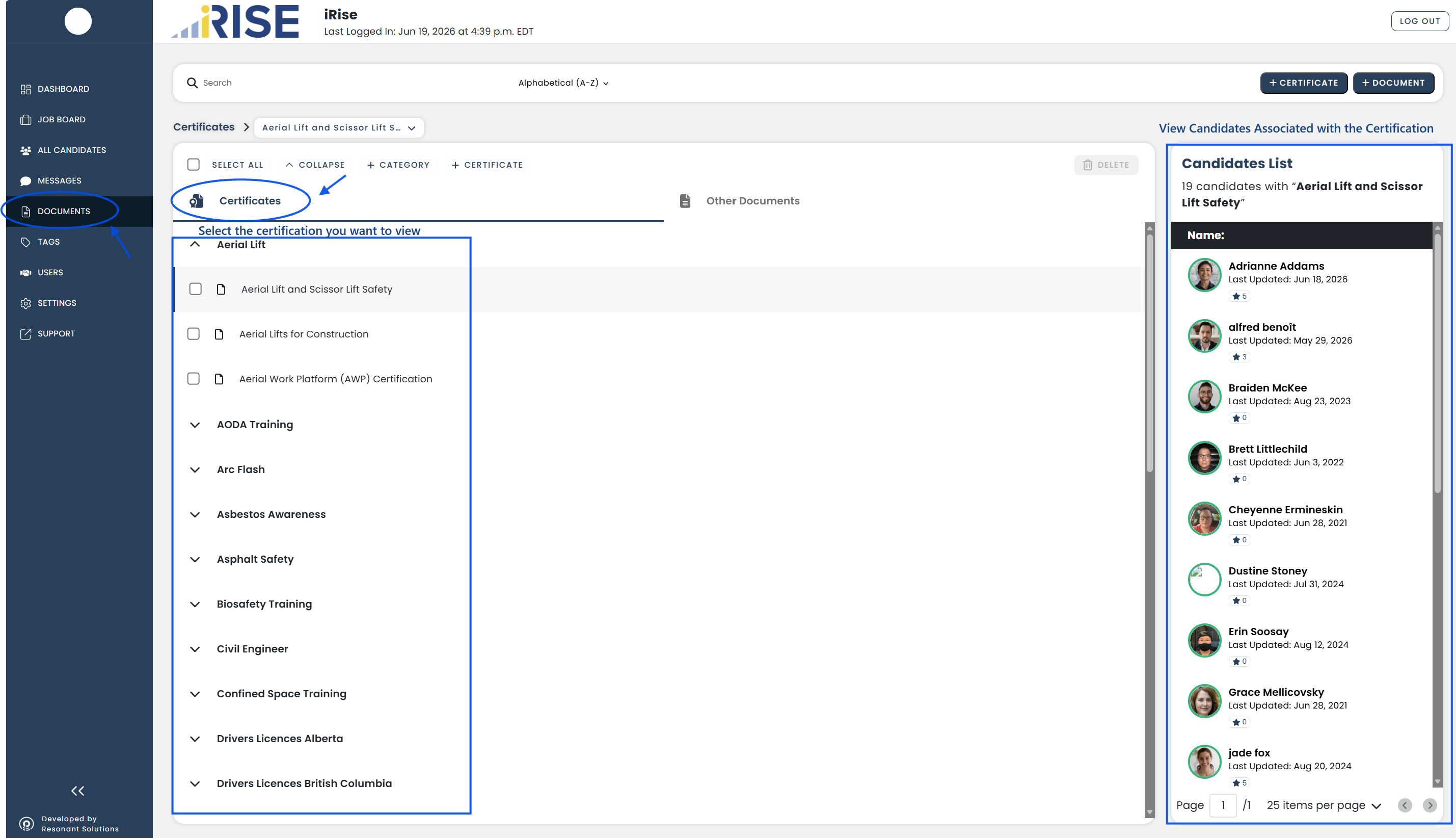
The assigned candidates have been successfully displayed.
See also: