
Clients can be invited to Labourly from the Users section.
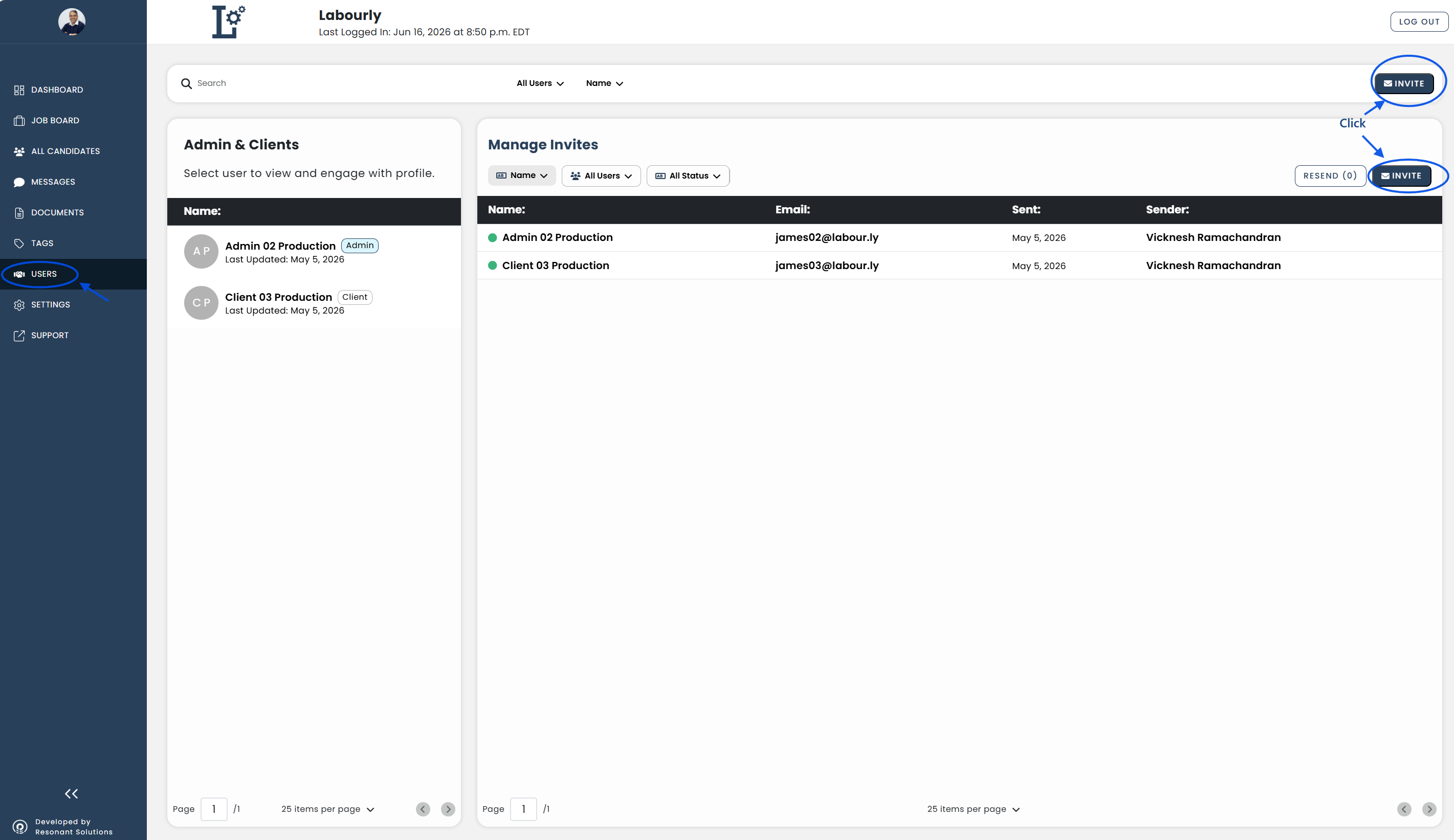
a. Access Clients:
- Go to Users from the left-hand menu
- Click INVITE
The Invite Users window will open.
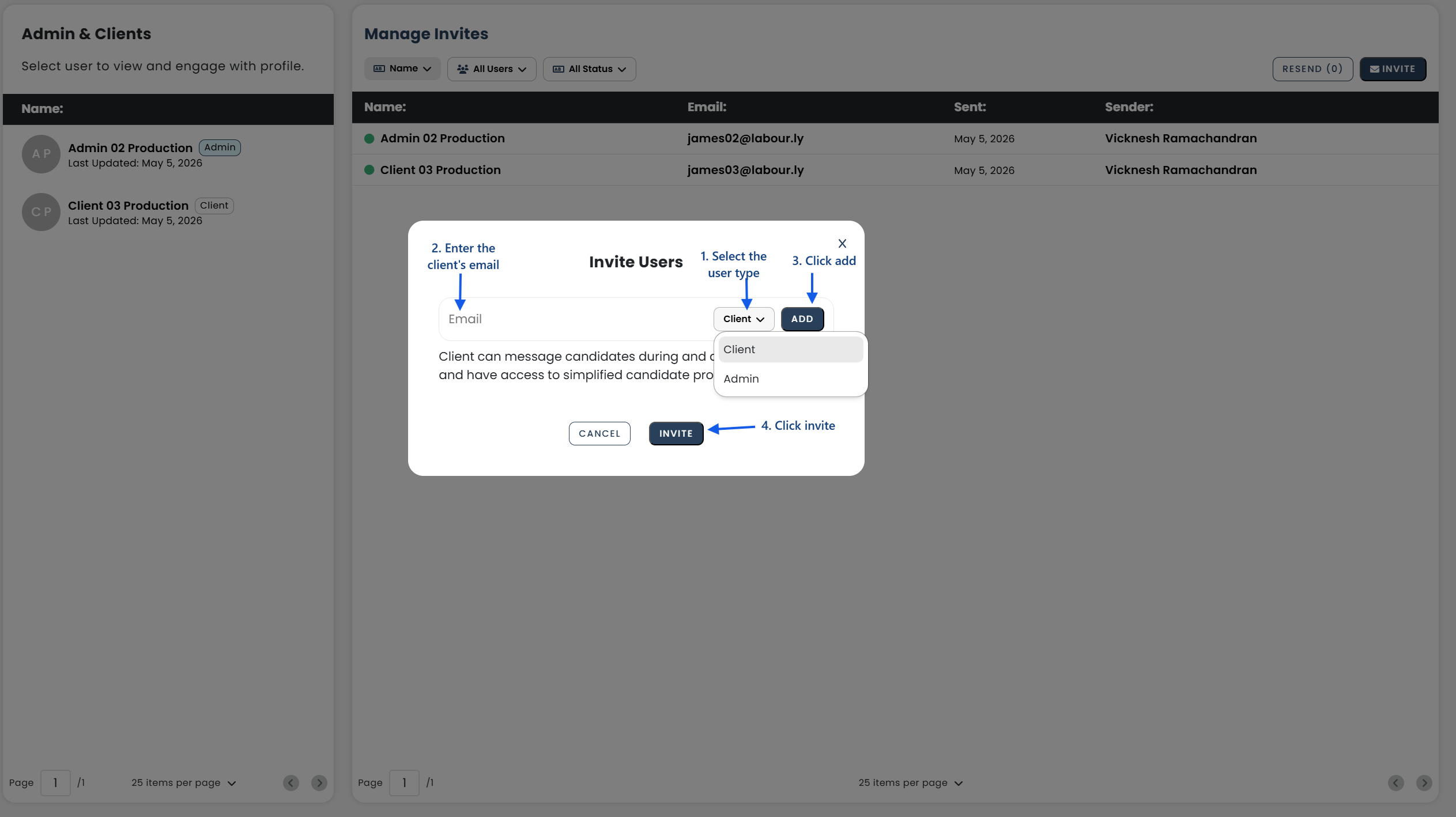
b. Add Client Email Addresses:
- Enter the client's email address
- Select Client as the user type
- Click ADD
The email address will be added to the invitation list.
c. Send the Invitation:
- Review the email addresses in the invitation list
- Click INVITE
The invitation email will be sent to the client.
d. Verify:
- Confirm that the invitation has been sent successfully
The client invitation has been successfully sent.
See also: