
Client notes help you keep track of important information related to a client.
NOTE: Client notes are private between admins. Clients cannot view your notes.
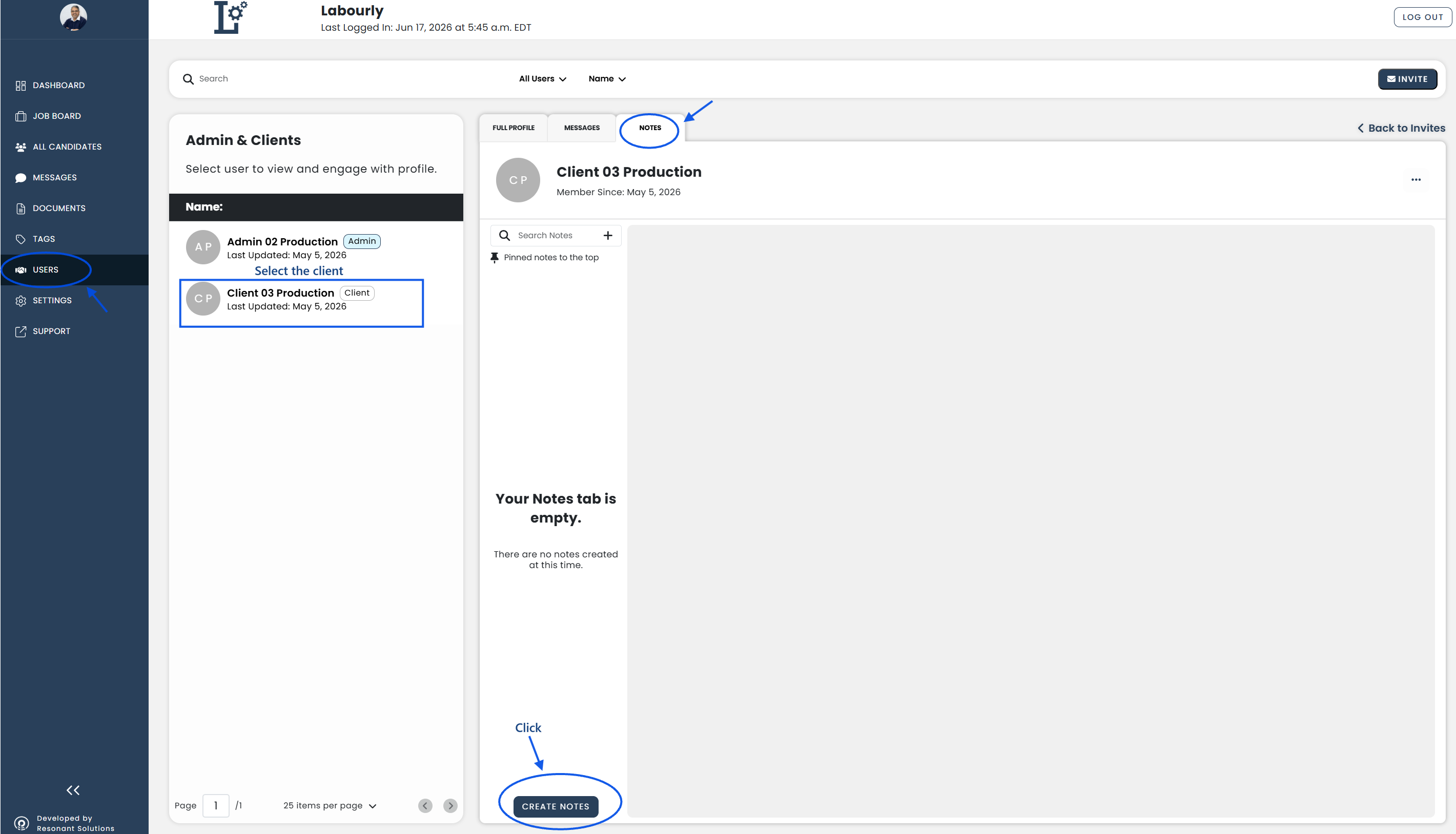
a. Access Client Notes:
- Go to Users from the left-hand menu
- Select the client you want to manage
- Click the Notes tab
The client's notes will be displayed.
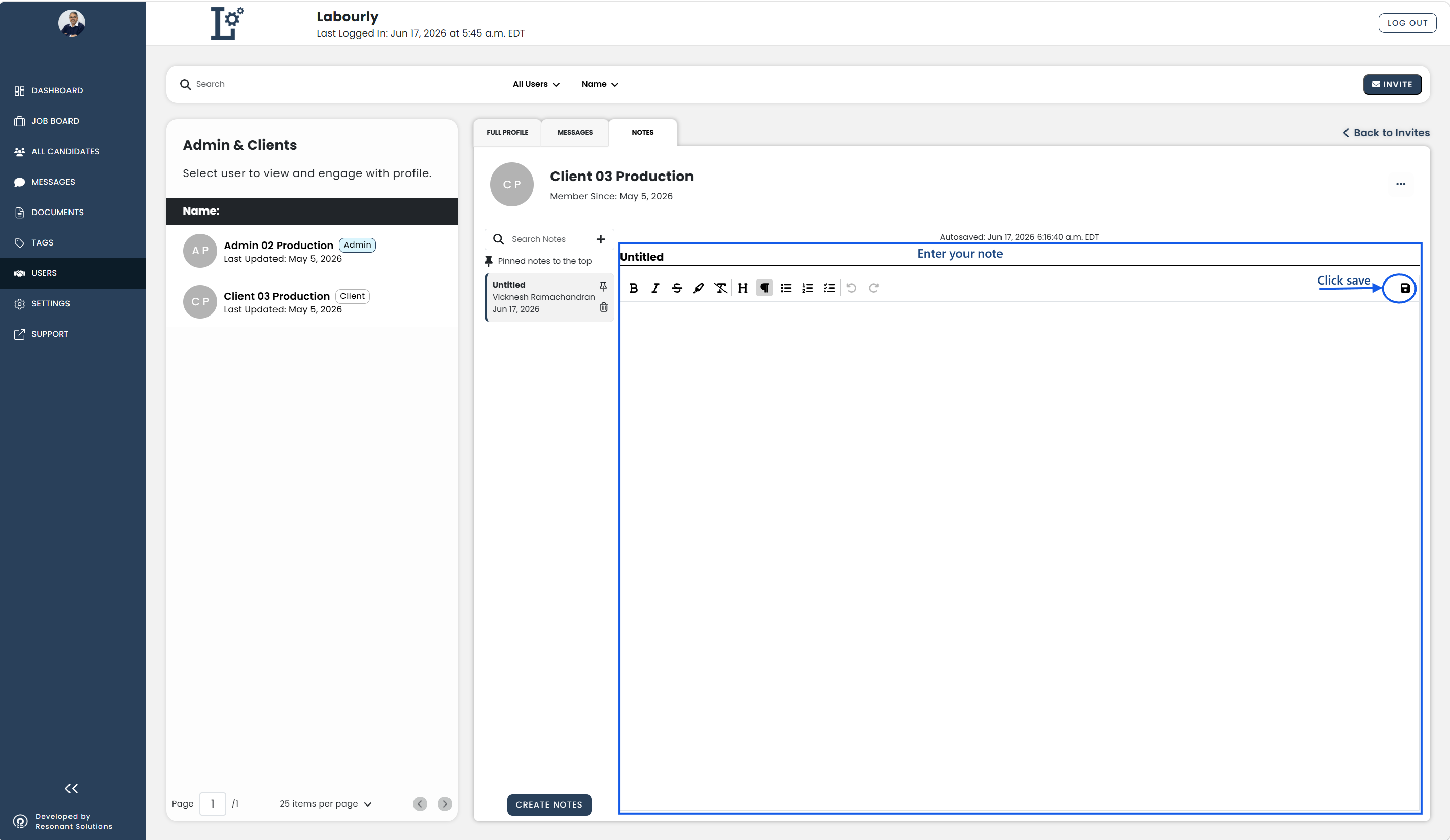
b. Add a Note:
- Click CREATE NOTES
- Enter your note
- Click SAVE
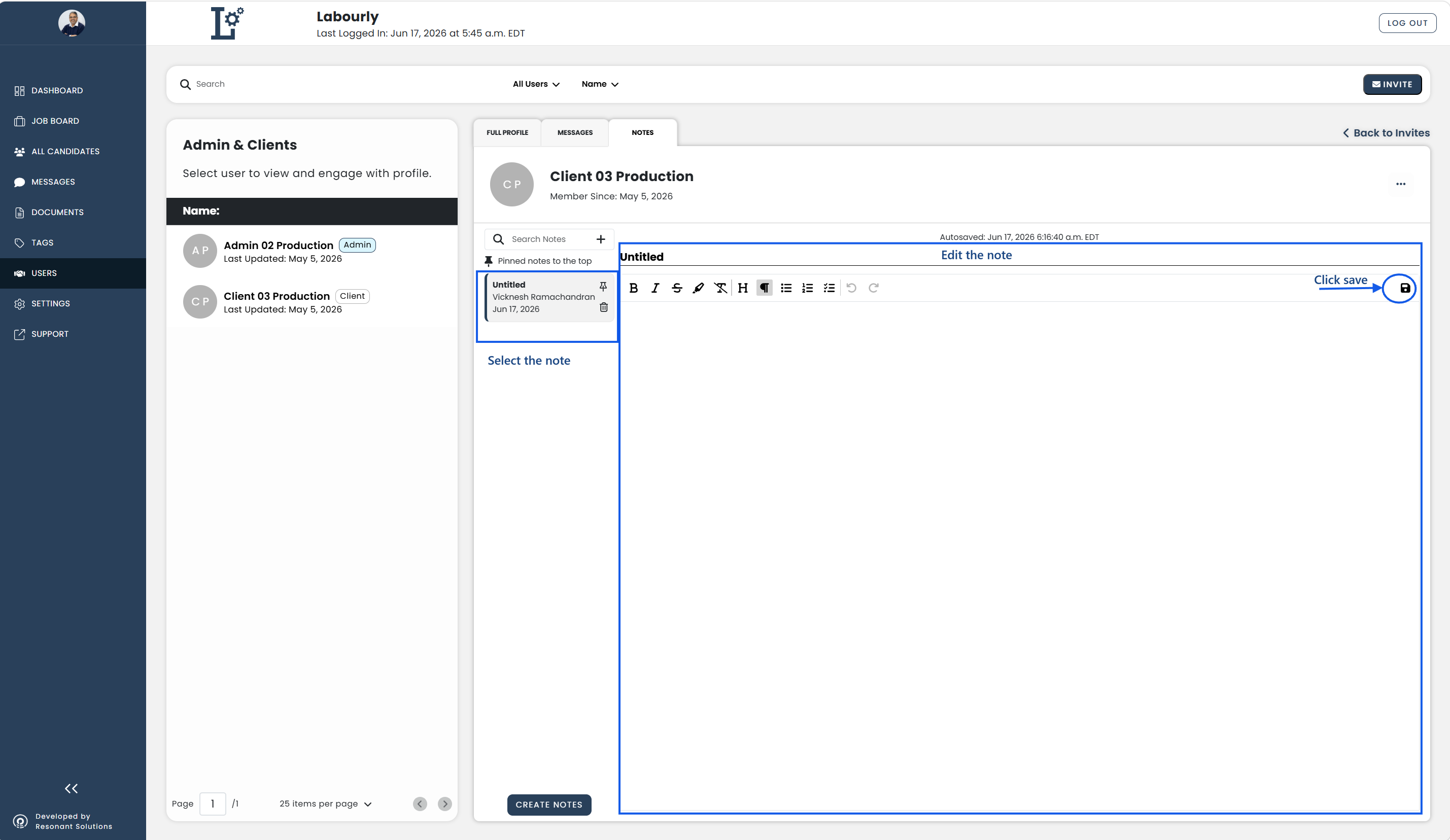
c. Edit a Note:
- Select the note you want to edit
- Update the note
- Click SAVE
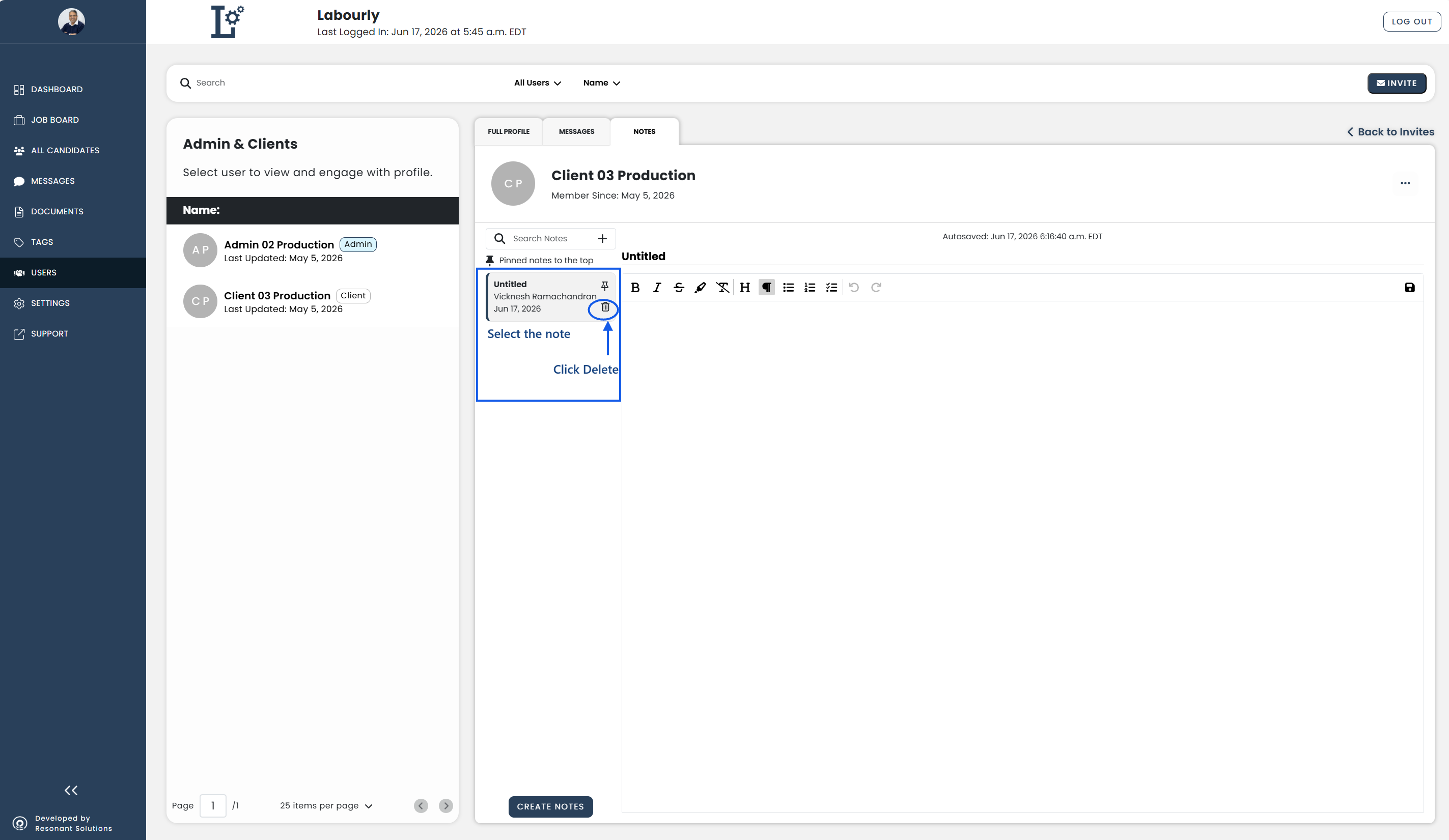
d. Delete a Note:
- Select the note you want to delete
- Click the Delete icon
e. Verify:
- Confirm that the Notes tab displays the expected notes
Client notes have been successfully updated.
See also: