
Clients can be managed from the Users section in Labourly.
a. Access Clients:
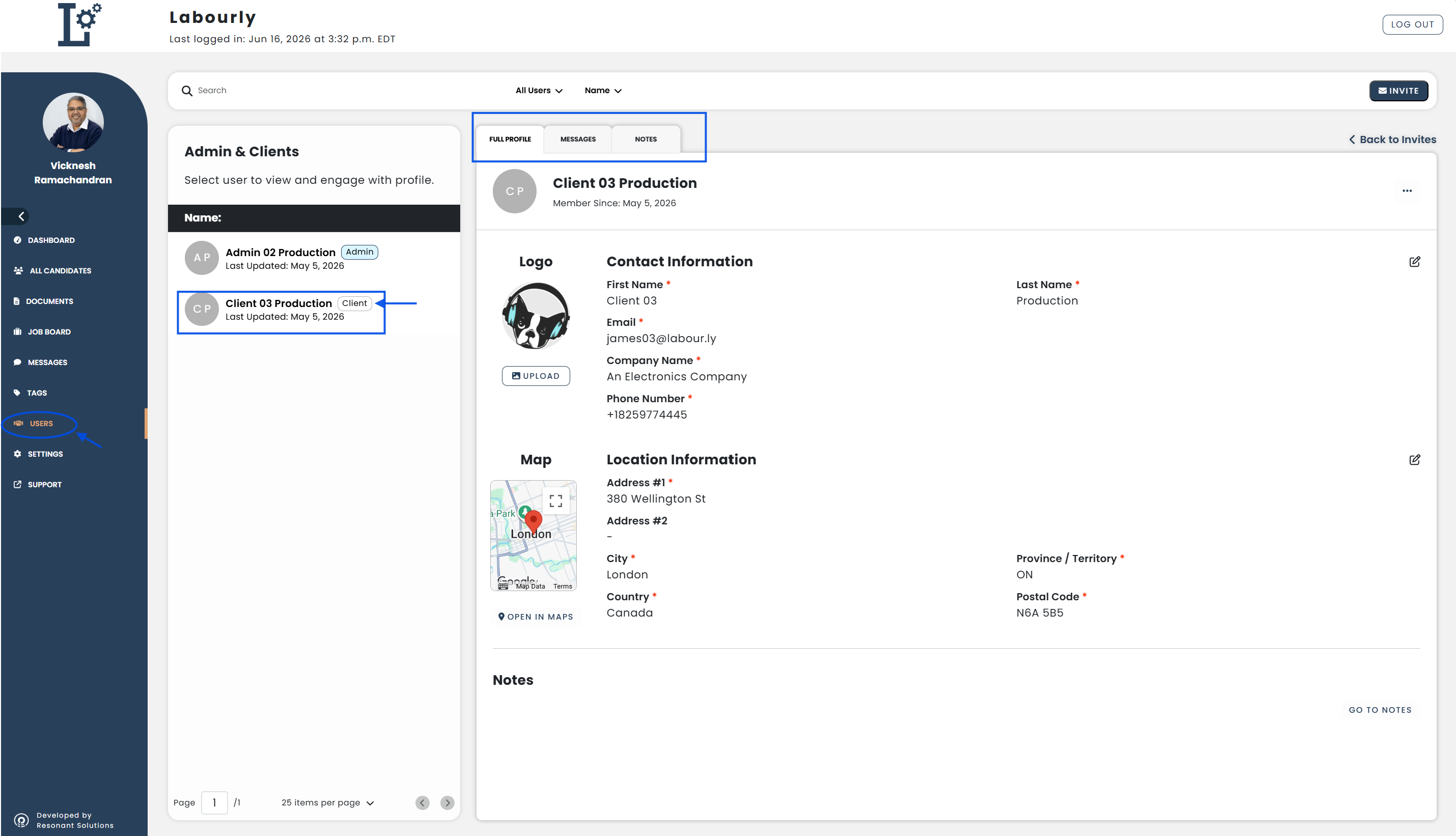
- Go to Users from the left-hand menu
- Select a client from the Admin & Clients list
The client profile will open.
b. Manage Clients:
The client profile contains:
- Contact information
- Location information
- Client logo
- Messages
- Notes
You can use the Full Profile, Messages, and Notes tabs to access different client information.
See also: