
Your password helps protect your Labourly account.
a. Access Security Settings:
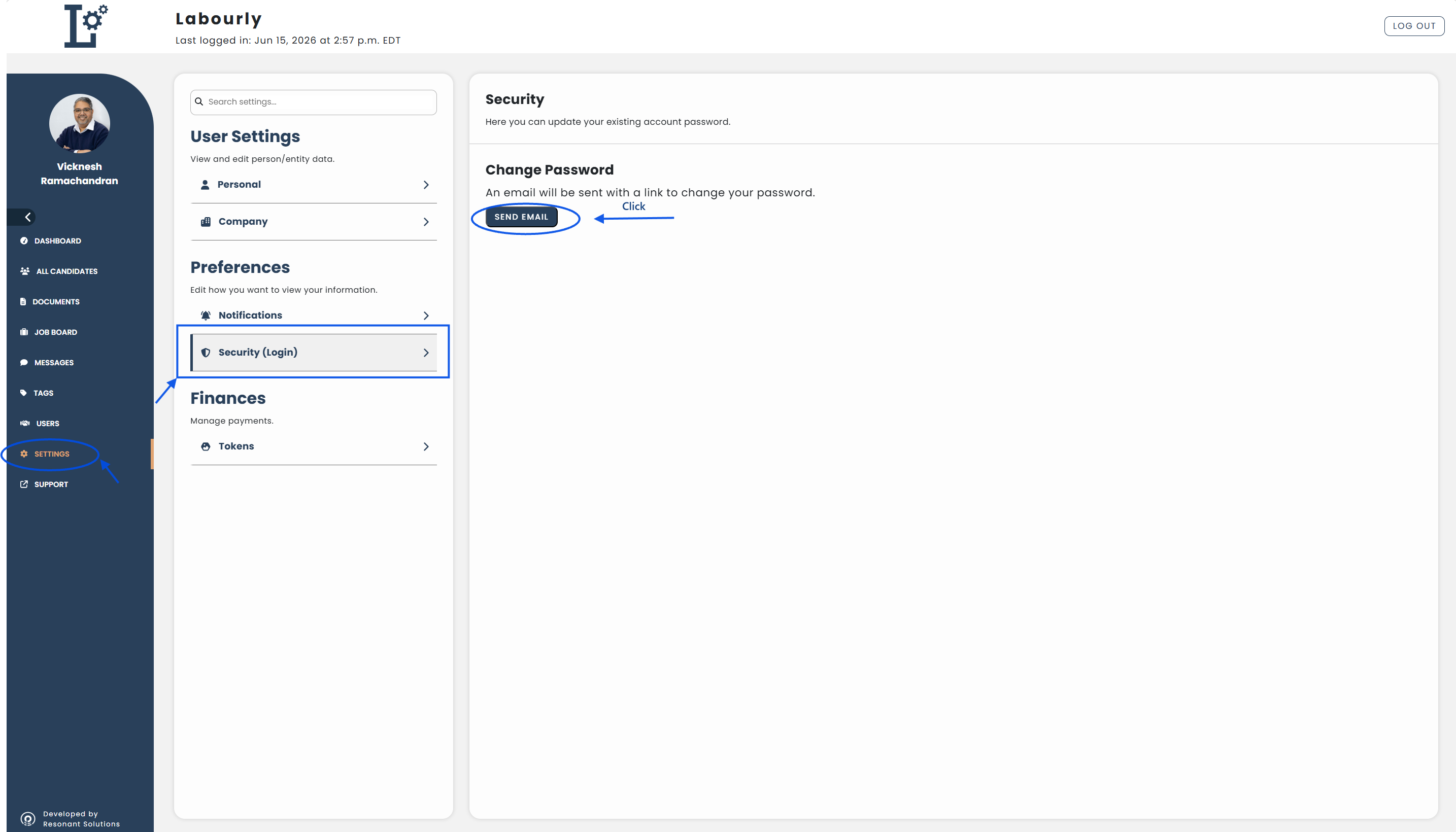
- Go to Settings from the left-hand menu
- Under Preferences, click Security (Login)
The Security page will open.
b. Request a Password Change:
- Under Change Password, click SEND EMAIL
Labourly will send an email containing a link to change your password.
c. Change Your Password:
- Open the email sent to your account
- Follow the instructions in the email to create a new password
d. Verify:
- Sign in to Labourly using your new password
Your password has been successfully updated.
See also:
- What do my Settings include?
- How to change your name
- How to change your phone number
- How to change your profile photo