
Your profile photo helps identify your account within Labourly.
a. Access Personal Settings:
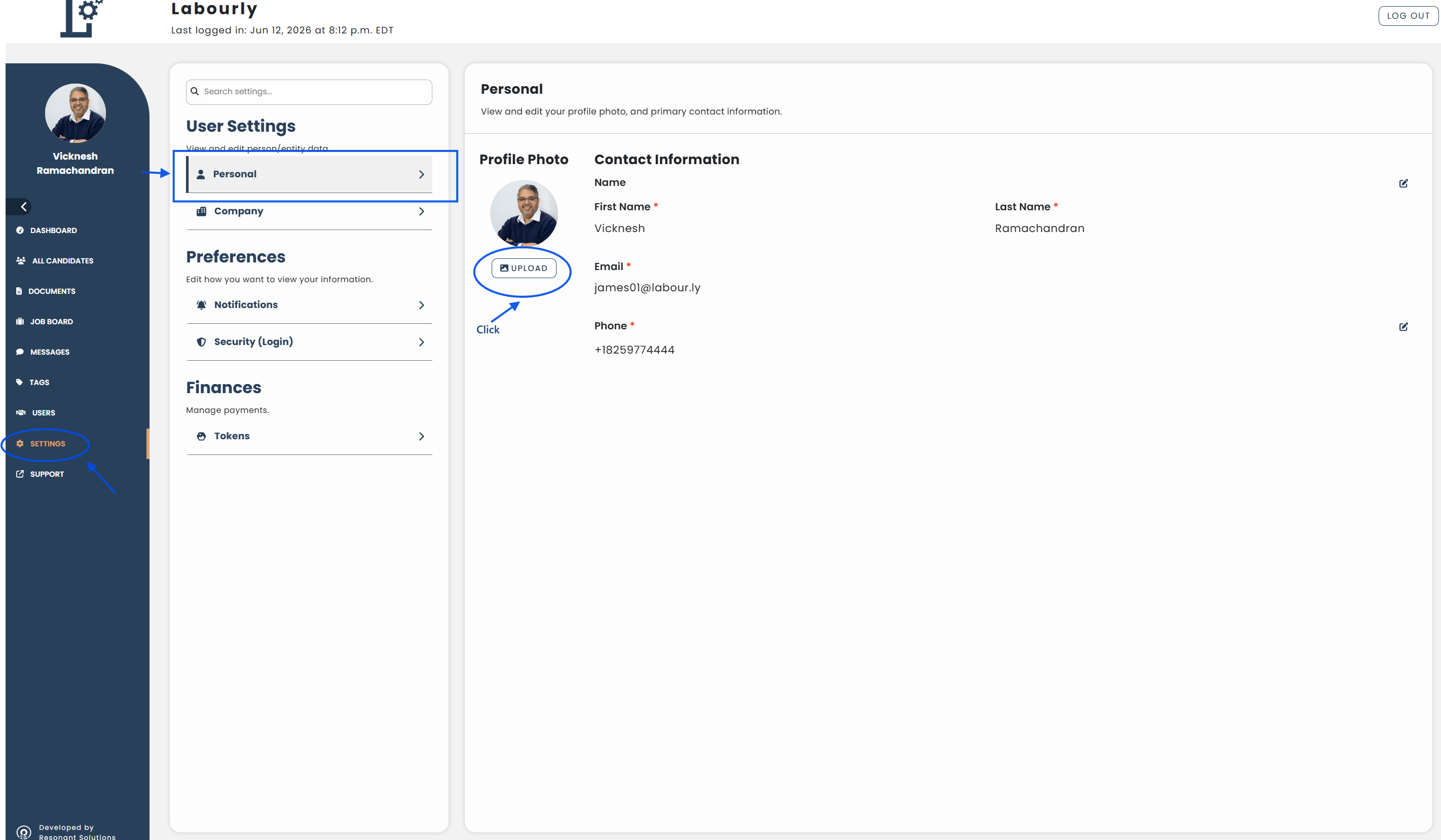
- Go to Settings from the left-hand menu
- Under User Settings, click Personal
The Personal settings page will open.
b. Update Your Profile Photo:
- Under Your Profile Photo, click UPLOAD
- Select an image from your device and click OPEN
c. Verify:
- Confirm that your new profile photo appears in your profile
Your profile photo has been successfully updated.
See also: