
Company location information can be updated from the Company settings page.
a. Access Company Settings:
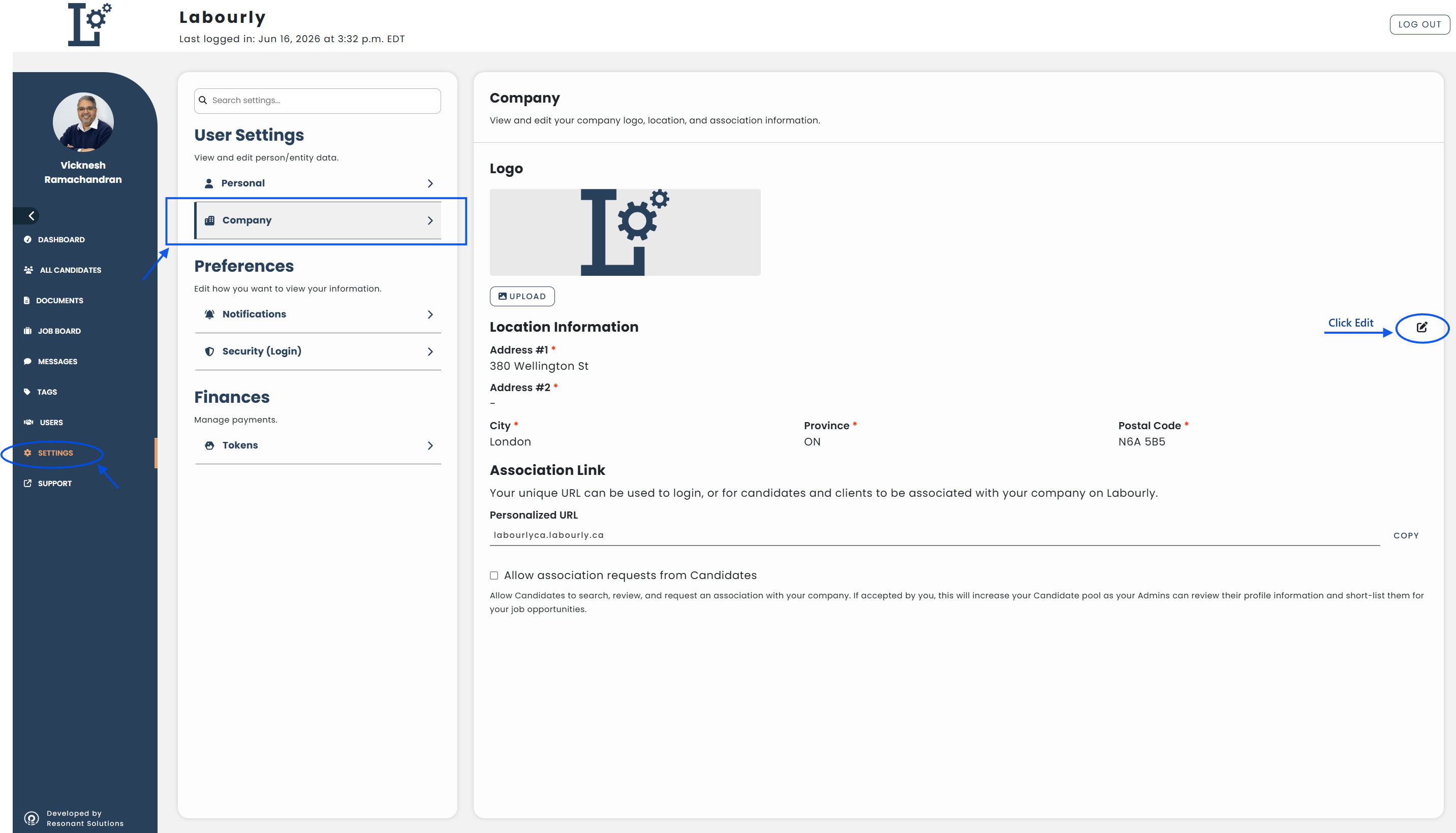
- Go to Settings from the left-hand menu
- Under User Settings, click Company
The Company settings page will open.
b. Update Company Location Information:
- Under Location Information, click the Edit icon
- Update the location details as needed, including:
- Address #1
- Address #2
- City
- Province
- Postal Code
- Click SAVE
The changes will be applied to your company information.
c. Verify:
- Confirm that the updated location information appears in the Company settings page
Your company location information has been successfully updated.
See also: