
Labourly automatically identifies and sorts candidates for a job posting based on the requirements defined for the position.
Candidate matches are determined using information stored in candidate profiles, such as:
- Certifications
- Documents
- Tags
Candidates are automatically sorted from the highest to the lowest match percentage based on how closely they match the job requirements.
a. Access and Locate the Job Posting:
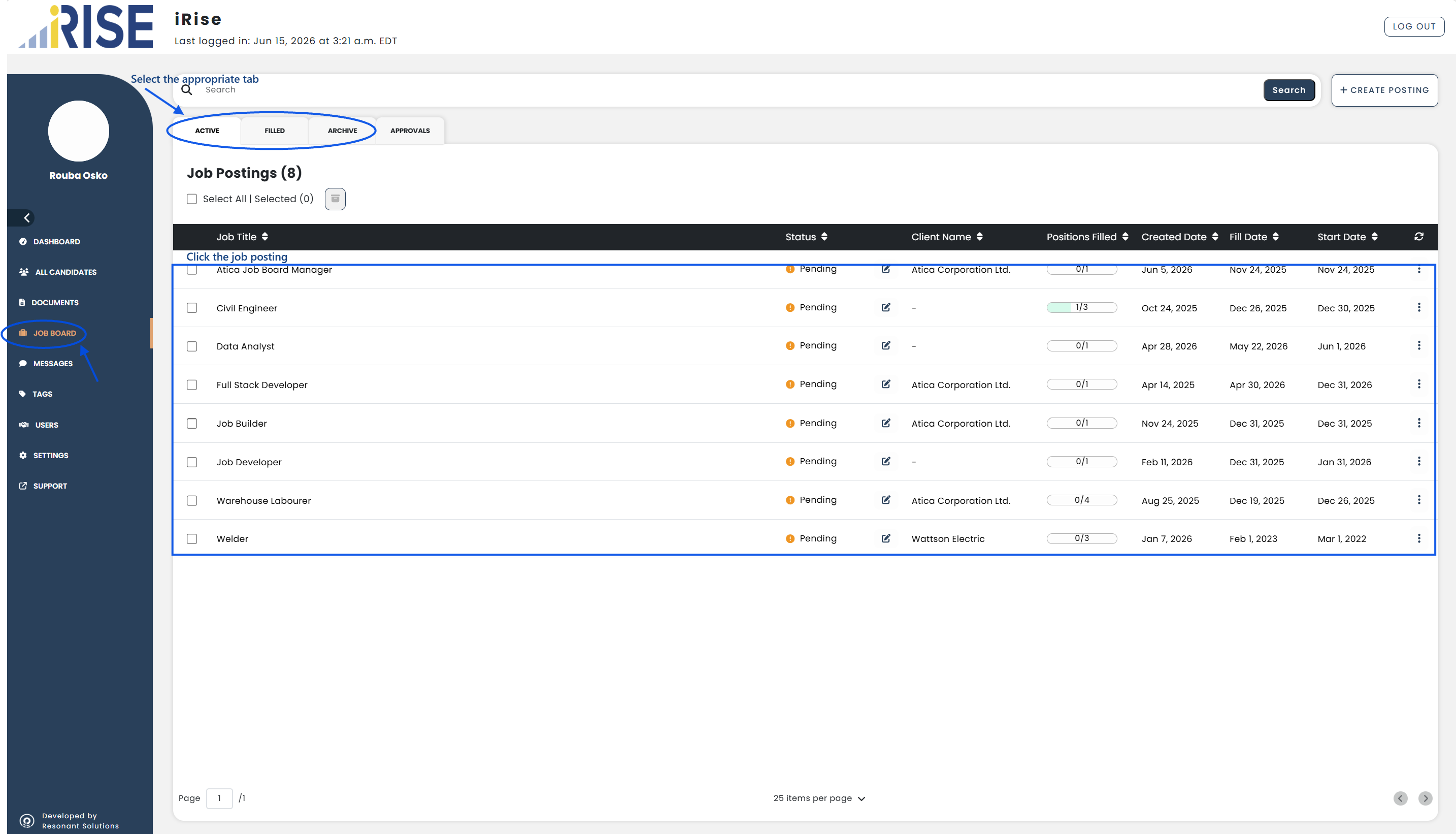
- Go to Job Board from the left-hand menu
- Select the appropriate tab
- Locate the job posting you want to review
b. Open the Job Posting:
- Click the job posting from the list
The job posting details will open.
c. Review Candidate Matches:
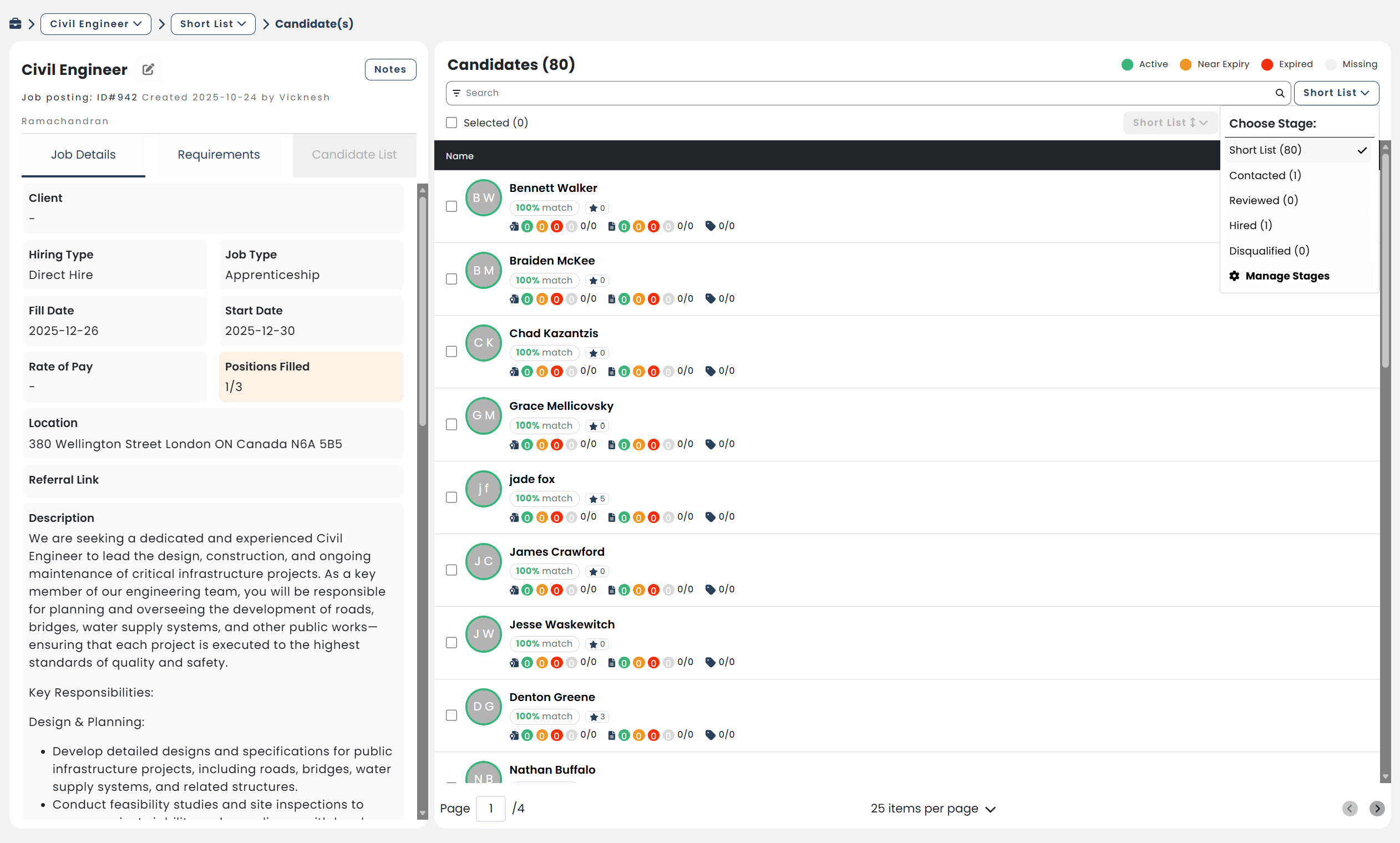
Candidate matches are displayed on the right side of the job posting.
From the candidate list, you can review:
- Match percentage
- Candidate rating
- Certification status
- Document status
- Tag matches
For certifications and documents, Labourly uses the following status indicators:
- Green (Active): Valid certification.
- Orange (Near Expiry): Requirements approaching their expiry date.
- Red (Expired): Expired requirements.
- Grey (Missing): Missing requirements.
Candidates are automatically sorted from the highest to the lowest match percentage based on how closely they match the job requirements.
d. View Candidates by Hiring Stage:
Use the stage filter to view candidates in different hiring stages:
- Short List: Candidates who match the qualifications listed on the job posting.
- Contacted: Candidates who have been contacted regarding the job opportunity.
- Reviewed: Candidates who have been reviewed or sent for final approval.
- Hired: Candidates who have been approved to fill the position.
- Disqualified: Candidates who are no longer being considered for the position.