
Archived job postings can be restored from the Archive tab when needed.
a. Access and Locate the Job Posting:
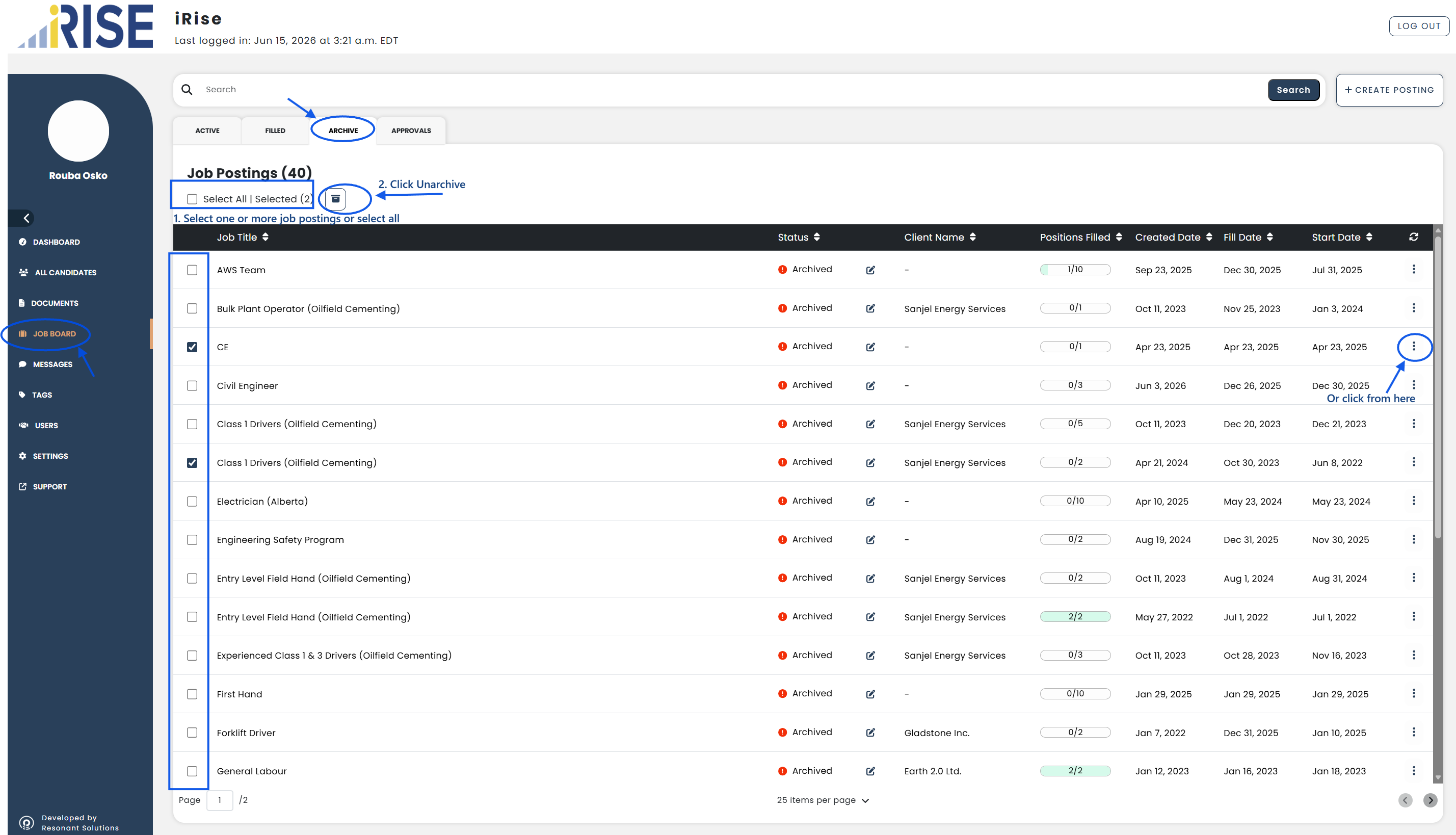
- Go to Job Board from the left-hand menu
- Select the Archive tab
- Locate the job posting(s) you want to unarchive
b. Unarchive the Job Posting:
To unarchive one or more job postings:
- Select the checkbox beside each job posting
- Or select the Select All checkbox to select all job postings
- Click the Unarchive button
Alternatively:
- Click the three-dot menu beside a job posting
- Click Unarchive
c. Verify:
- Confirm that the selected job posting(s) no longer appear in the Archive tab
- Return to the appropriate tab
- Confirm that the unarchived job posting(s) are listed
The job posting(s) have been successfully unarchived.
See also: