
Job postings can be archived to move them from the Active or Filled tabs to the Archive tab. Archived job postings can be restored later if needed.
a. Access and Locate the Job Posting:
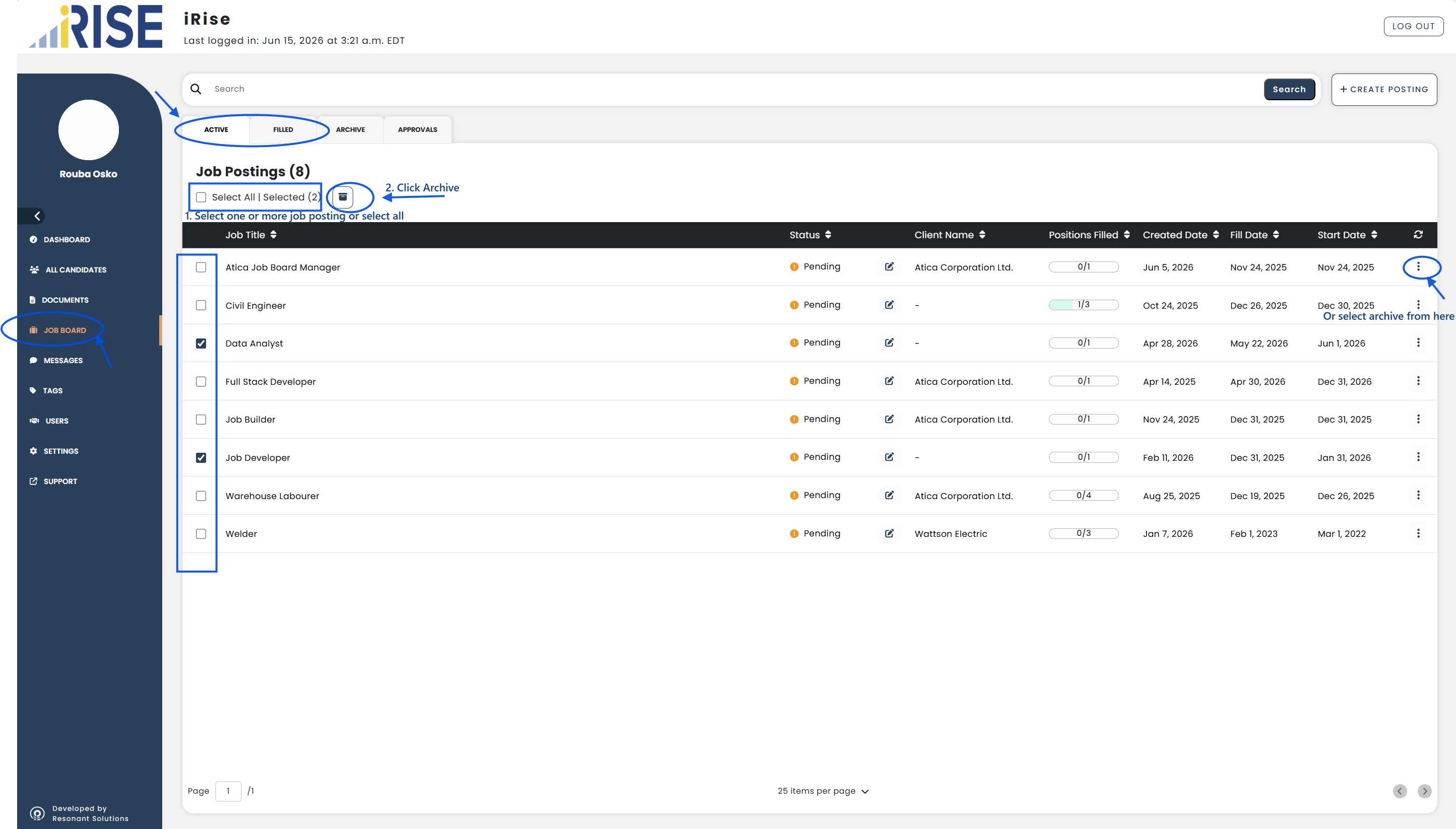
- Go to Job Board from the left-hand menu
- Select the Active or Filled tab
- Locate the job posting(s) you want to archive
b. Archive the Job Posting:
To archive one or more job postings:
- Select the checkbox beside each job posting
- Or select the Select All checkbox to select all job postings
- Click the Archive button
Alternatively:
- Click the three-dot menu beside a job posting
- Click Archive
c. Verify:
- Confirm that the selected job posting(s) no longer appear in the current tab
- Navigate to the Archive tab
- Confirm that the archived job posting(s) are listed
The job posting(s) have been successfully archived.
See also: