
Job postings can be edited to update job details and requirements.
a. Access and Locate the Job Posting:
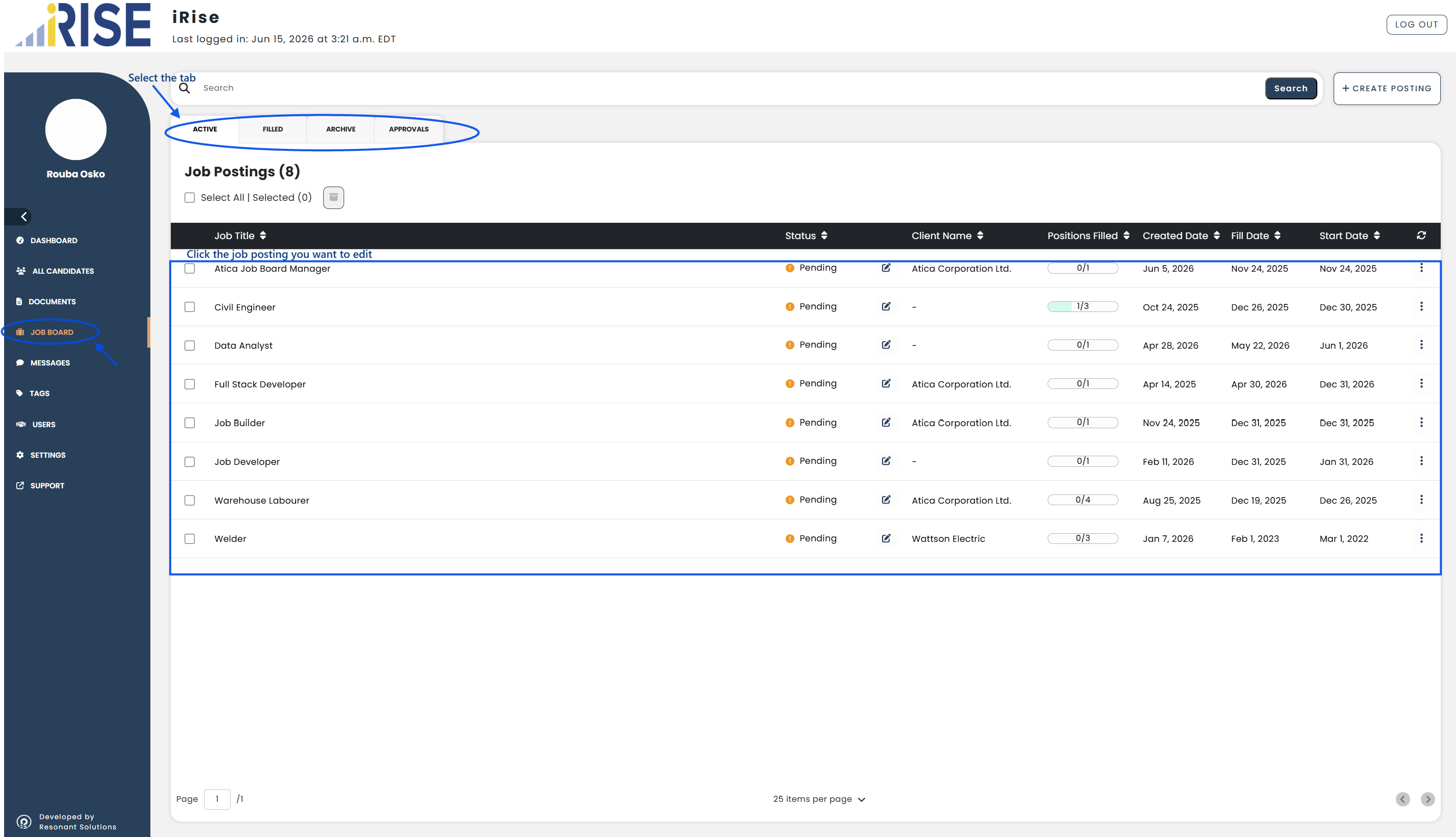
- Go to Job Board from the left-hand menu
- Navigate to the tab where the job posting is listed
- Locate the job posting you want to edit
b. Open the Job Posting:
- Click the job posting from the list
The job posting details will open.
c. Edit the Job Posting:
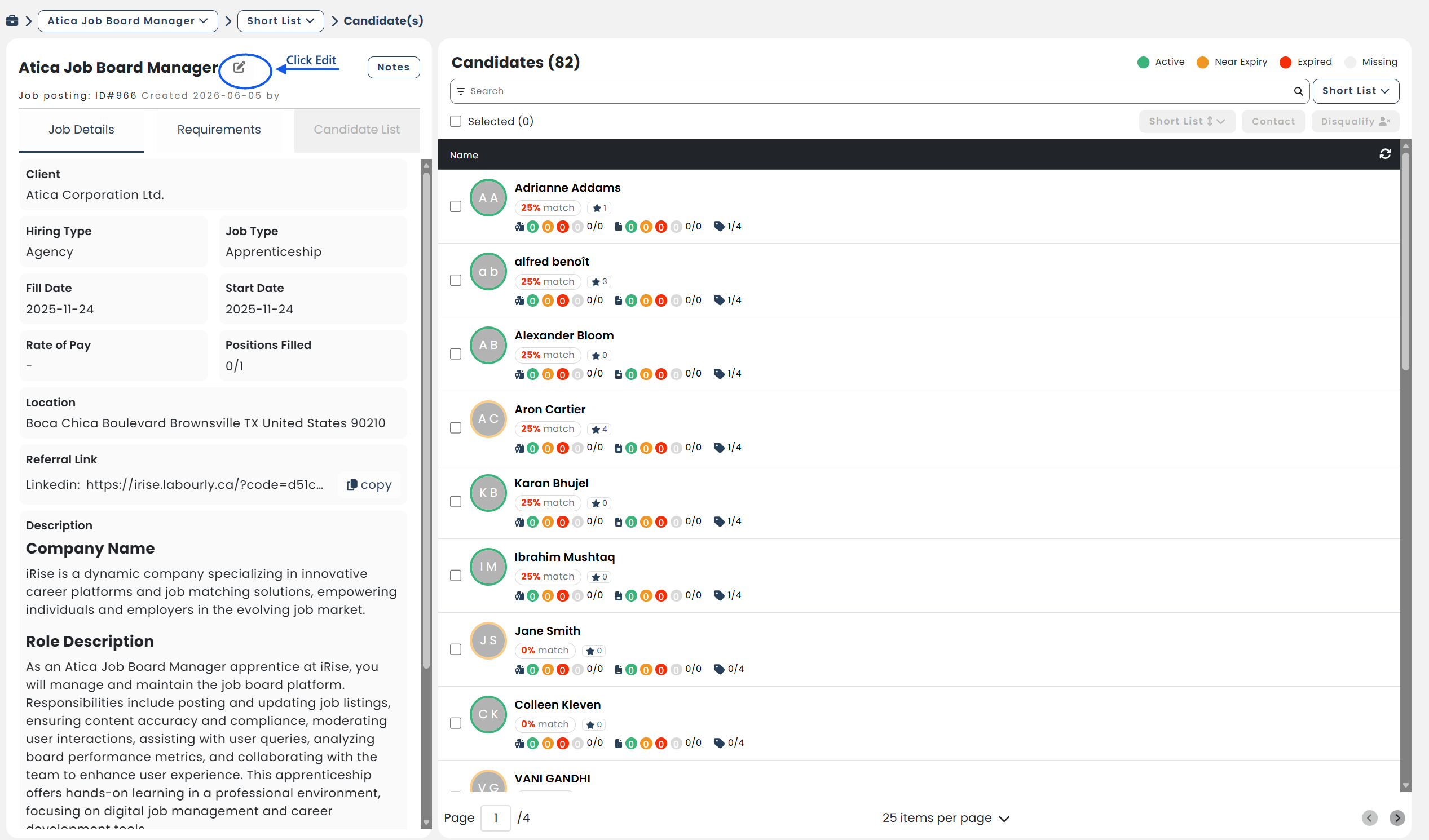
- Click the Edit icon beside the job title
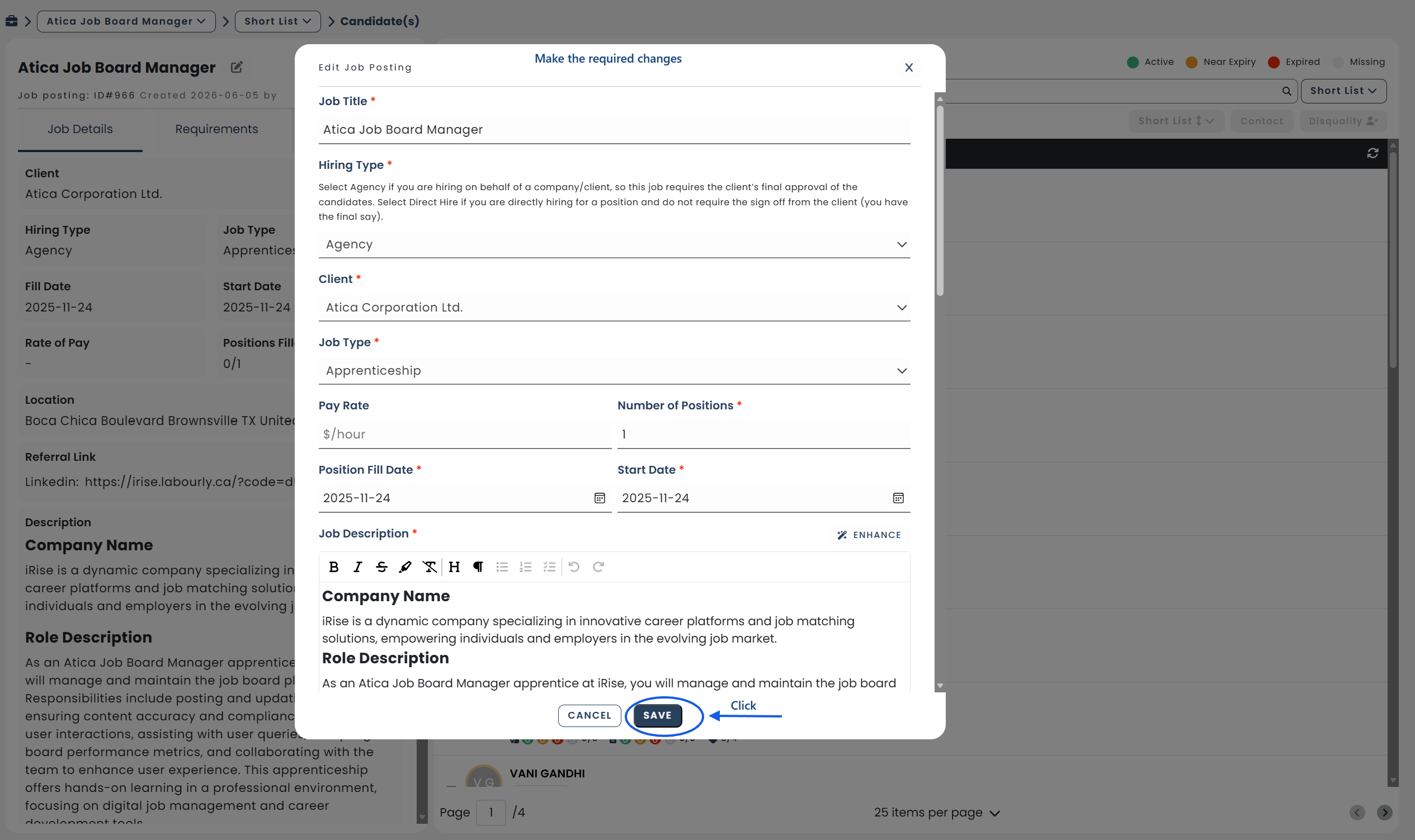
- Make the required changes
d. Save the Changes:
- Review the updated information
- Click SAVE
The changes will be applied to the job posting.
e. Verify:
- Confirm that the changes have been successfully applied to the job posting
See also: