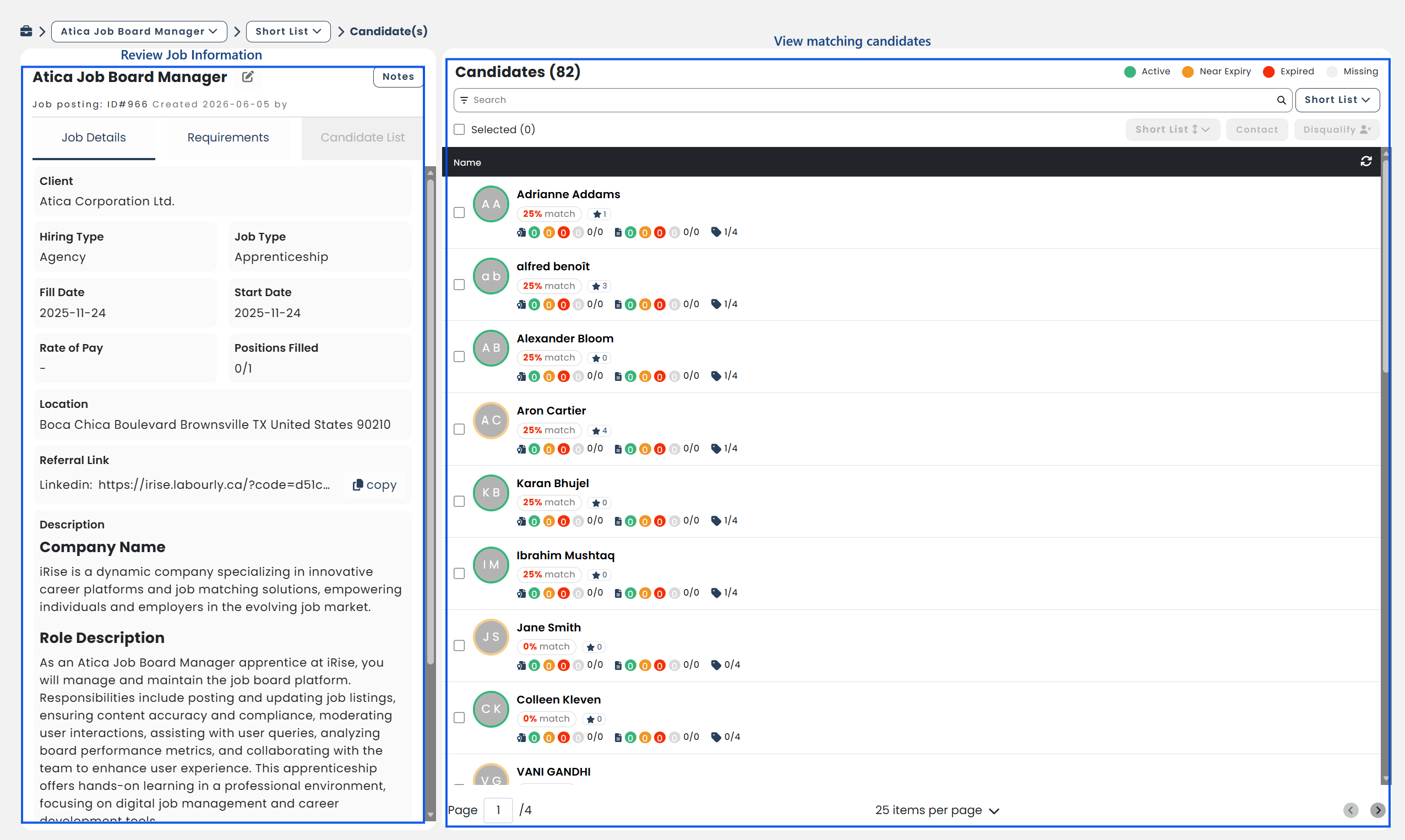
Job postings can be viewed from the Job Board to review job details and hiring progress.
NOTE: Job postings can be viewed from the following tabs:
Active: Job postings that have not yet been fully filled.
Filled: Job postings that have been fully filled.
Archive: Job postings that have been archived.
Approvals: Job postings that require approval.
Active: Job postings that have not yet been fully filled.
Filled: Job postings that have been fully filled.
Archive: Job postings that have been archived.
Approvals: Job postings that require approval.
a. Access and Locate the Job Posting :
- Go to Job Board from the left-hand menu
- Select the appropriate tab
- Locate the job posting you want to view
b. Open the Job Posting:
- Click the job posting from the list
The job posting details will open.
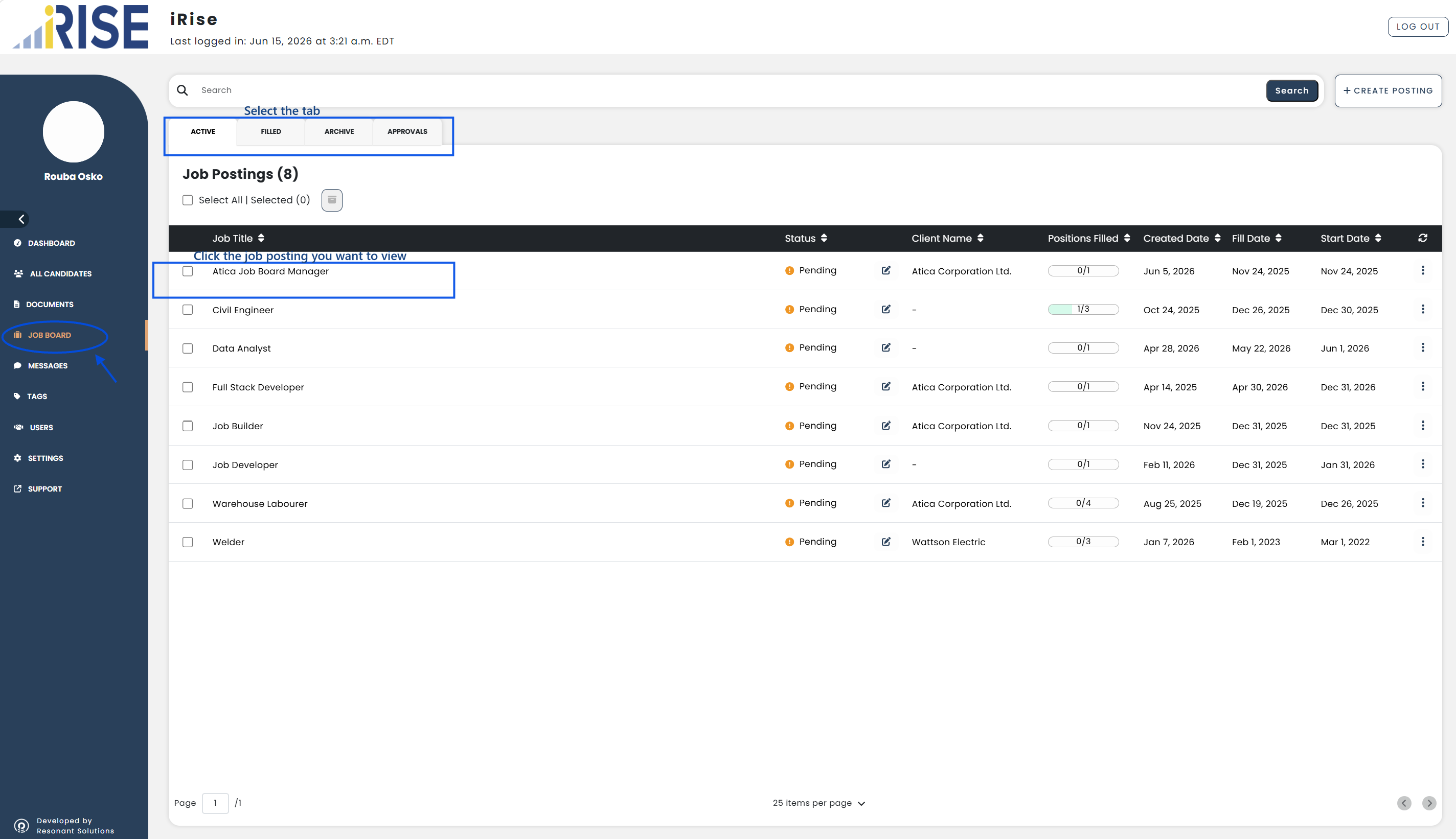
c. Review Job Information:
From the job posting, you can review:
- Job details
- Requirements
- Notes
- Candidate matches
You can also view candidates in different hiring stages, including:
- Short List
- Contacted
- Reviewed
- Hired
- Disqualified