
You can view candidate documents from the candidate profile area.
a. Access the Candidate Profile:
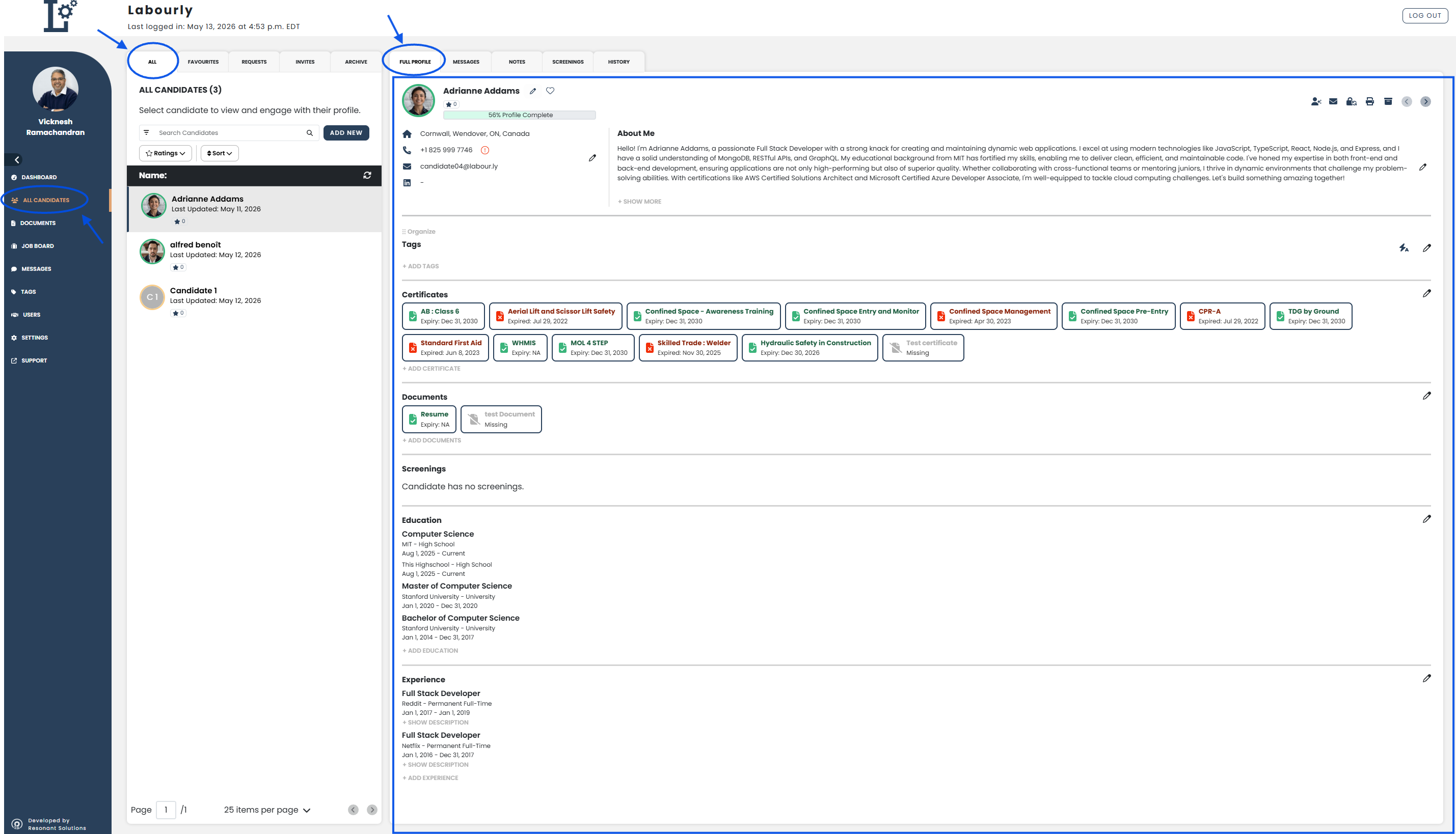
- Go to All Candidates from the left-hand menu
- From the candidate navigation panel, click ALL
- Select the candidate you want to view
The candidate profile will open in the candidate profile area on the right side of the page.
b. View a Candidate Document:
- Click the FULL PROFILE tab
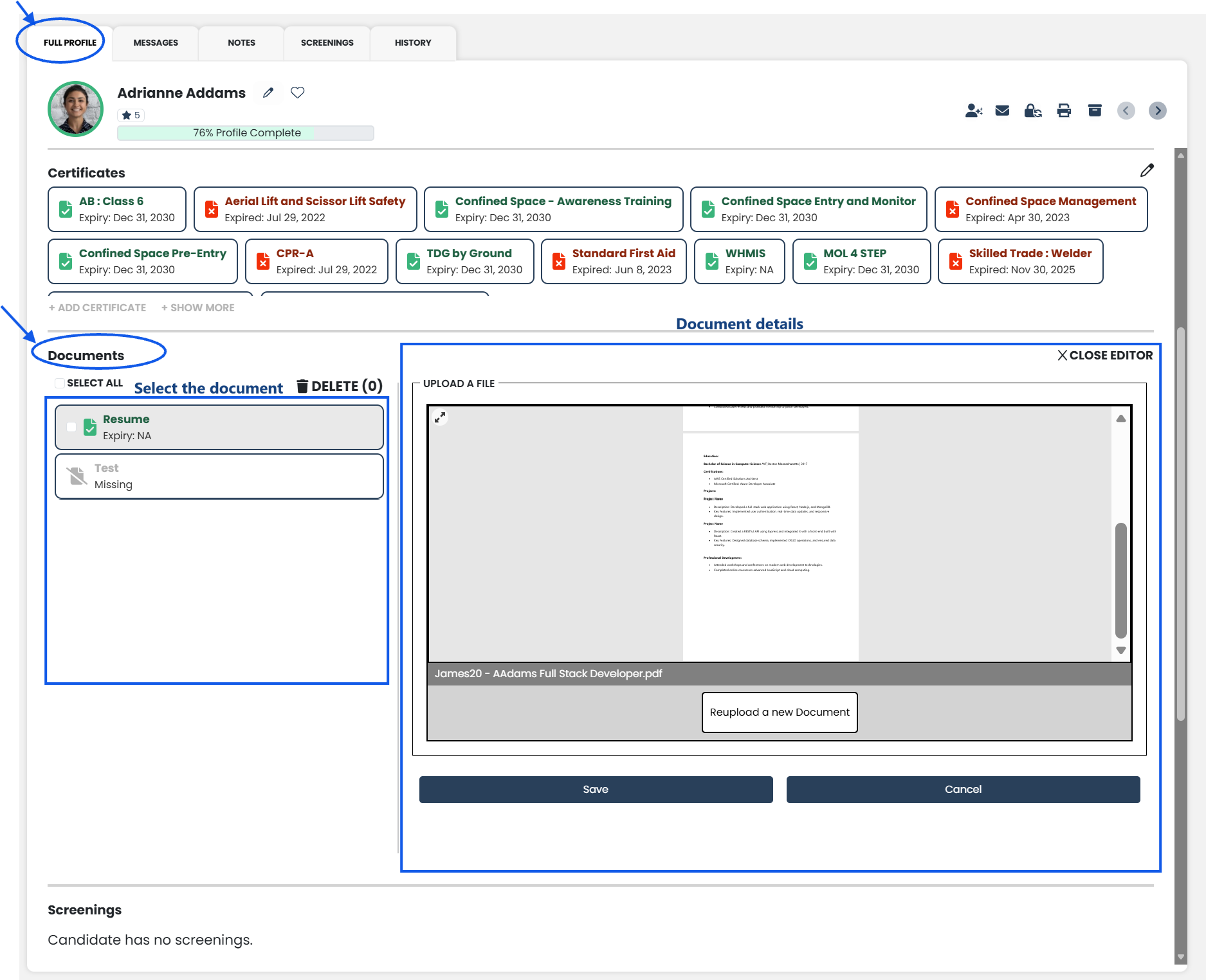
- Scroll to the Documents section
- Select the document you want to view
The selected document details will open on the right side of the page.
c. Review Document Information:
The selected document preview will open on the right side of the page.
d. Verify:
- Confirm that the selected document details appear correctly on the right side of the page