
The Documents section allows Admins to create, organize, and manage general candidate documentation within Labourly.
Documents focus on education, language, legal, and company-based information.
NOTE:
Before creating a new document, we recommend searching the existing document library first. Labourly includes a pre-populated list of documents and categories that can be reused and customized to fit your organization’s needs.

Candidates cannot upload document files until documents have been created.
Access Other Documents:
- When you log in to Labourly, you will land on your Dashboard
- From the left-hand menu, navigate to Documents
You will be taken to a screen with two sections:
- Certificates
- Other Documents
Click on Other Documents to access the Documents section.
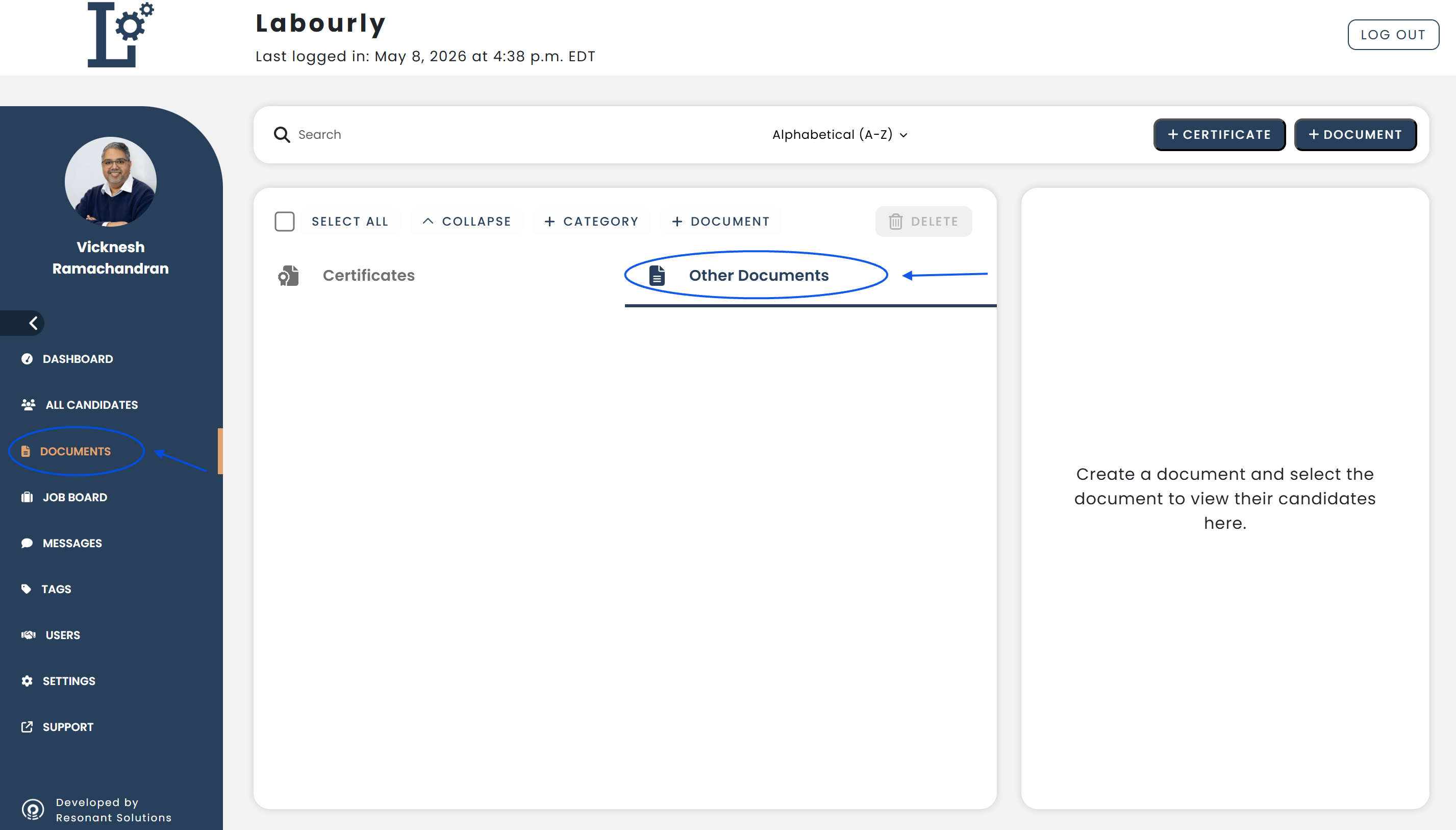
From this page, you can also:
- Click + Certificate to create a new certification
- Click + Document to create a new document
What you can do in Other Documents:
From this section, you can:
- Create documents
- View documents
- Edit documents
- Delete documents
- Create and manage document categories
- Assign documents to candidates
You can now begin managing documents within the Other Documents section.See also: