
Document categories help organize documents into clear groups, making them easier to manage and assign to candidates.
a. Access Document Categories:
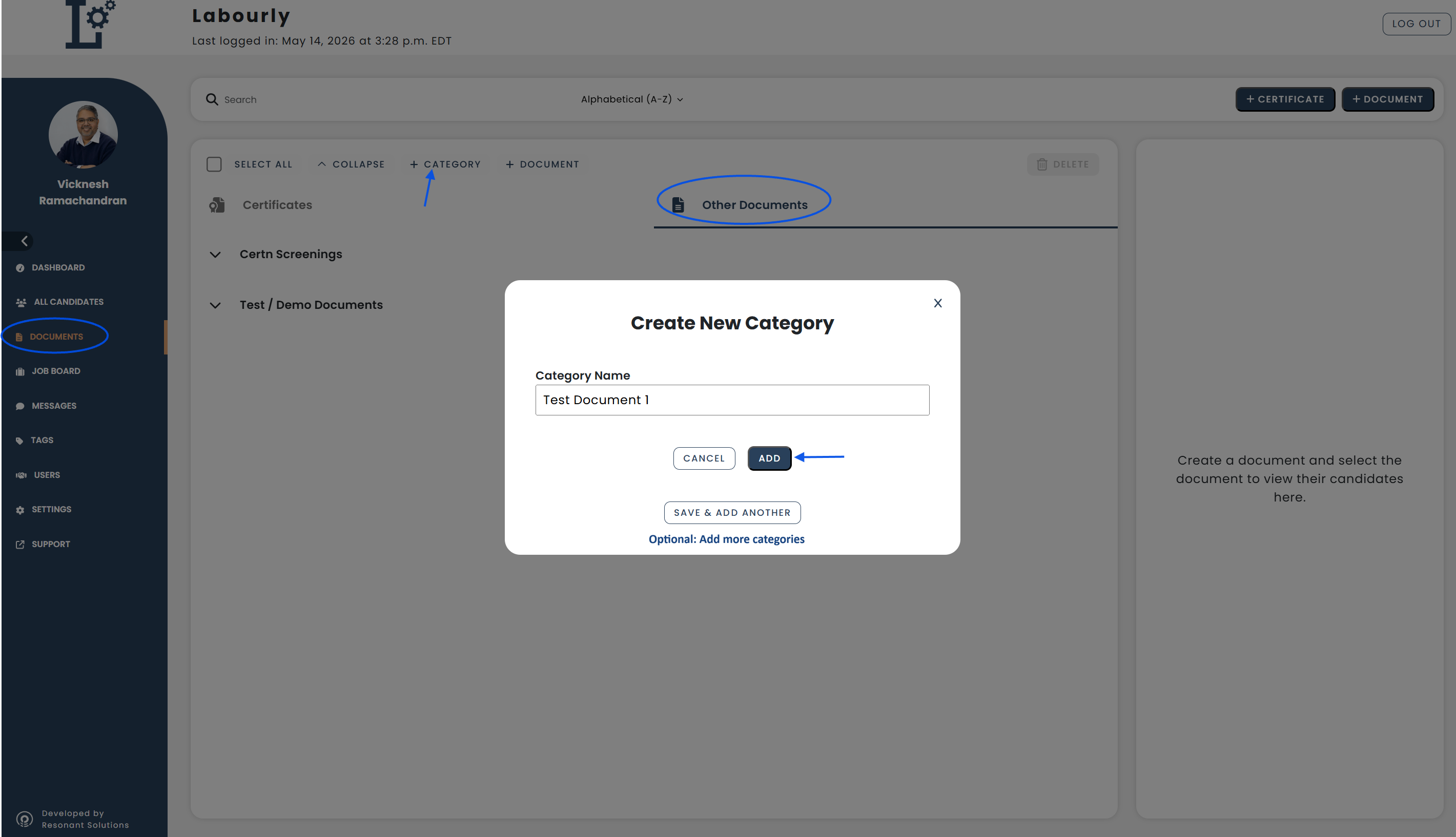
- Navigate to Documents from the left-hand menu
- Click Other Documents
- Click + Category
b. Create a Category:
A Create New Category window will open.
- Enter a Category Name
- Click ADD
Additional options:
- Click Save & Add Another to create multiple categories
- Click Cancel to exit without saving
c. Verify:
- Return to the Other Documents section
- Confirm that the new category appears in the category list
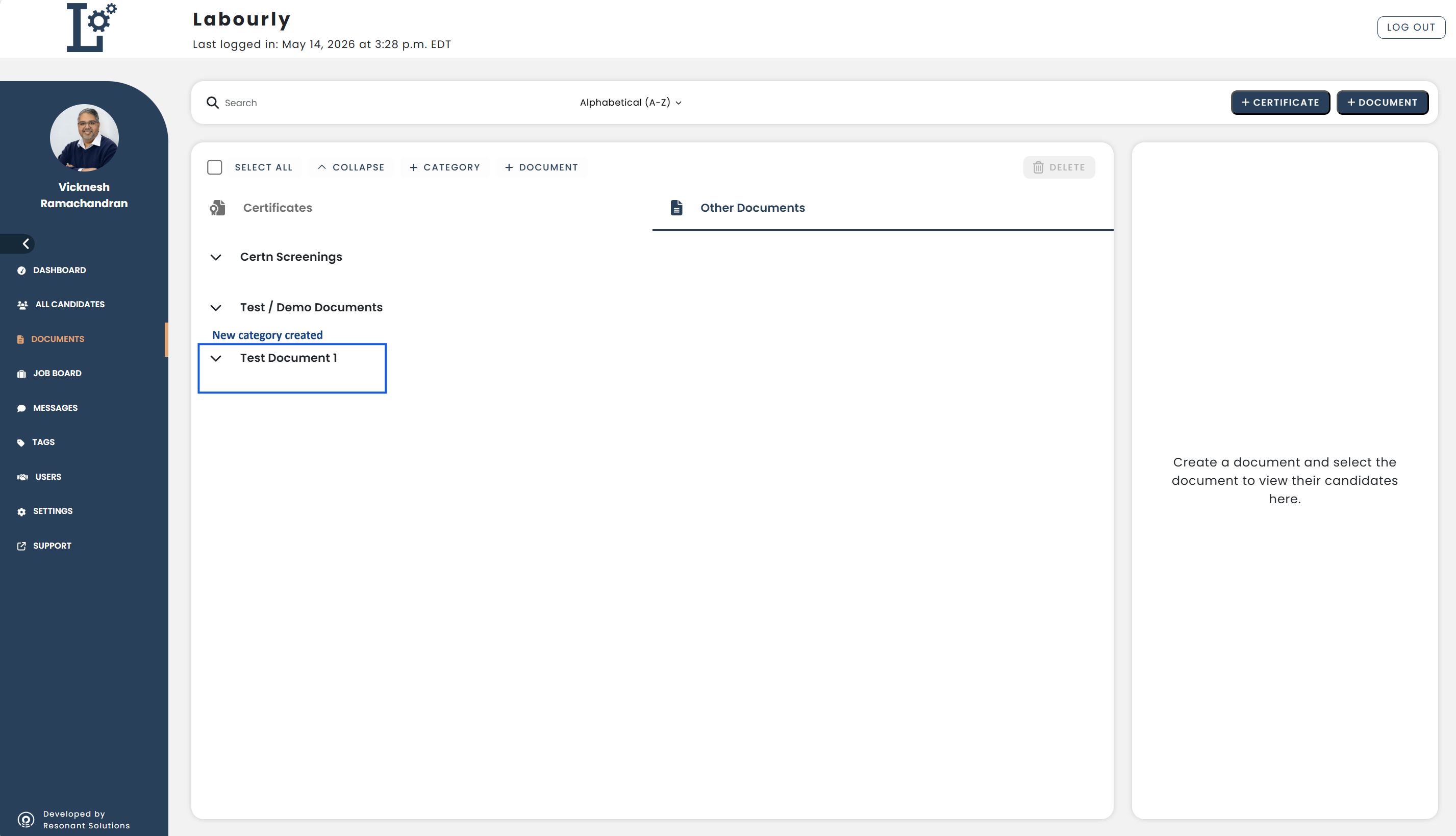
Your document category has been successfully created and is now available when creating or organizing documents.See also: