
You can invite candidates to Labourly by sending them an email invitation to create and access their Labourly profile.
NOTE:
Invited candidates will receive an email with instructions to create their labourly profile  .

Candidates can complete and manage their own profile information after accepting the invitation

Use invitations when candidates are expected to sign up and manage their own account.
a. Access Candidate Invitations:
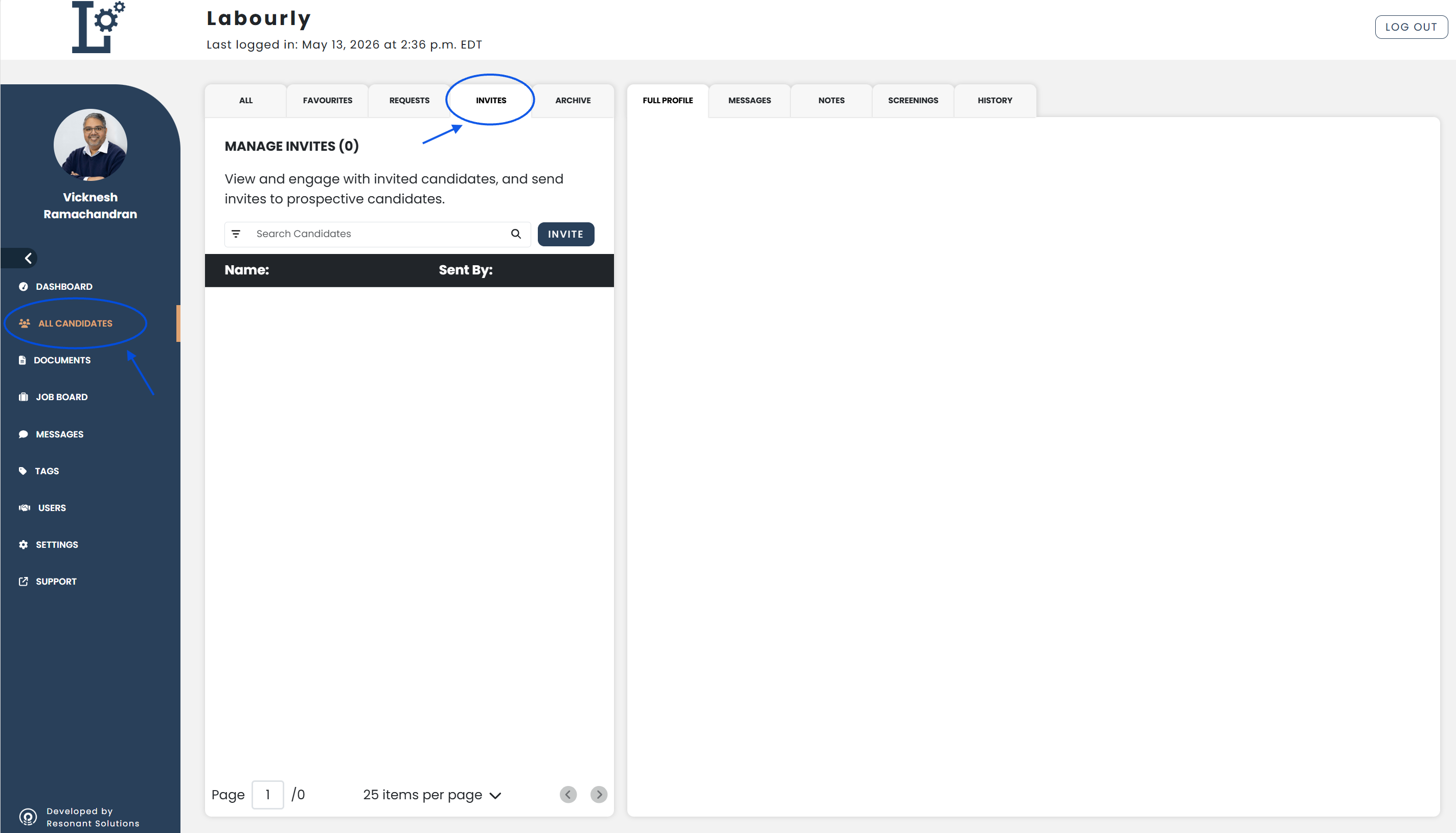
- Go to All Candidates from the left-hand menu
- From the candidate navigation panel, click INVITES
You will see the candidate invitations area.
b. Send a Candidate Invitation:
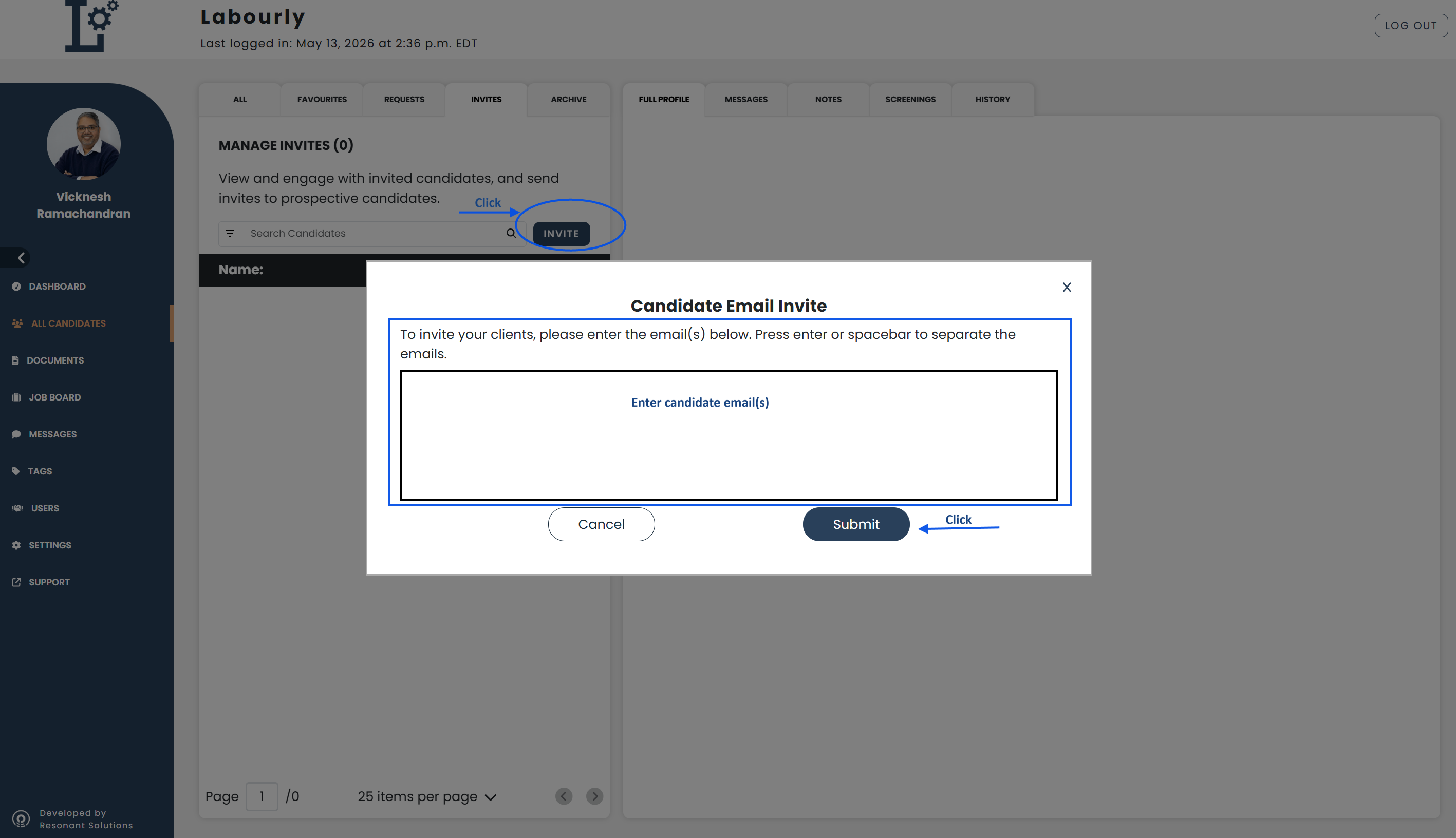
- Click INVITE
- A candidate invitation window will open.
- Enter one or more candidate email addresses
Press Enter or Spacebar to separate multiple email addresses.
- Click Submit
The invitation email will be sent to the selected candidates.
c. Verify:
- Return to the INVITES section
- Confirm that the invitation appears in the invitation list
The candidate invitation has been successfully sent.See also: