
Certification categories that are no longer needed can be removed from the Certificates section.
NOTE:

Deleting a certification category may affect certifications currently assigned to that category.

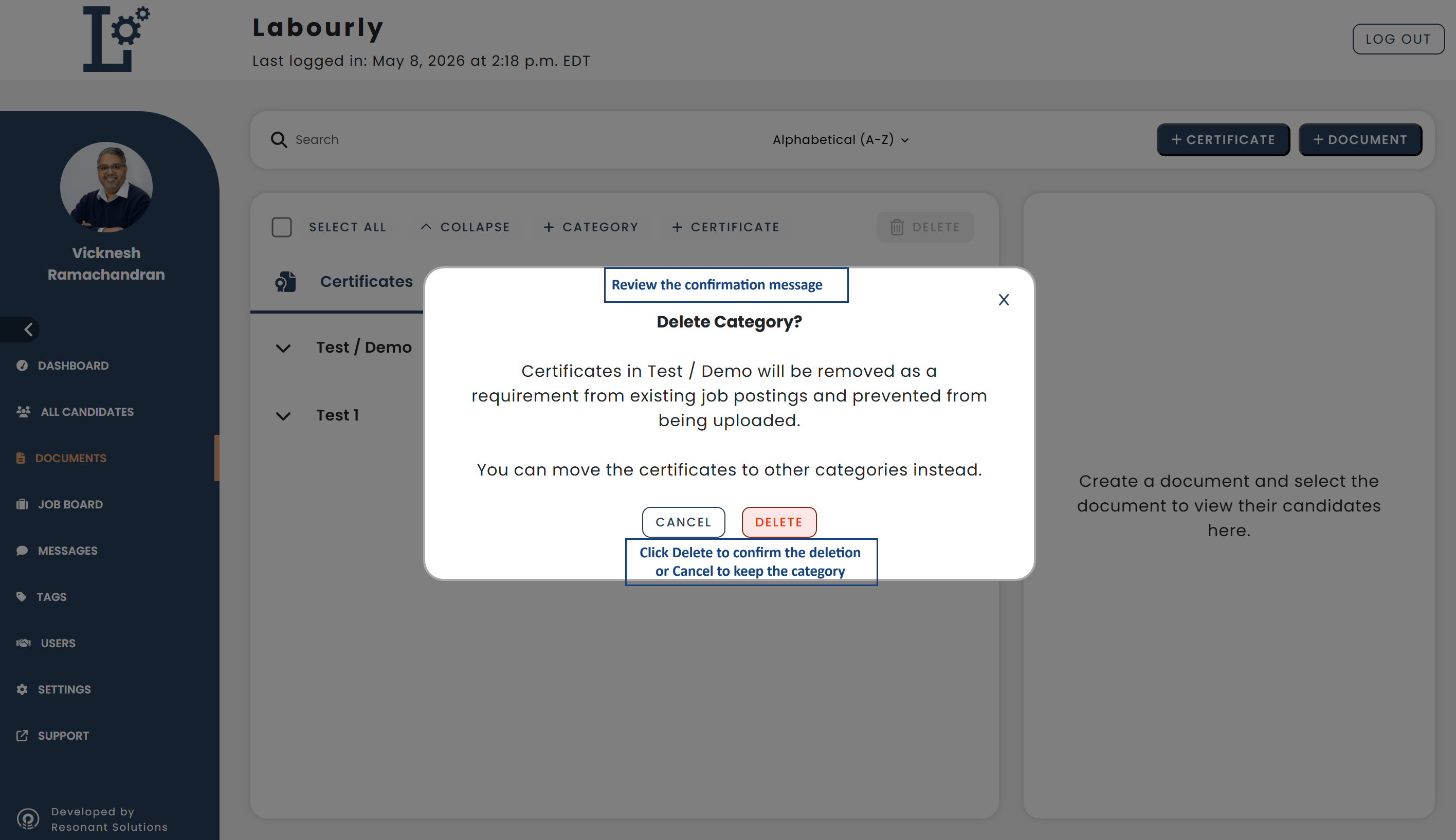
Certificates inside the category will be removed as requirements from existing job postings and prevented from being uploaded.

A category cannot be deleted if one or more certifications inside the category have already been uploaded by a candidate.

To delete the category, remove the certification file from the candidate’s full profile or move the certifications to a different category first.
a. Access Certification Categories:
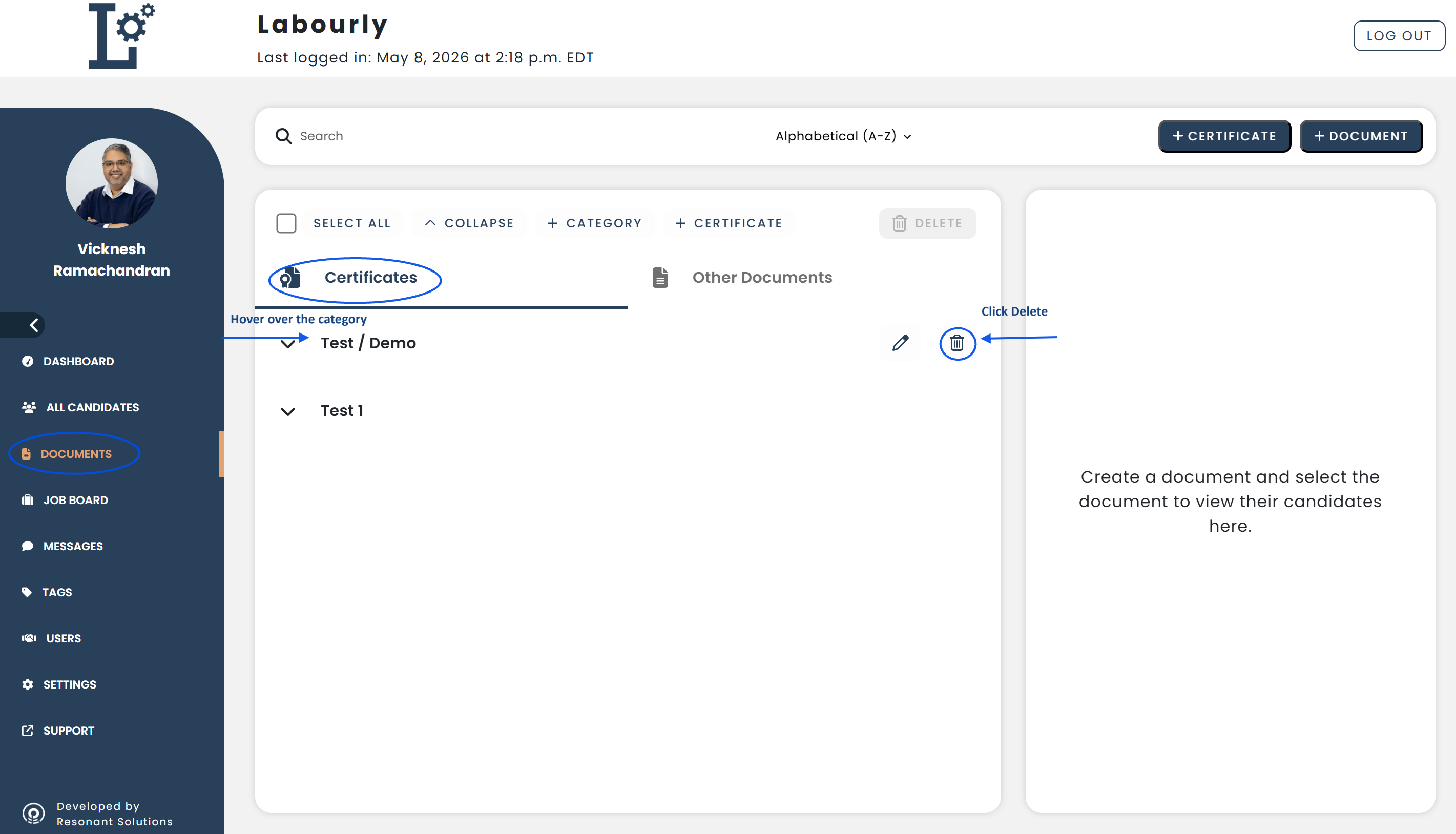
- Navigate to Documents from the left-hand menu
- Click Certificates
Existing categories will appear in the category list under the Certificates section.
b. Delete a Category:
- Locate the category you want to remove
- Hover over the category name
- Click the Delete icon
- A confirmation message will appear explaining how deleting the category may affect certifications currently assigned to it
- Click Delete to confirm the deletion or Cancel to keep the category
c. Verify:
- Confirm that the deleted category no longer appears in the category list
The certification category has been successfully deleted.See also: