
Certification categories can be edited to keep category names organized and up to date.
a. Access Certification Categories:
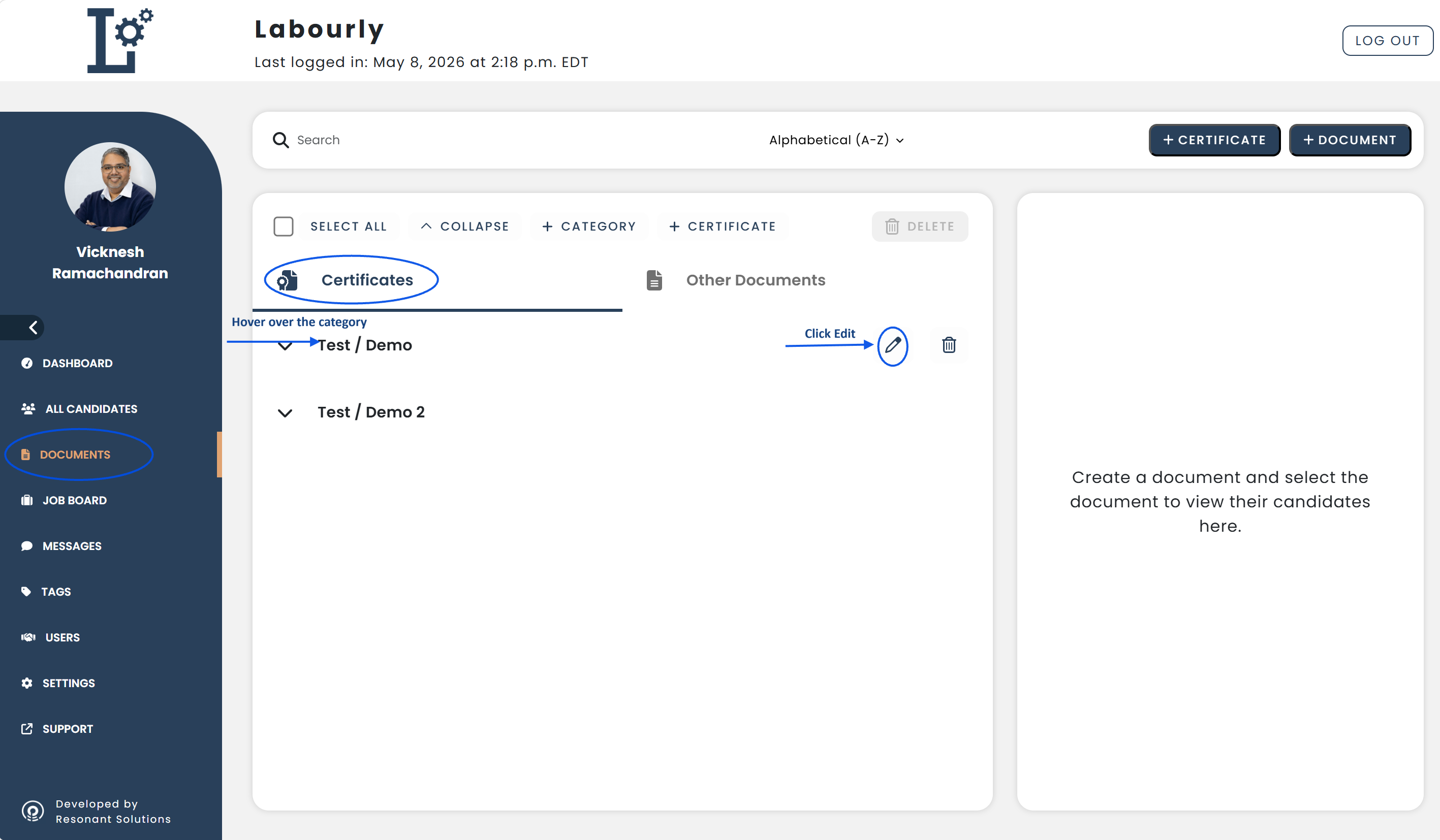
- Navigate to Documents from the left-hand menu
- Click Certificates
Existing categories will appear in the category list under the Certificates section.
b. Edit a Category:
- Locate the category you want to update
- Hover over the category name
- Click the Edit ✏️ icon
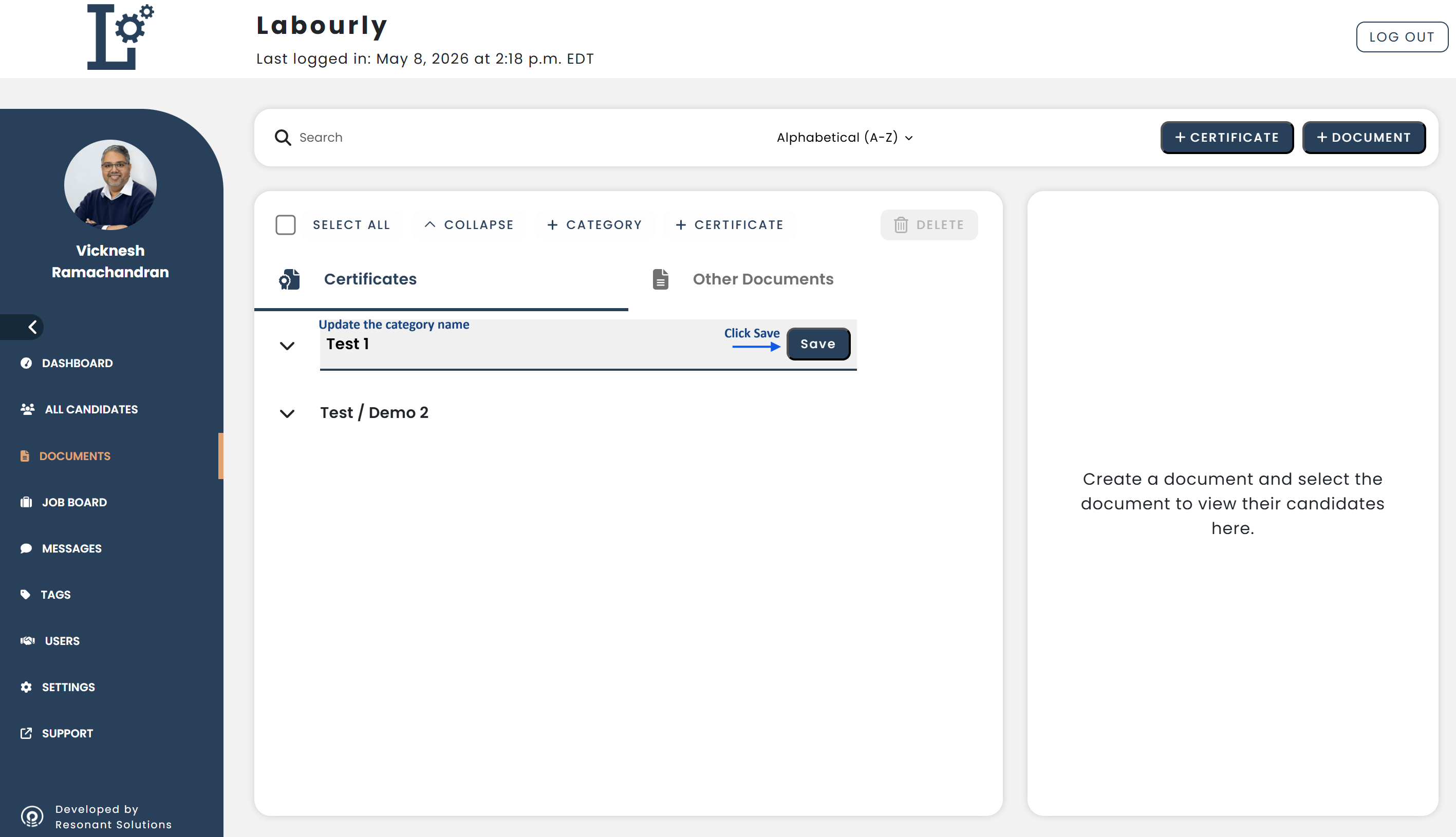
- Update the category name
- Save your changes
c. Verify:
- Return to the Certificates section
- Confirm that the updated category name appears in the category list
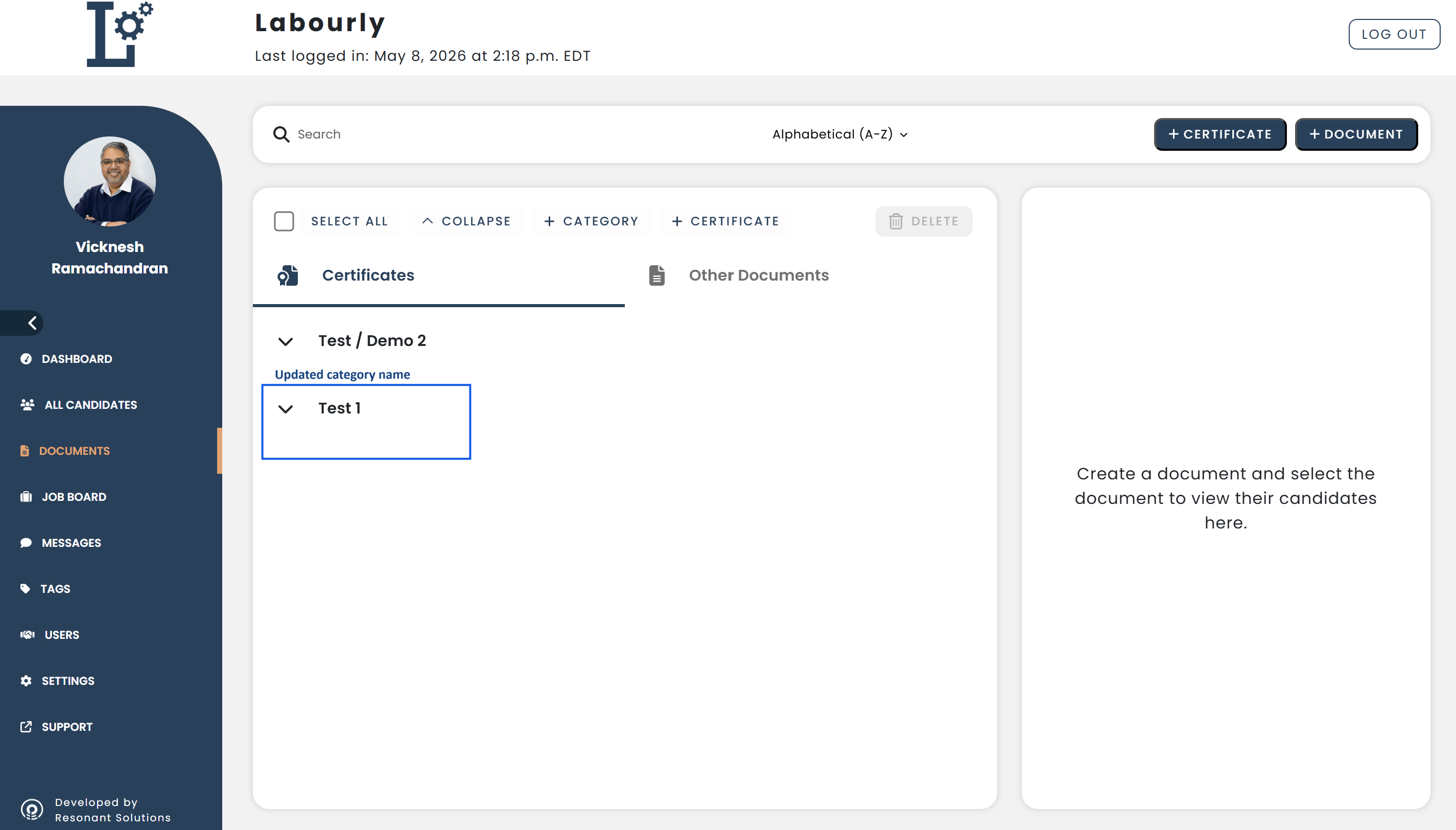
The certification category has been successfully updated.See also: