
You can edit a certification to update its details, such as description, category, requirement, expiry type, or assigned candidates.
a. Access the certification list:
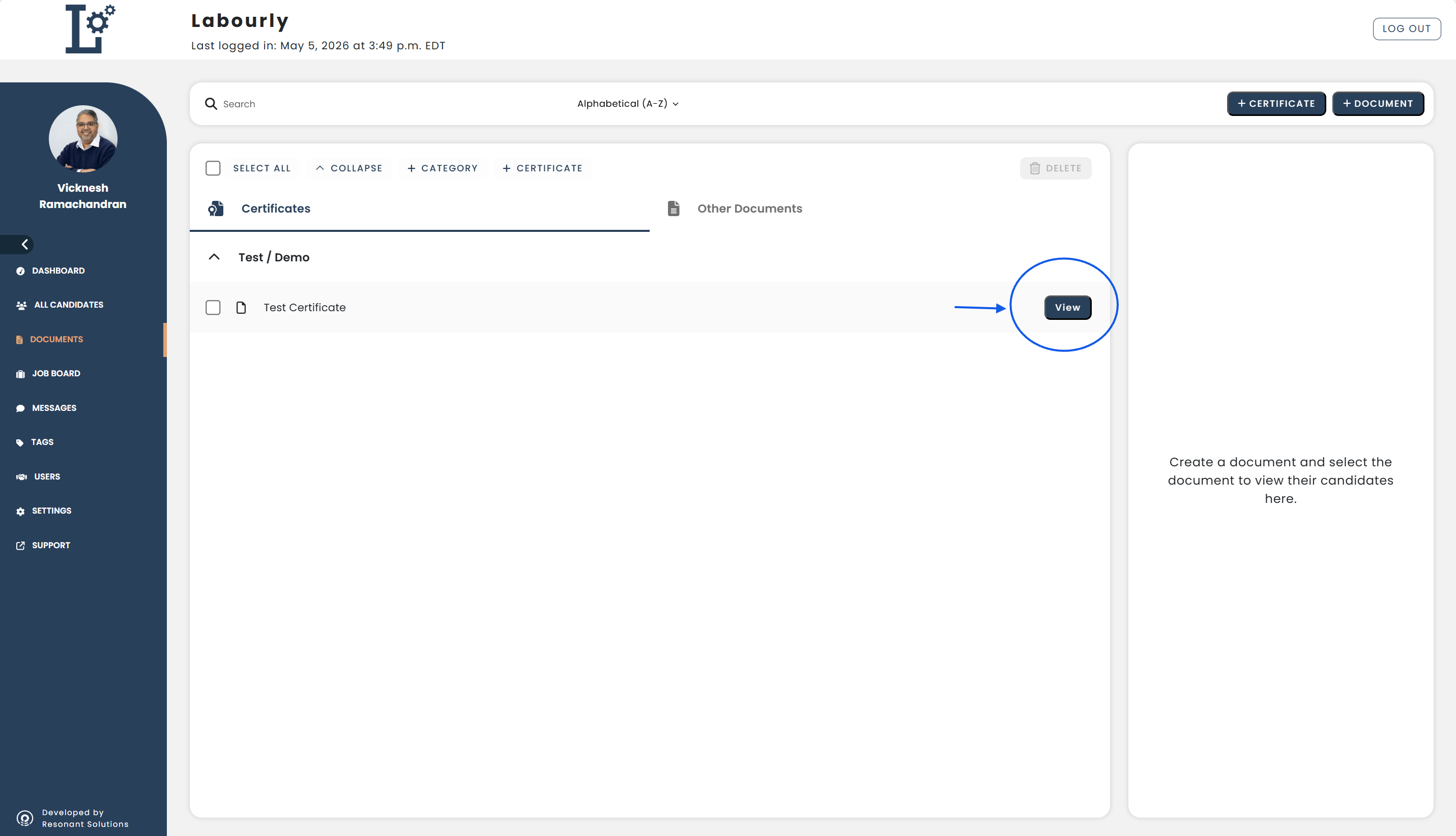
- Go to Documents from the left-hand menu
- Click Certificates
You will see a list of certifications organized by category.
b. Edit a certification:
- Locate the certification you want to update
- Click the View button next to the certification
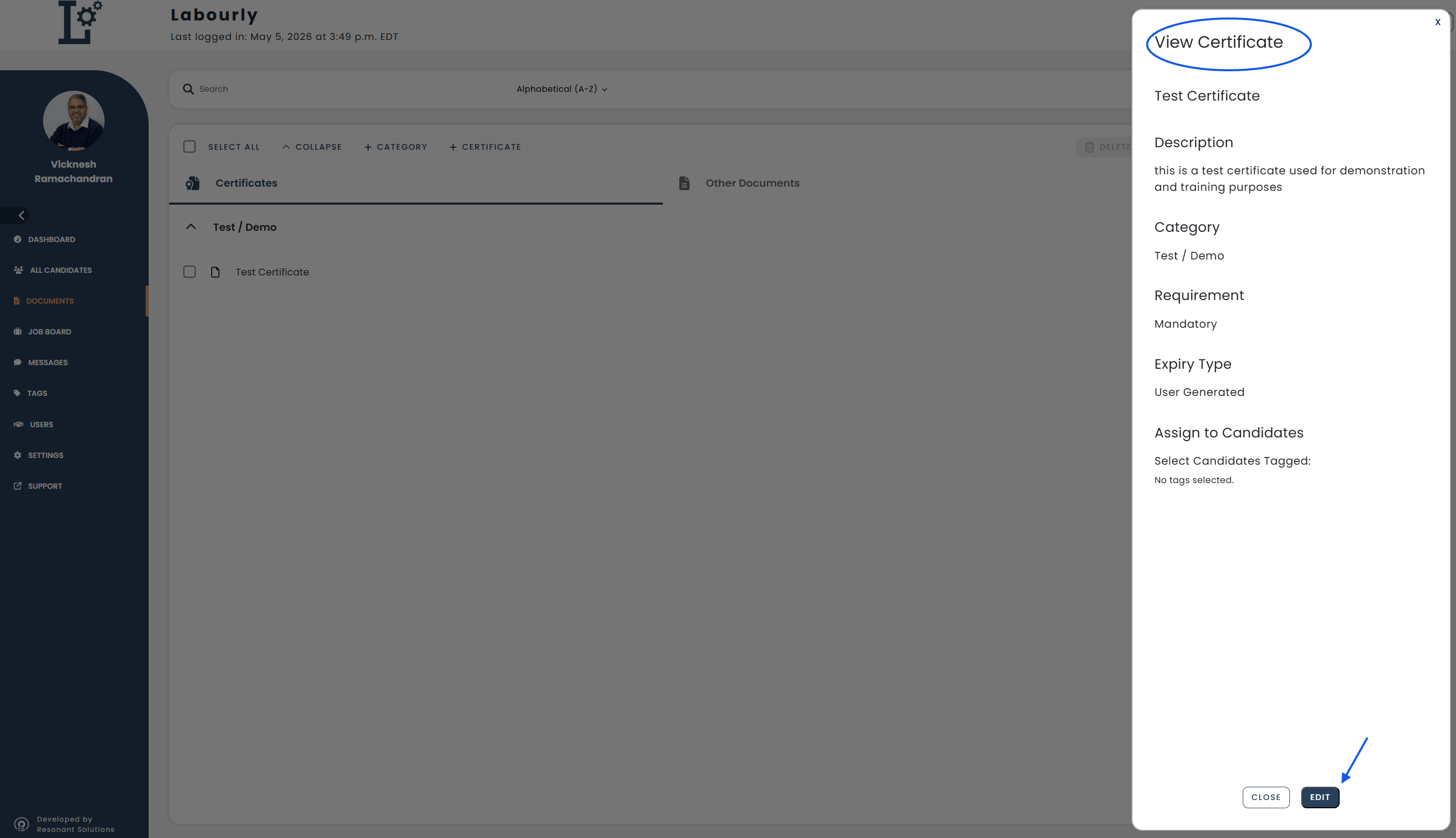
A panel will open on the right side.
- Click Edit
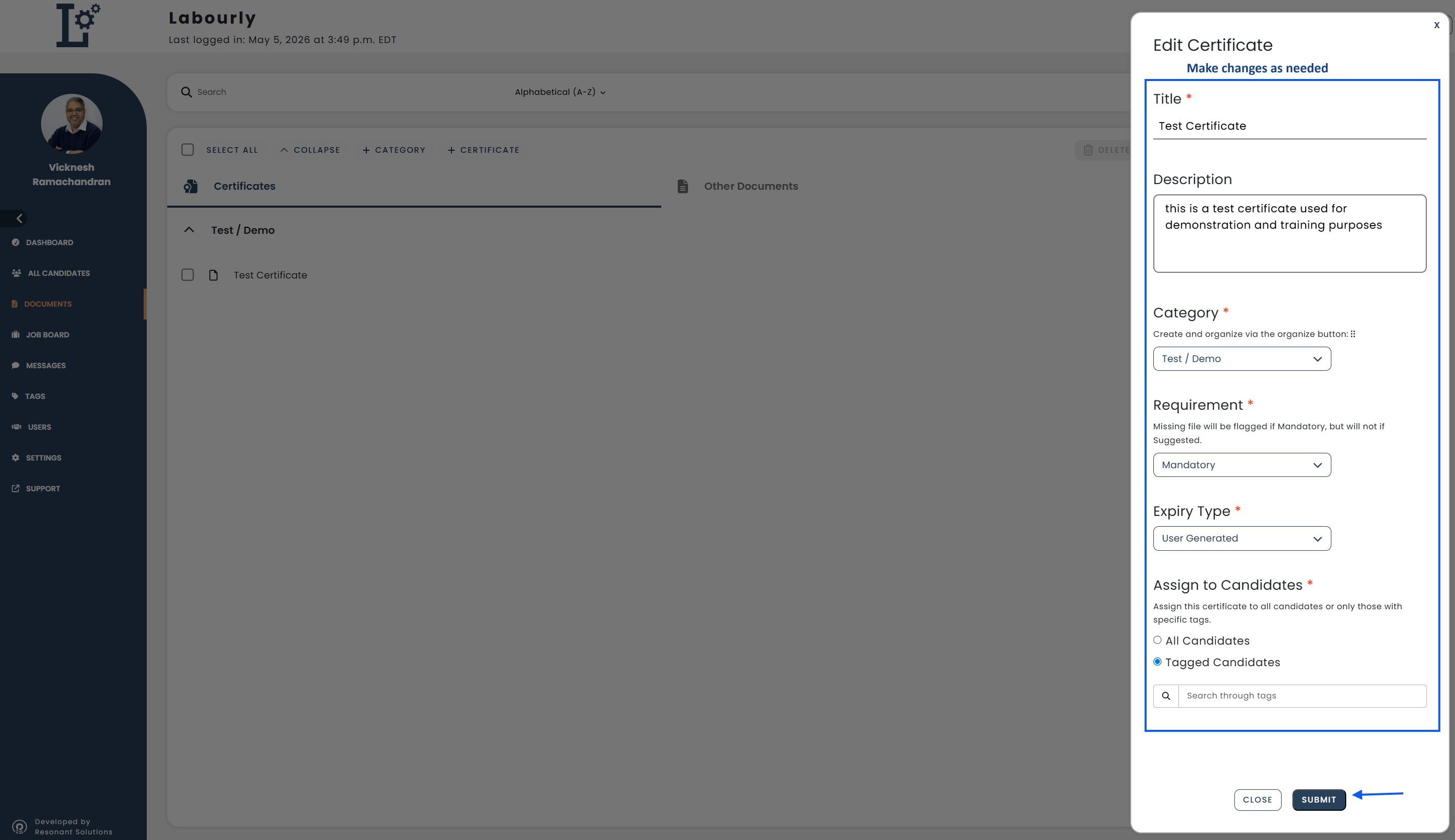
Update the fields as needed, such as:
- Description
- Category
- Requirement (Mandatory or Suggested)
- Expiry Type
- Assigned candidates
- Click Submit to apply your changes
Your certification has been successfully updated.See also: