
You can mark candidates as favourites for quicker access from the FAVOURITES list.
NOTE: Candidates are not notified when they are favourited or unfavourited.
a. Access the Candidate Profile:
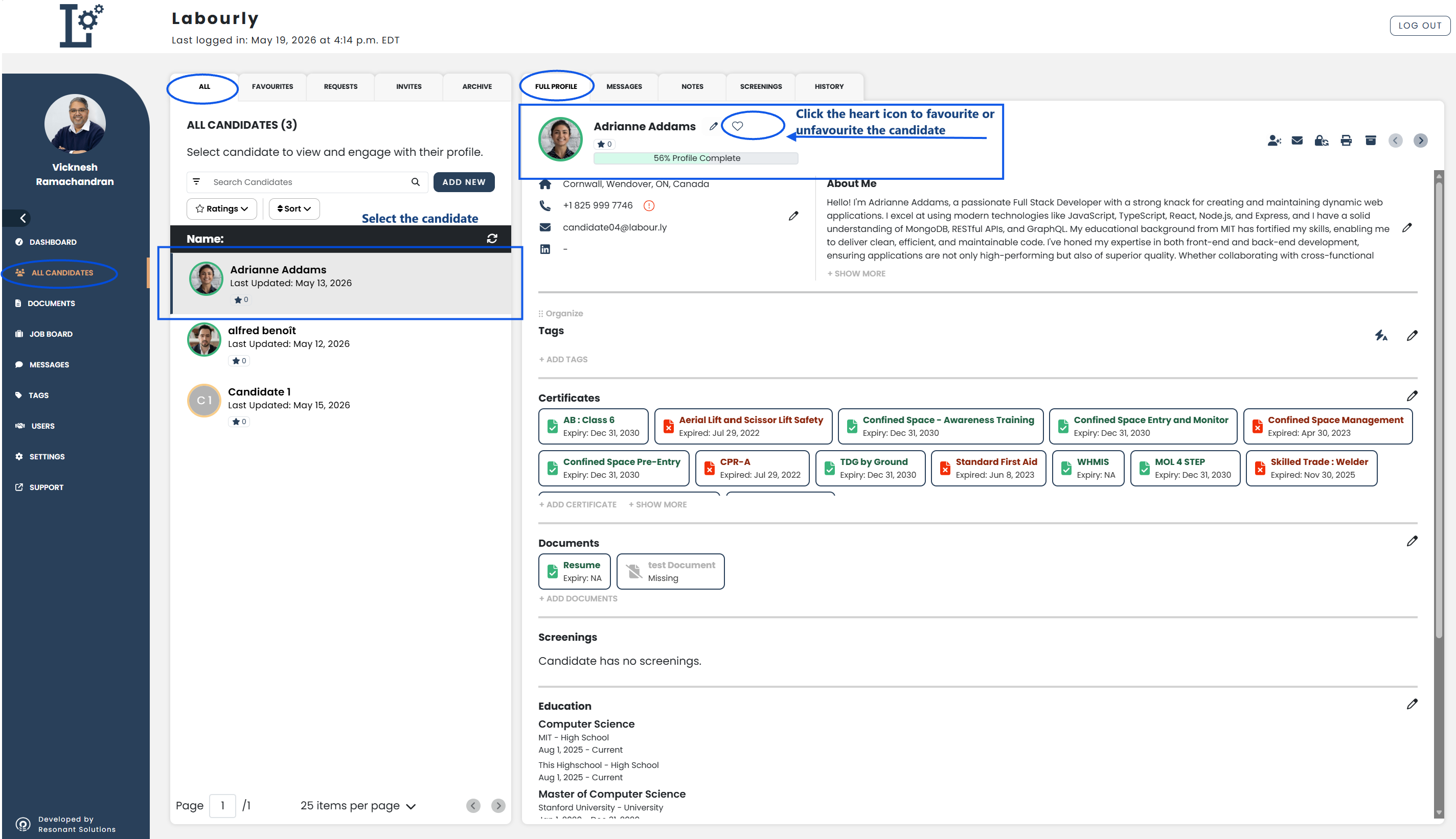
- Go to All Candidates from the left-hand menu
- From the candidate navigation panel, click ALL
- Select the candidate you want to update
The candidate profile will open in the candidate profile area on the right side of the page.
b. Favourite or Unfavourite a Candidate:
- Click the heart icon in the candidate profile area
A filled heart icon ♥ indicates the candidate has been favourited.
An unfilled heart icon ♡ indicates the candidate has been unfavourited.
c. Verify:
- From the candidate navigation panel, click FAVOURITES
- Confirm that the candidate appears or no longer appears in the favourites list
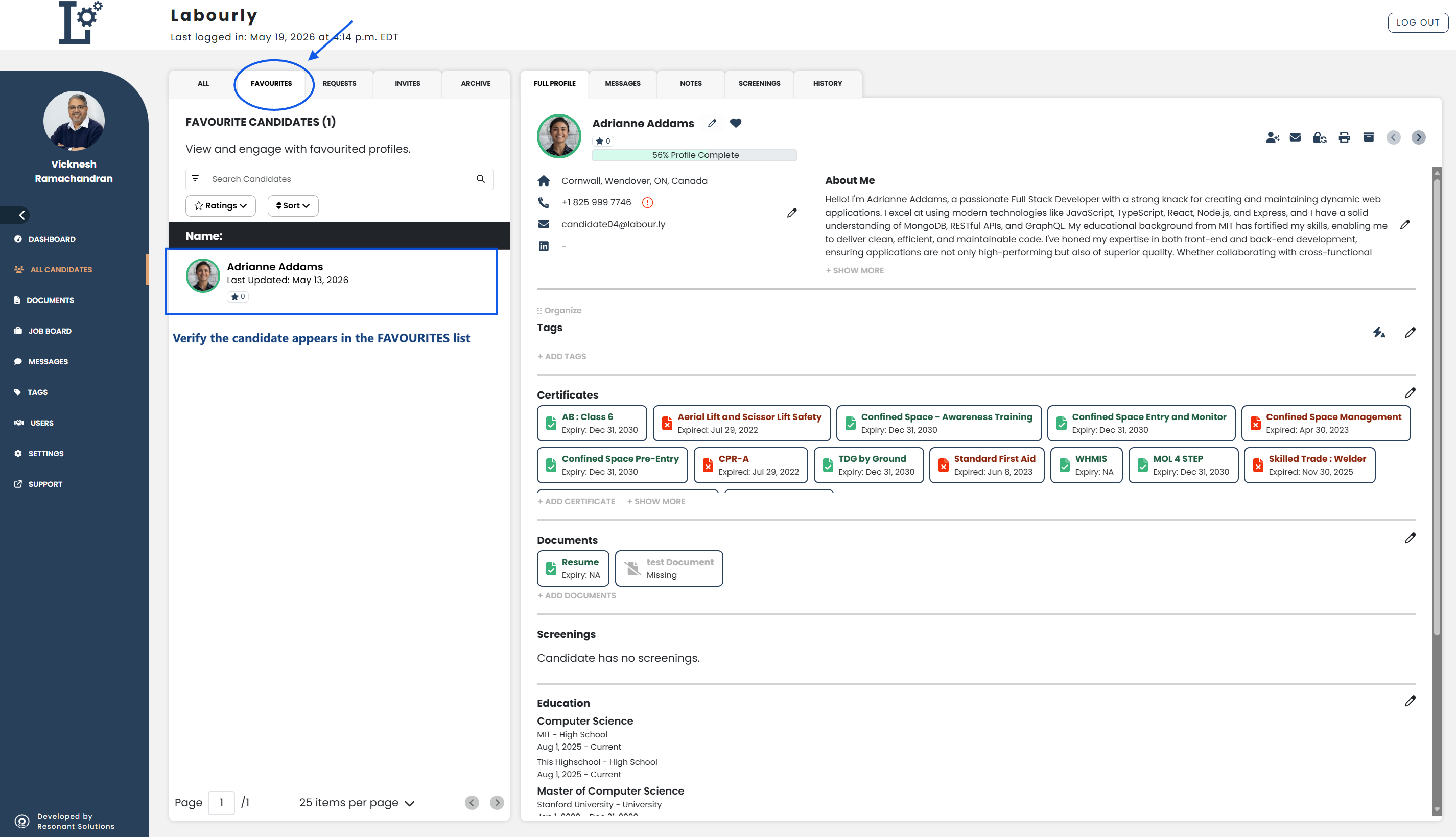
The candidate favourite status has been successfully updated.
See also: