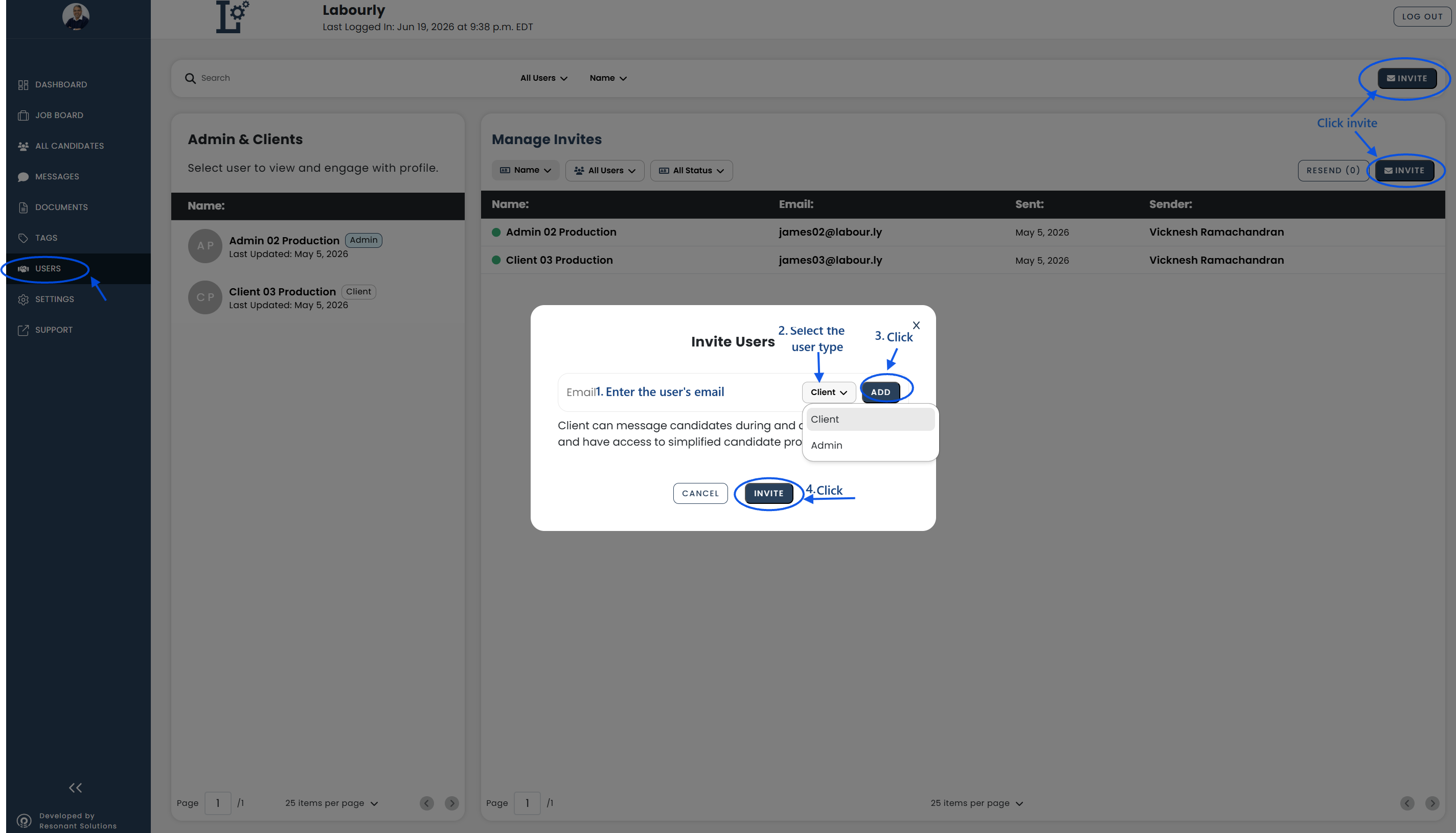
You can manage Admin and Client users from the Users page.
a. Access Users:
- Go to Users from the left-hand menu
The Admin & Clients panel and Manage Invites panel will appear.
b. View Users:
- Review the users listed in the Admin & Clients panel
- Select a user to view
- Use the search bar to locate a specific user
- Use the available filters to narrow the list by user type
c. Manage Invitations:
The Manage Invites section allows you to:
- View invitations
- Filter invitations by user type and status
- Send invitations to new users
- Resend invitations when needed
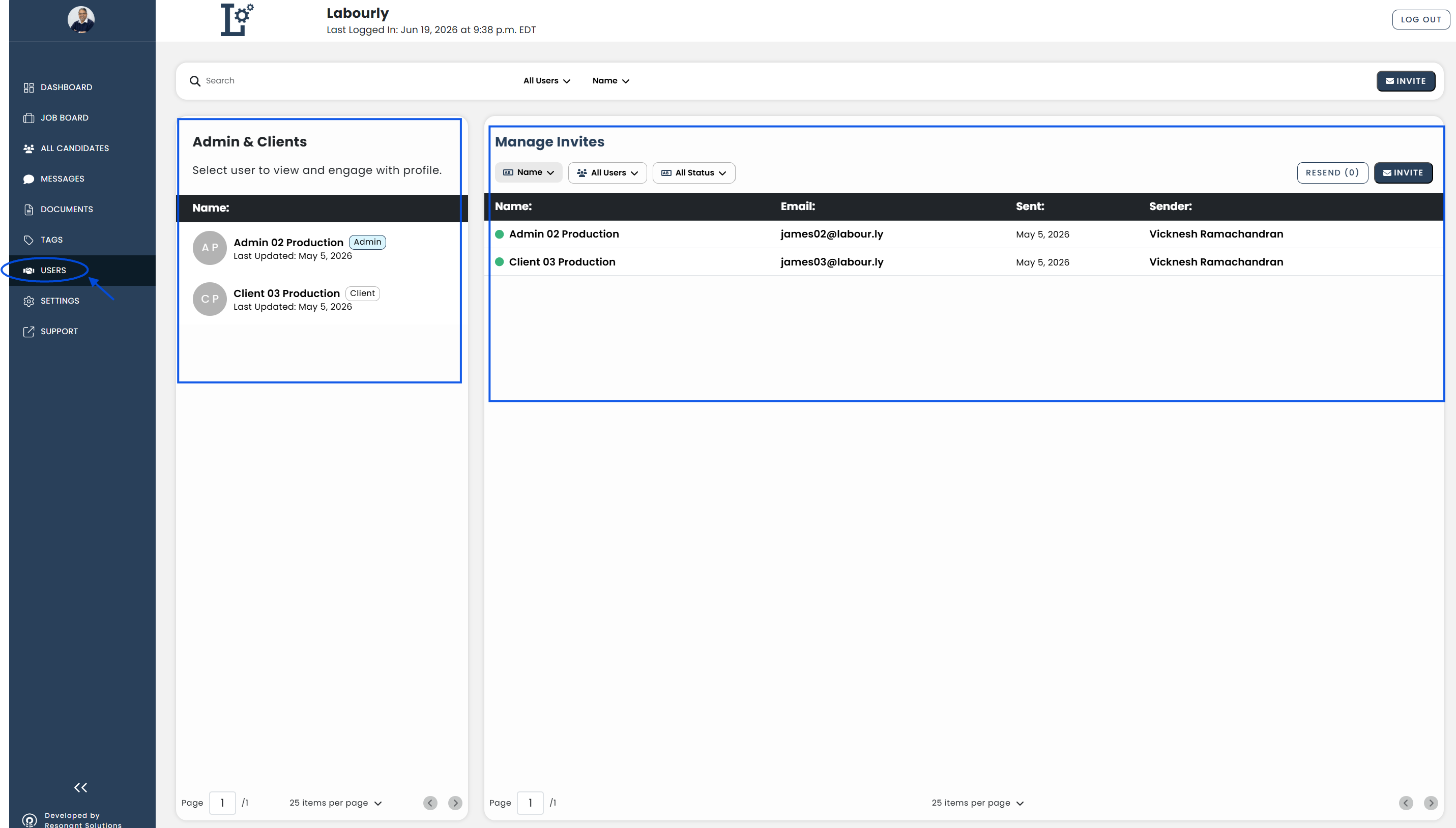
d. Invite a New User:
- Click INVITE
- Enter the user's email address
- Select the user type, such as Client or Admin
- Click ADD
- Click INVITE