
You can attach files to messages and share them with candidates, clients, and admins in Labourly.
a. Access the Message Area:
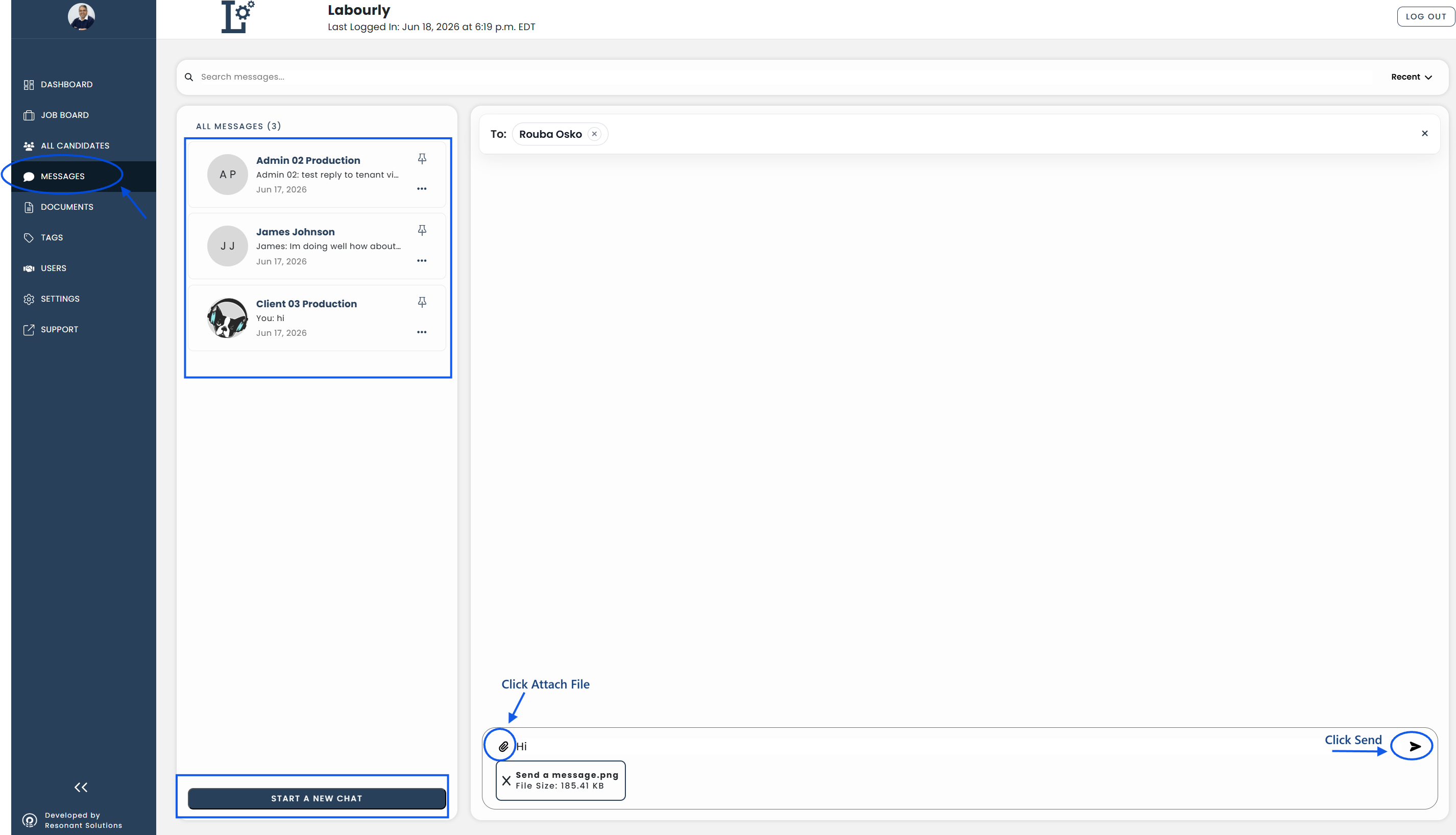
- Go to Messages from the left-hand menu
- Open an existing conversation or start a new chat
The message area will open, allowing you to send messages and attachments.
b. Attach a File:
- Click the Attach File icon in the message field
- Select the file you want to send from your device
The selected file will appear in the message field.
c. Send the Message:
- Type a message, if desired, in the message field
- Click the Send icon
The file will be sent to the selected recipient.
d. Verify:
- Confirm that the file has been sent successfully
The file has been successfully sent.
See also: