
Tags can be created to organize and group candidates based on specific qualifications, requirements, or other criteria.
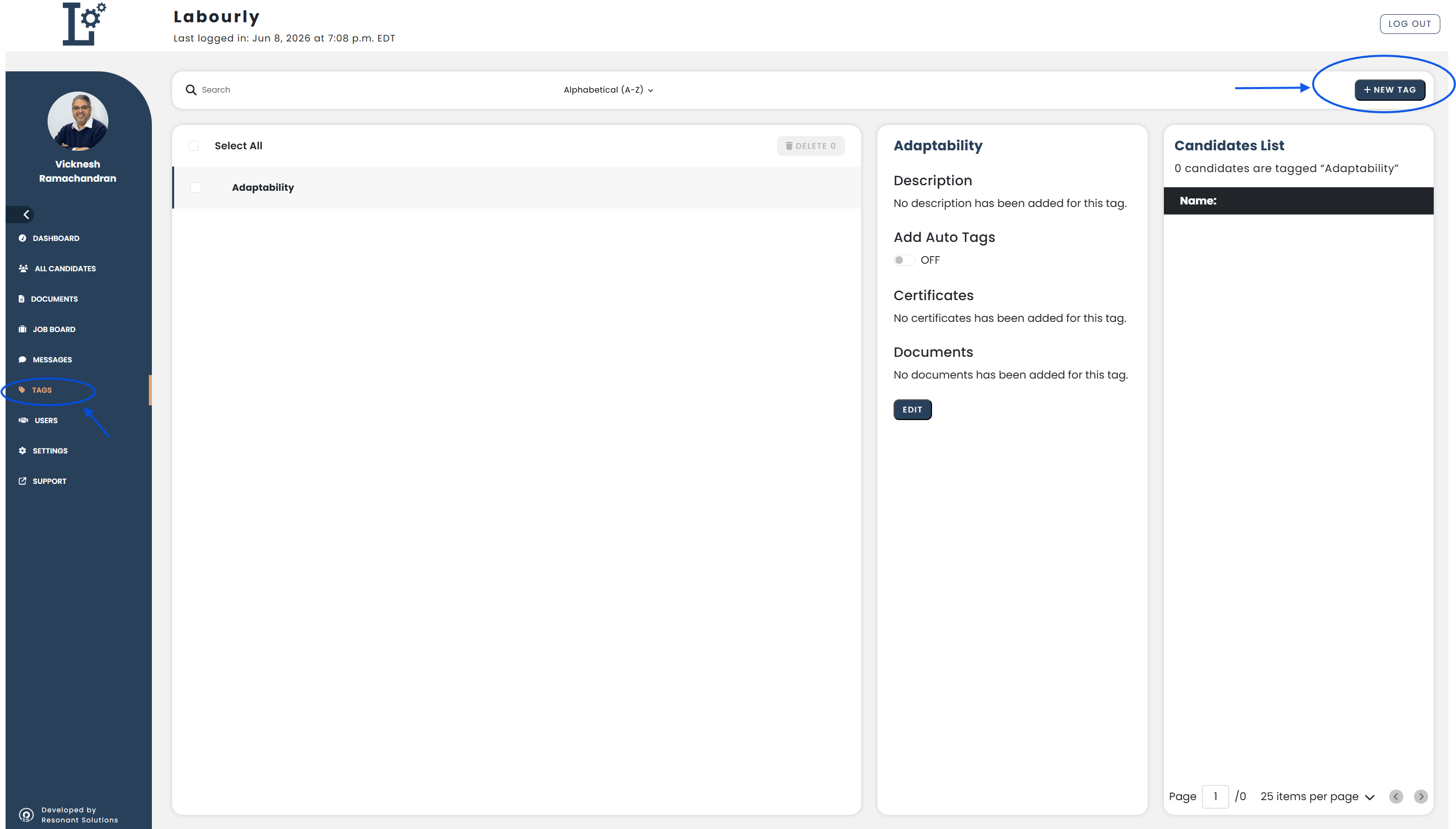
a. Access Tags:
- Go to Tags from the left-hand menu
- Click + ADD NEW
The Create Tag window will open.
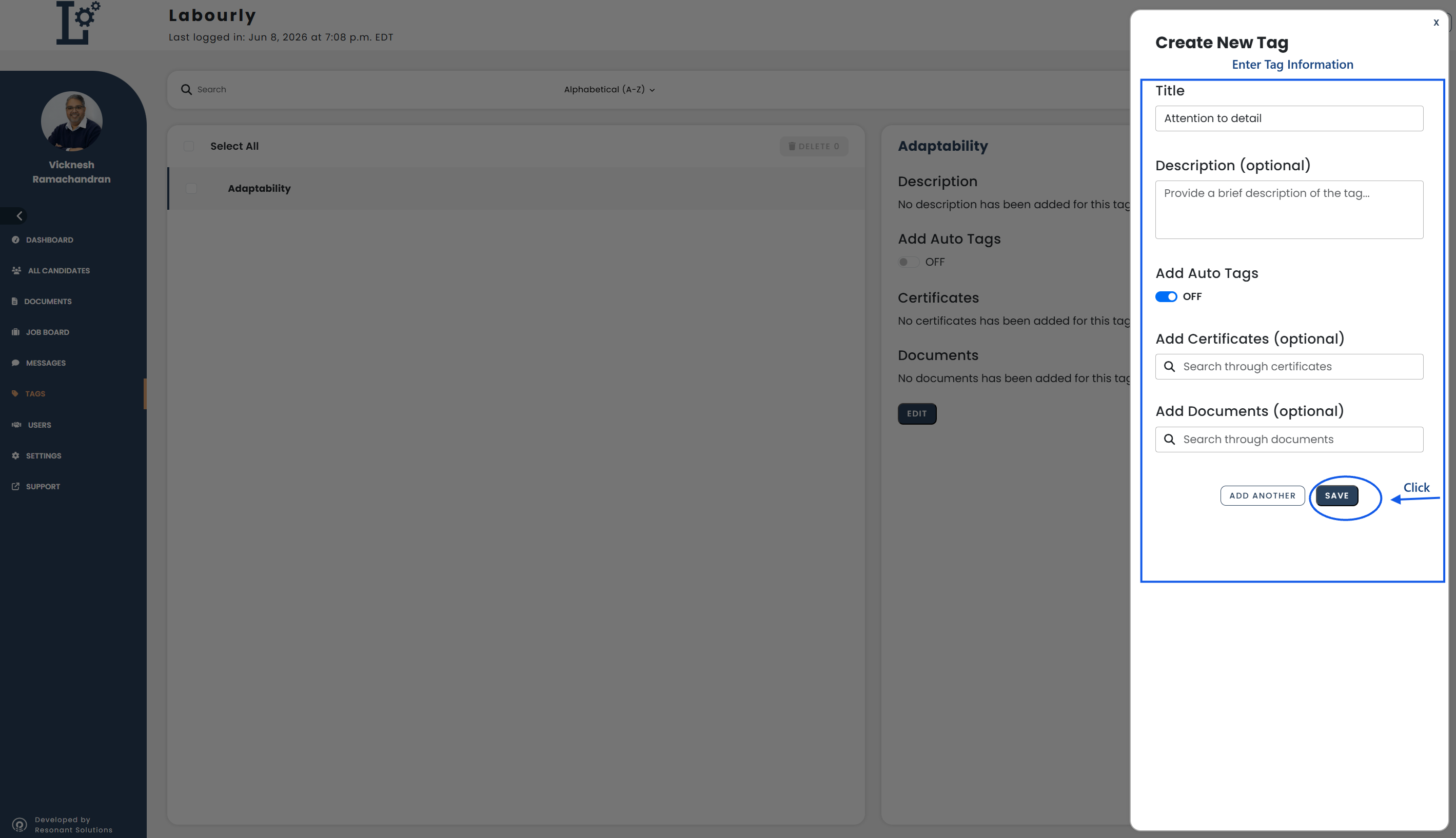
b. Enter Tag Information:
Complete the tag information, including:
- Tag title
- Description (optional)
- Auto Tags
- Certifications (optional)
- Documents (optional)
- Review the tag information.
- Click SAVE.
You can enable Auto Tags to automatically assign the tag to candidates who meet the criteria defined for the tag.
c. Verify:
- Confirm that the new tag appears in the tag list
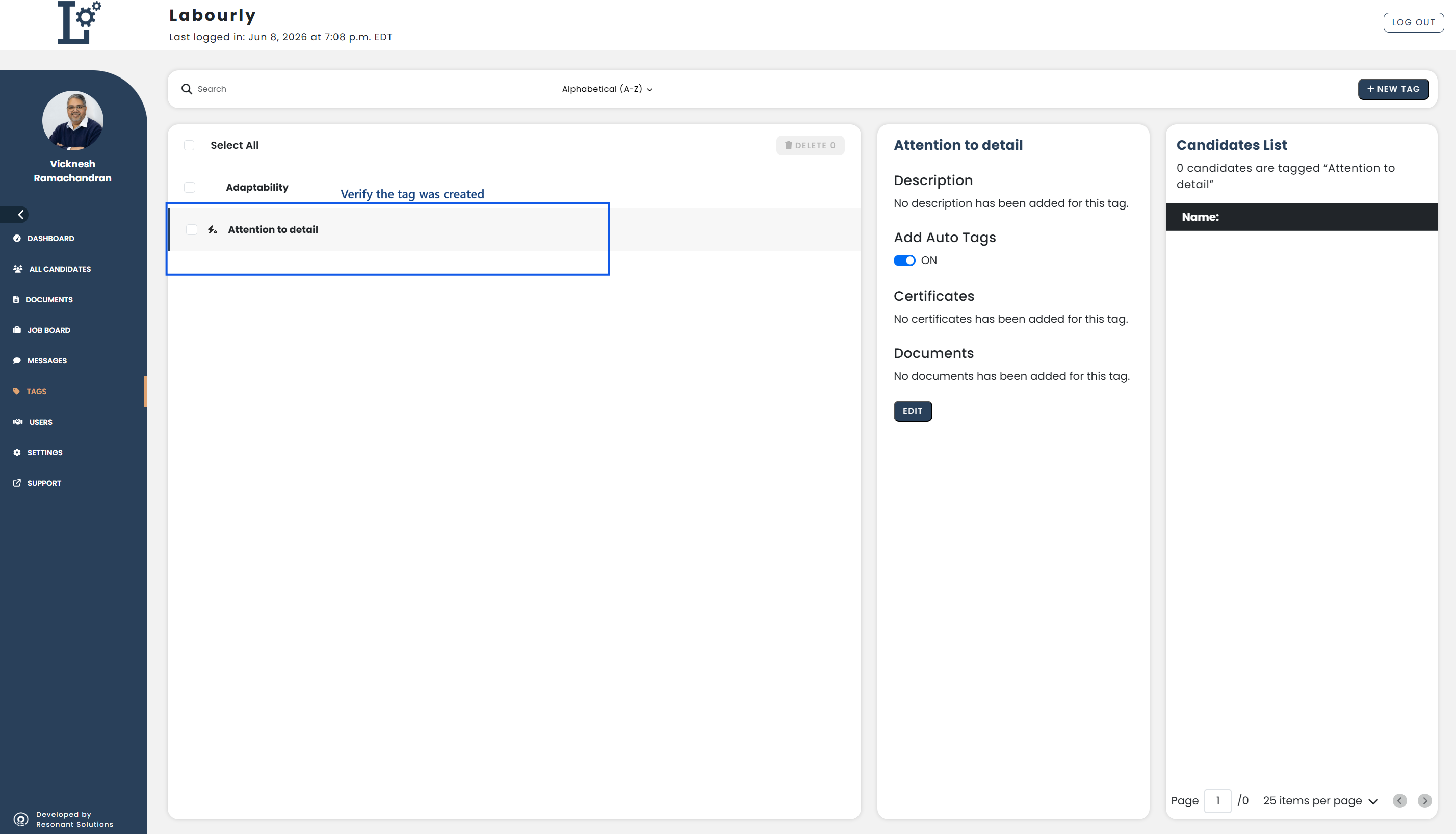
The tag has been successfully created.
See also: