
Candidate profiles can be archived and restored later when needed.
NOTE:
Archiving a candidate does not permanently delete their profile information.
Candidates are not notified when they are archived or unarchived.
Archiving a candidate does not permanently delete their profile information.
Candidates are not notified when they are archived or unarchived.
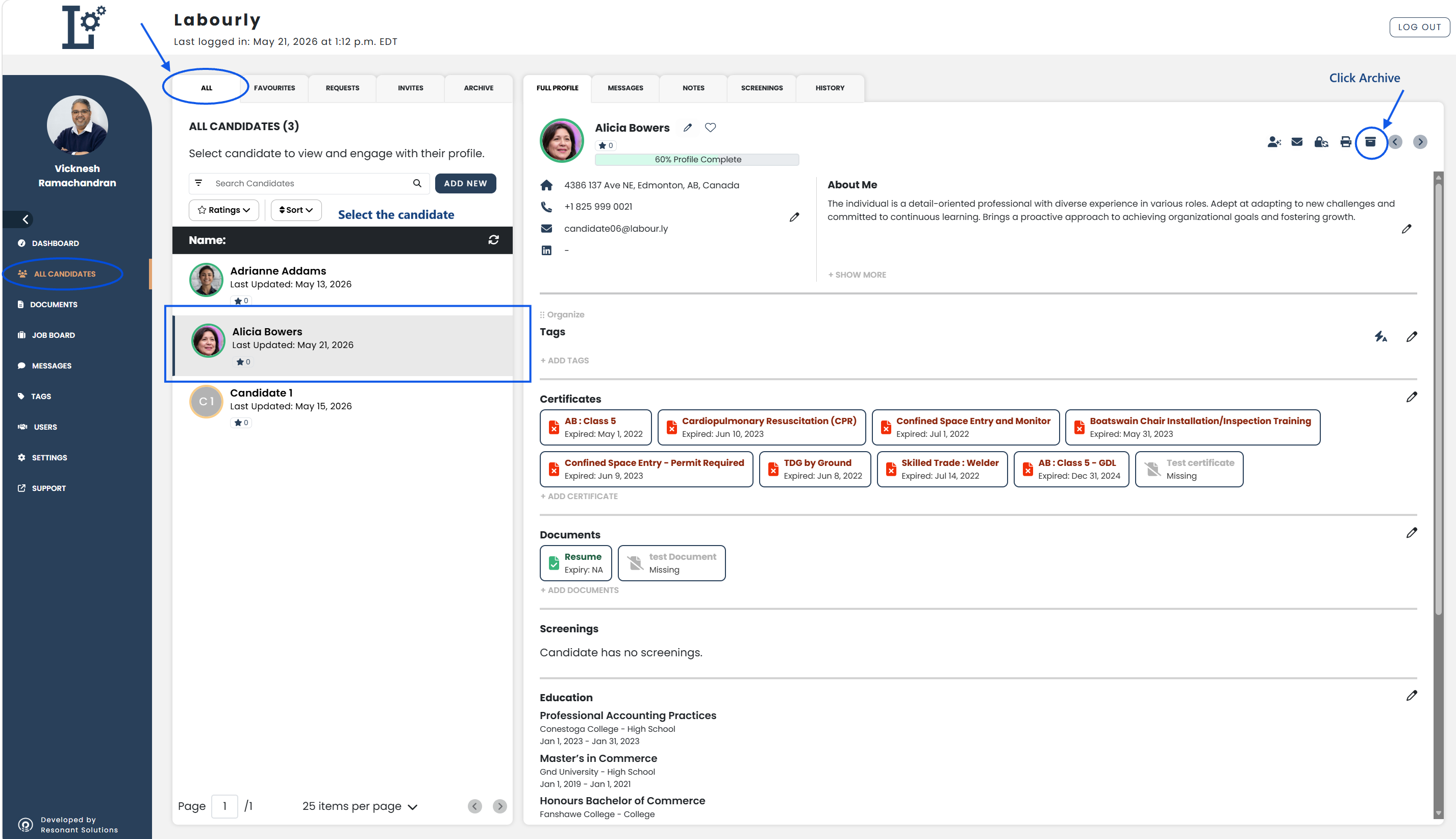
a. Archive a Candidate:
- Go to All Candidates from the left-hand menu
- From the candidate navigation panel, click ALL
- Select the candidate you want to archive
The candidate profile will open in the candidate profile area on the right side of the page.
- Click the Archive icon
- Confirm the archive request if prompted
The candidate will be moved to the ARCHIVED section.
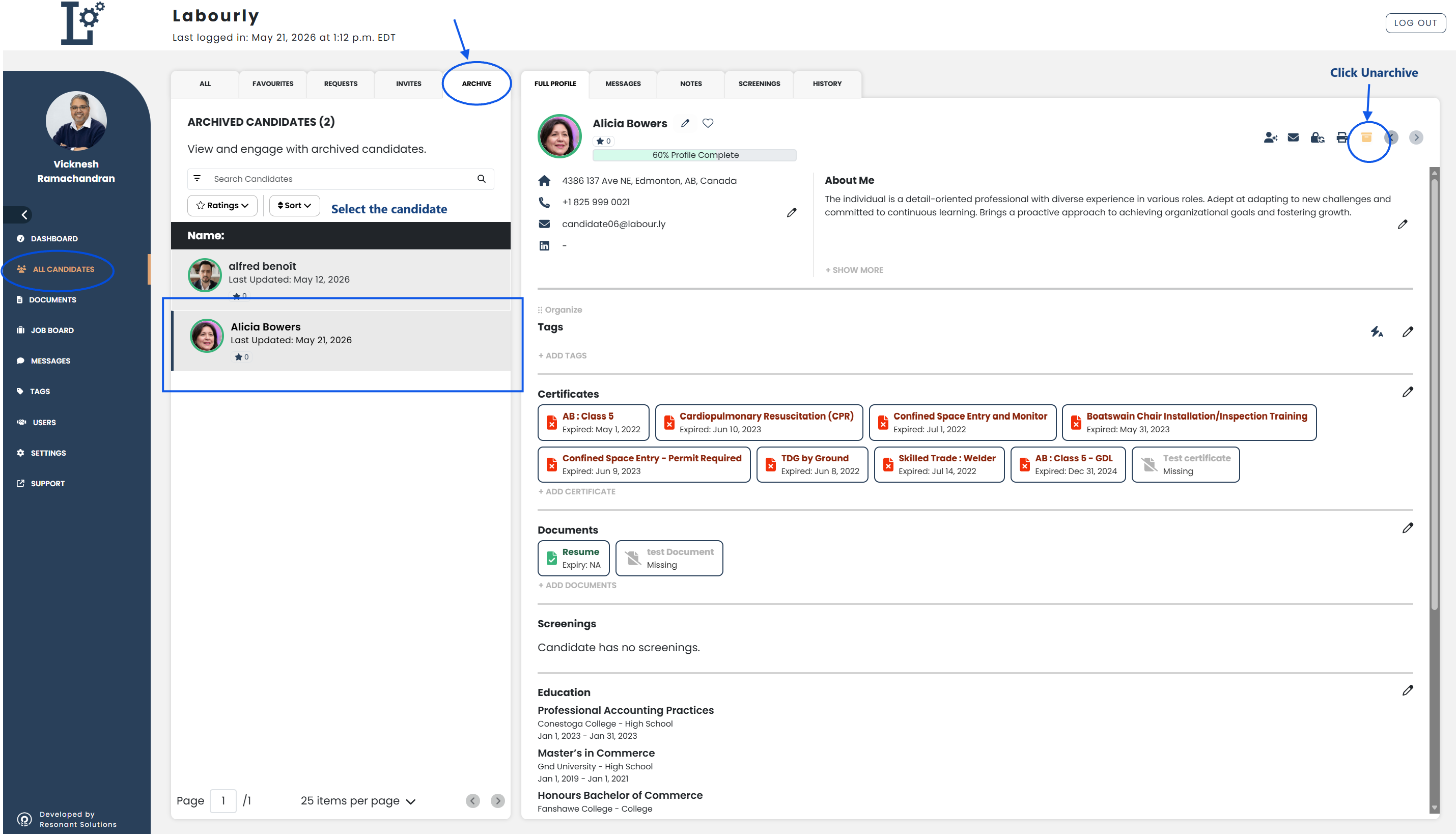
b. Unarchive a Candidate:
- From the candidate navigation panel, click ARCHIVED
- Select the candidate you want to unarchive
The candidate profile will open in the candidate profile area on the right side of the page.
- Click the Unarchive icon
- Confirm the unarchive request if prompted
The candidate will return to the ALL candidate list.
c. Verify:
- Navigate to the ALL or ARCHIVED section as needed
- Confirm that the candidate appears in the correct candidate list
The candidate archive status has been successfully updated.
See also: