
Archived Candidates allows Admins to remove candidates from the main candidate list while keeping their profile information stored in Labourly.
NOTE:
Archiving a candidate does not permanently delete their profile information.
Candidates are not notified when they are archived or unarchived.
Archiving a candidate does not permanently delete their profile information.
Candidates are not notified when they are archived or unarchived.
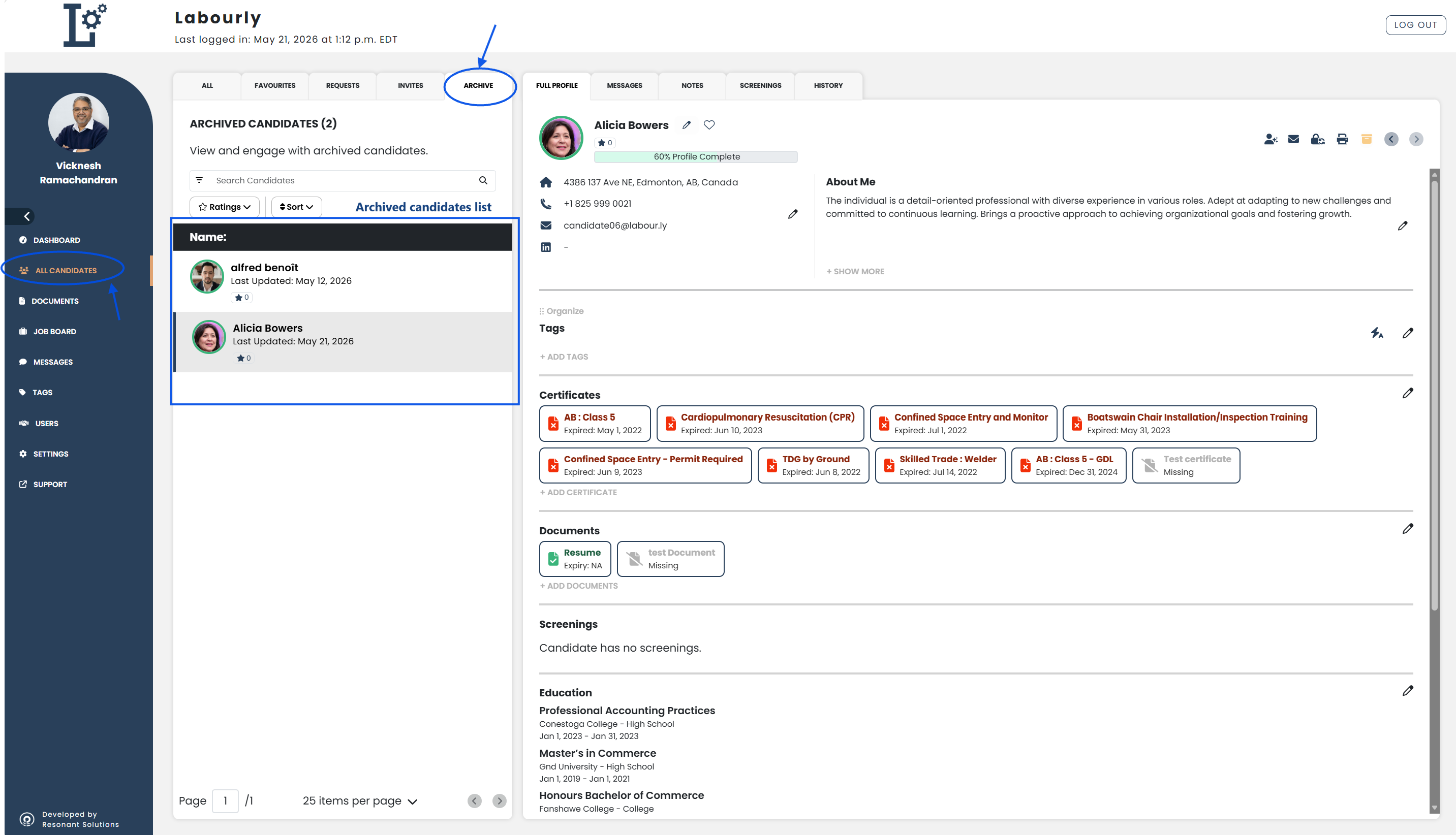
Access Archived Candidates:
- Navigate to All Candidates from the left-hand menu
- From the candidate navigation panel, click ARCHIVED
All archived candidates will appear in the archived candidates list.
From this section, you can:
- View archived candidates
- Access archived candidate profiles
- Unarchive candidates
You can now manage archived candidates in Labourly.
See also: