
You can add work experience information from the candidate profile area.
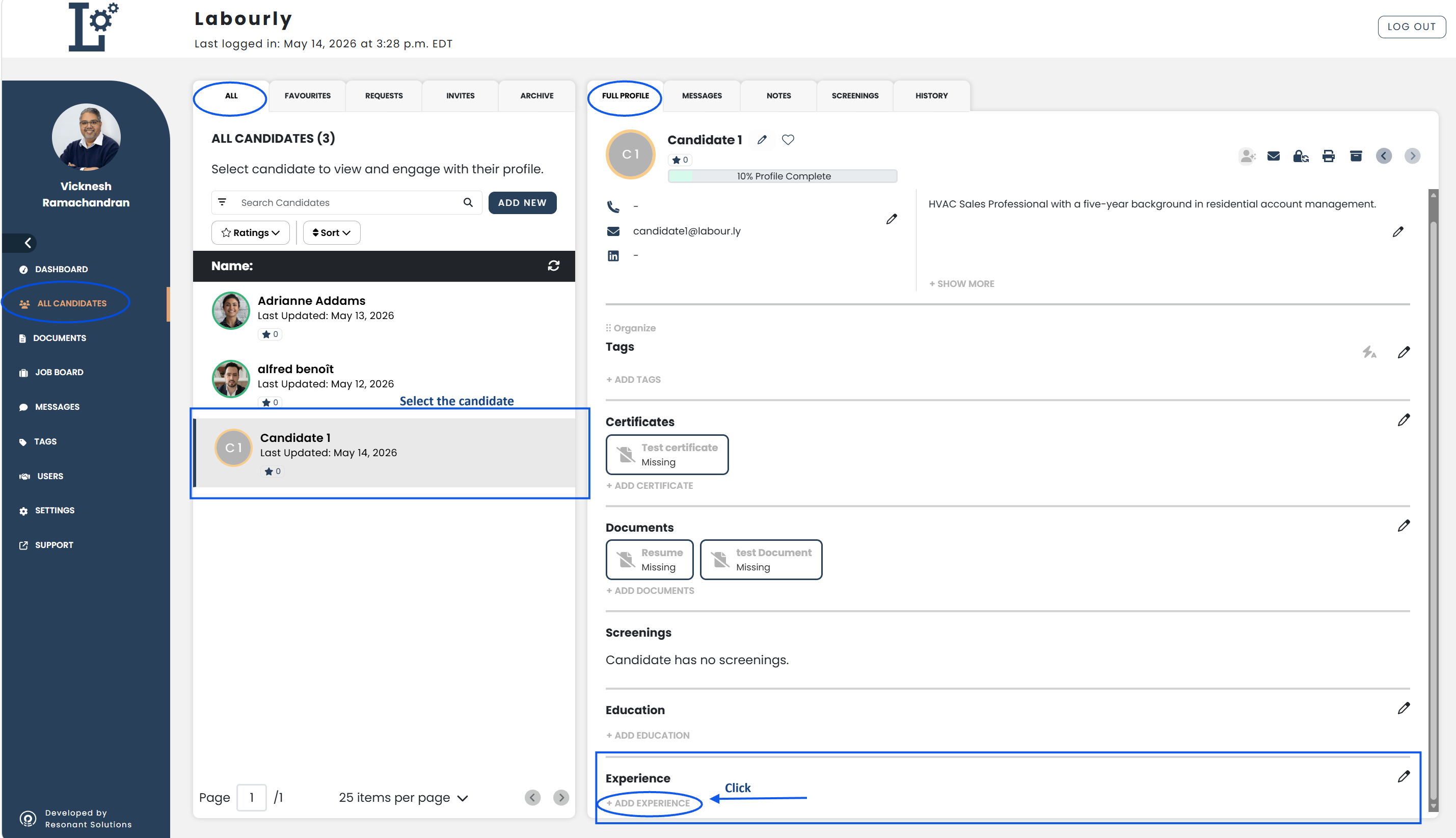
a. Access the Candidate Profile:
- Go to All Candidates from the left-hand menu
- From the candidate navigation panel, click ALL
- Select the candidate you want to update
The candidate profile will open in the candidate profile area on the right side of the page.
b. Access the Work Experience Section:
- From the FULL PROFILE tab, scroll to the Experience section
- Click + ADD EXPERIENCE
The experience editor will open on the right side of the page.
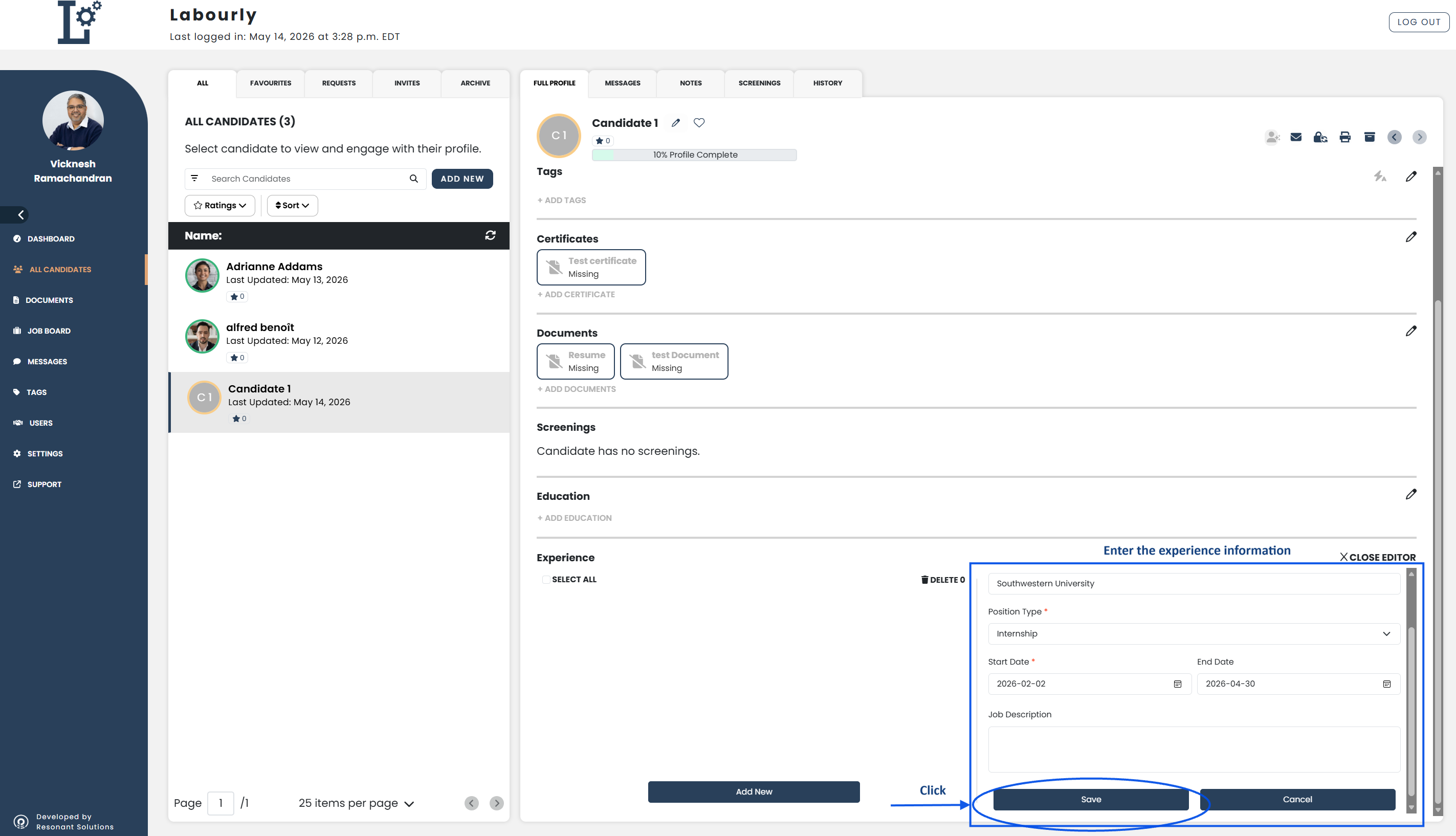
c. Add Work Experience Information:
- Enter the experience information in the fields provided
- Click Save
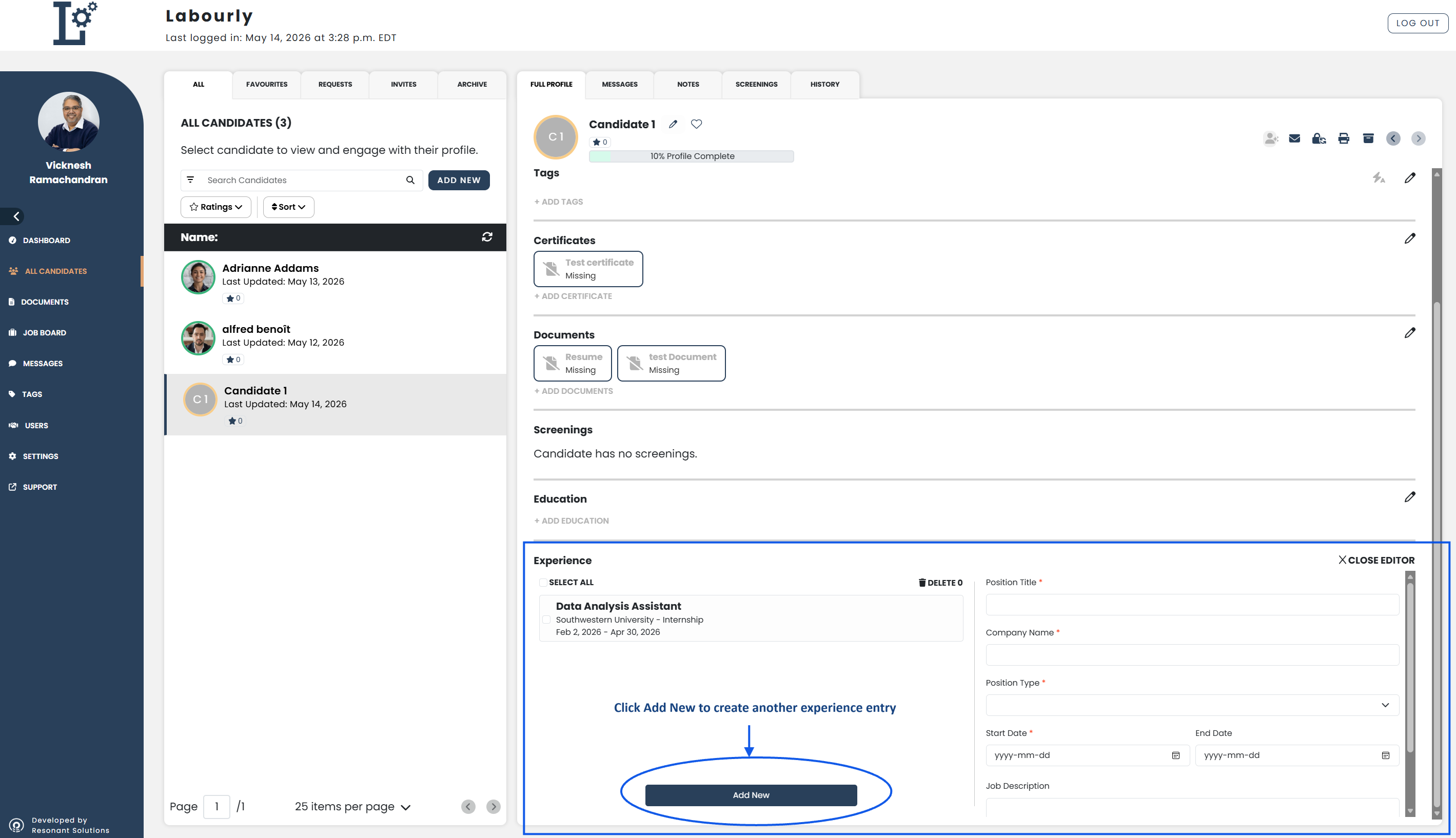
- To add another work experience entry, click Add New
You can continue adding additional work experience entries as needed.
d. Verify:
- Confirm that the new work experience information appears correctly in the candidate profile area
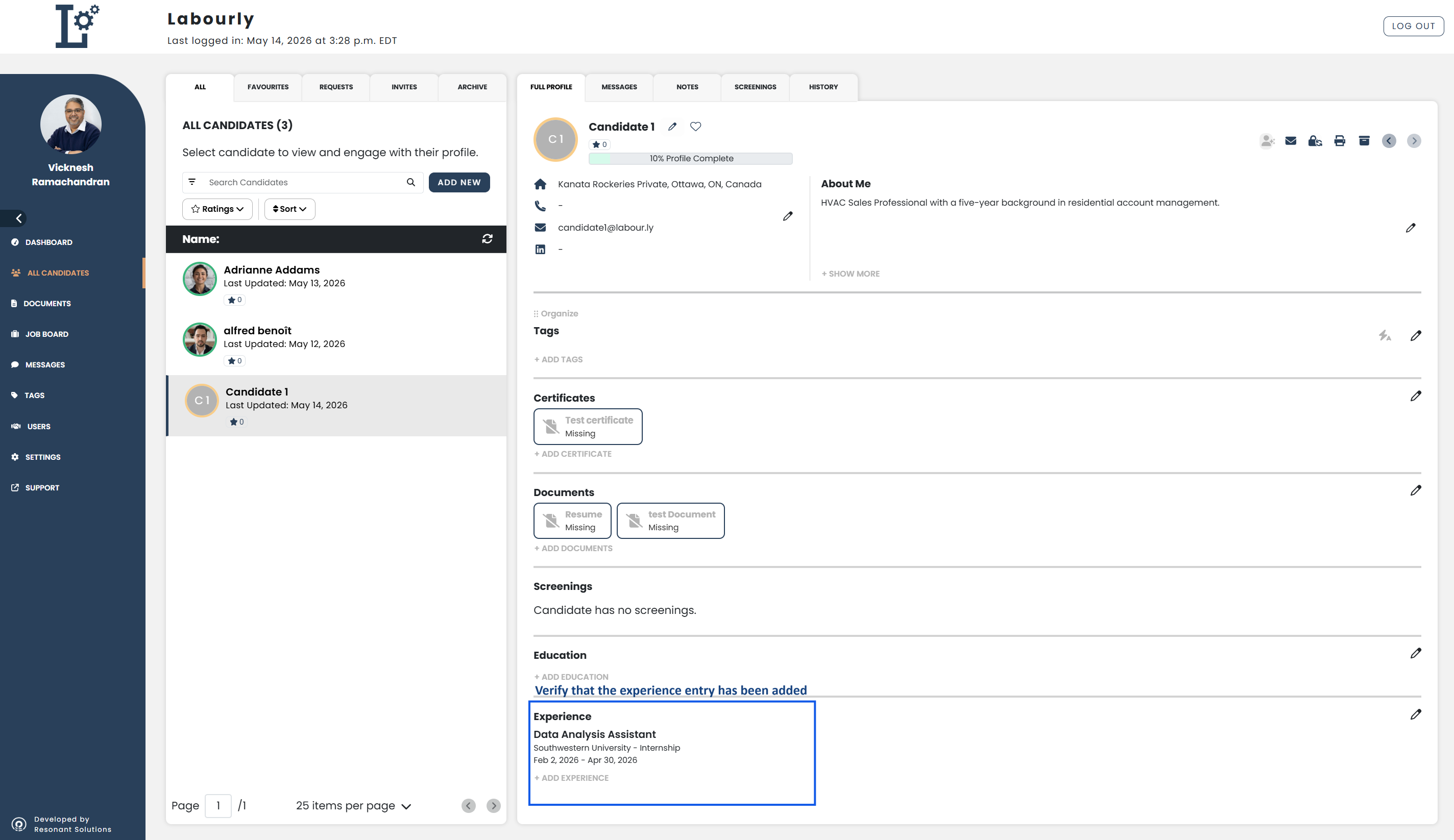
The candidate experience information has been successfully added.See also: