
You can view candidate information from the ALL candidate list.
The candidate profile area allows you to review candidate details, assigned requirements, profile information, and activity sections.
a. Access the Candidate List:
- Go to All Candidates from the left-hand menu
- From the candidate navigation panel, click ALL
You will see the candidate list and candidate profile area.
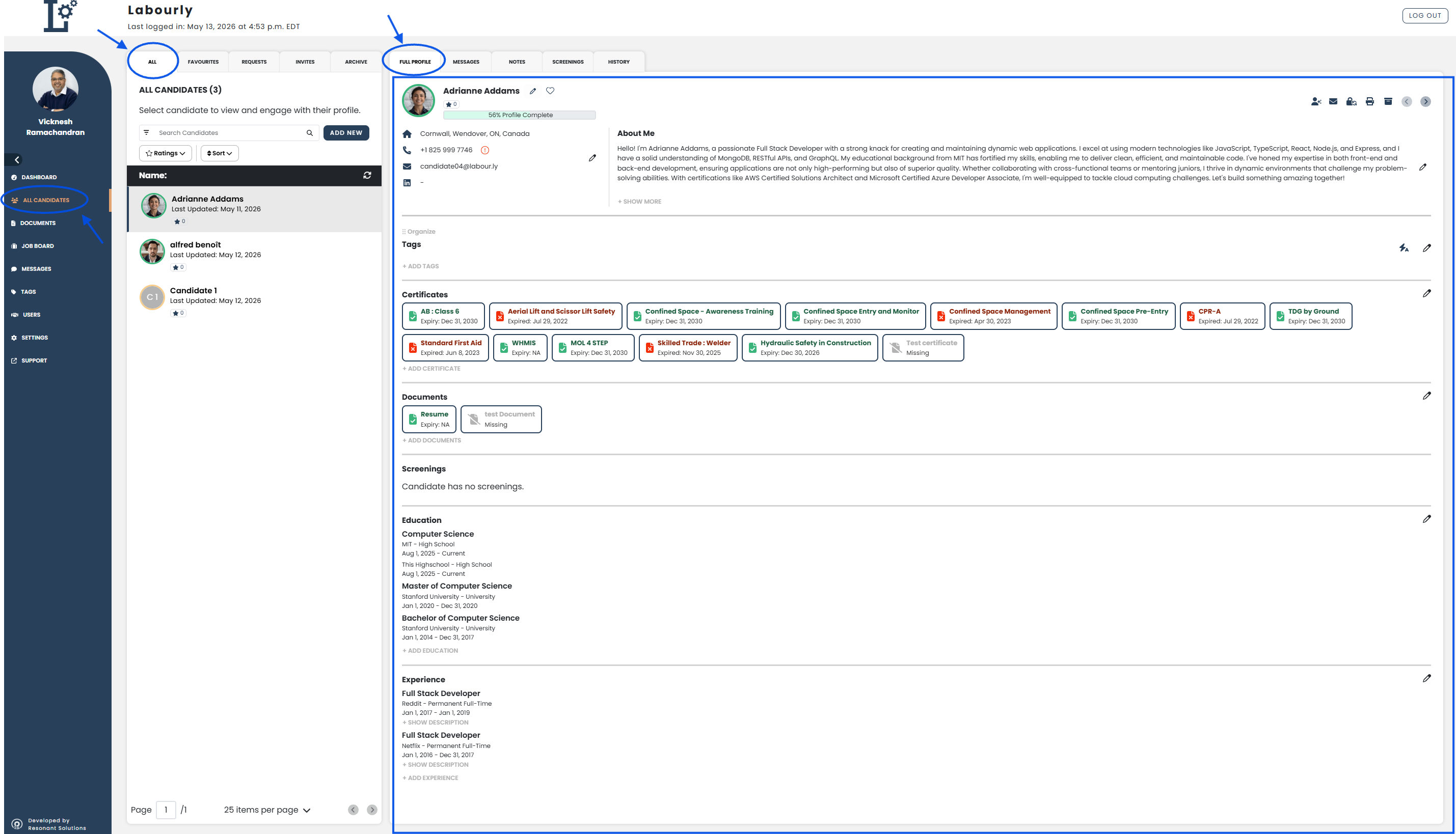
b. Open a Candidate Profile:
- From the candidate list, hover over the candidate you want to view
- Click the candidate from the candidate list
The candidate profile will open in the candidate profile area on the right side of the page.
c. Review Candidate Information:
From the FULL PROFILE tab in the candidate profile area, you can review:
- Contact information
- About Me section
- Tags
- Certifications
- Documents
- Screenings
- Education
- Experience